Crafting the perfect soundscape defines the player experience, yet many developers struggle with how to make game music that balances quality and budget. A haunting melody anchors the emotional stakes of a narrative arc, transforming a generic landscape into an unforgettable memory within a sprawling RPG or a simple mobile app.
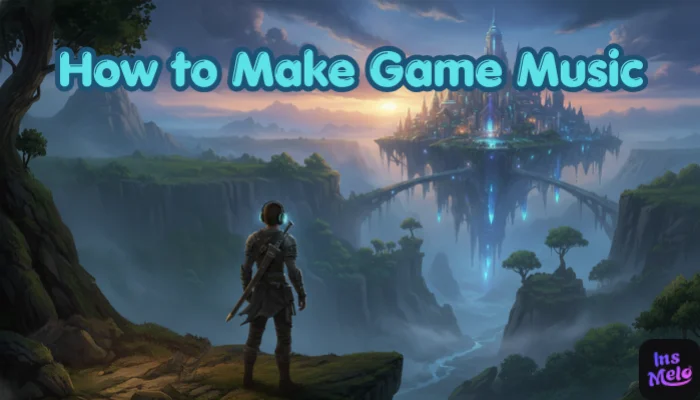
Recent industry shifts show that how to create video game music no longer requires a degree in music theory or expensive studio gear. By leveraging advanced AI tools, creators can generate professional-grade soundtracks in seconds, which provides indie developers the power to compete with AAA production values through efficient, high-quality audio generation.
The Easiest Way to Make Game Music Today
Game music creation has shifted from writing notes manually to describing the sound, mood, or emotion you want. Creators no longer need years of musical training and can concentrate on the idea behind the music, shaping the atmosphere of each scene through concept rather than technical skill.
Now, AI tools interpret these descriptions and generate complete tracks, offering multiple variations to choose from. This approach reduces trial-and-error time and encourages experimentation. Recent surveys show that 60% of indie developers find this method faster and more inspiring than traditional music-making, opening opportunities for creativity without the usual barriers.
How to Make Game Music Step by Step
InsMelo provides a professional music platform to produce high-quality audio through a sequence of intuitive actions. You leverage it to build a comprehensive library of assets that fits the unique atmosphere of your project perfectly. You transform abstract creative ideas into tangible audio files to match the specific emotional beats of the gameplay.
These specific steps show how to make video game music with InsMelo AI Music Generator:
Method 1: How to make music for video games using text to song
InsMelo Text to Song serves as an ideal game music maker for ambient backgrounds, intense battle themes, or menu loops. This method provides a direct path to produce high-quality music through simple descriptive prompts.
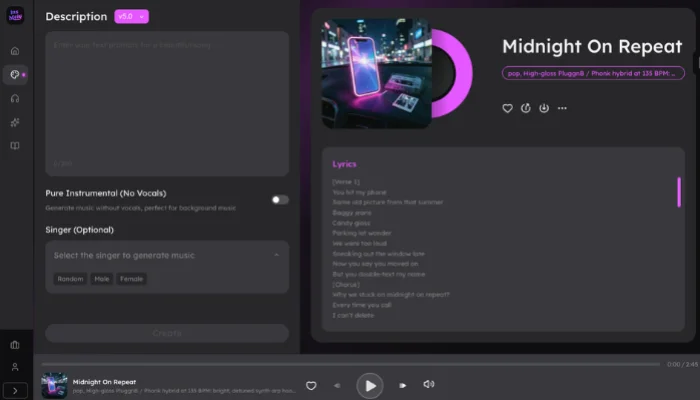

This method encourages experimentation and iteration, letting users explore how to make music for a video game in creative ways without prior musical training.
Method 2: How to make music for a video game using lyrics to song
InsMelo Lyrics to Song provides a direct solution for artists who possess finished lyrics and want to make music for a game.
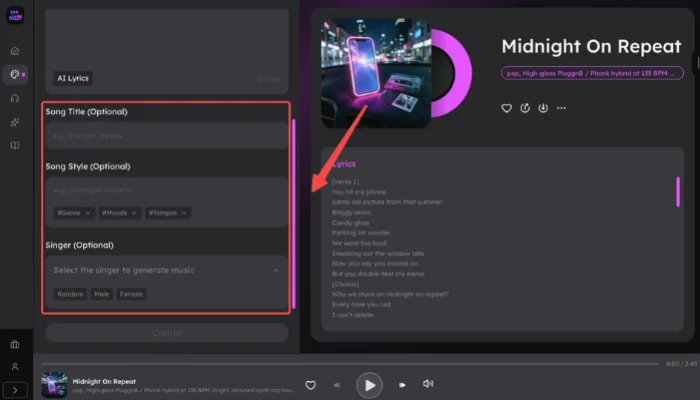
Transforming lyrics into a professional score empowers creators to produce video game music that matches narrative or character themes. Creators can make video game music that matches narrative or character themes. Feedback from AI music users shows that many creators cut production time by around 50% when using lyric-based generation.

Why This Method Works Better Than Traditional Music Creation
Traditional music production involves high costs and long development cycles. InsMelo AI song generator bypasses these barriers by delivering professional results in seconds. The following table highlights the core advantages of using this game music maker to understand how to make music for video games:
| Feature | Traditional Music Creation | InsMelo AI Music Generator |
| Production Speed | Takes days, weeks, or months for a single track. | Produces high-quality audio in seconds. |
| Cost Efficiency | Incurs expensive studio fees and high professional wages. | Offers free daily usage for all creators. |
| Technical Barrier | Demands years of musical training and theory knowledge. | Uses intuitive actions and simple text inputs for creation. |
| Output Variety | Limited by the physical instruments and tools available. | Builds an extensive library of unique genres and vocal styles. |
Tips for Better Game Music Results
Better results in game music come from clear ideas and small refinements rather than random generation. The way you describe your music and adjust outputs plays a key role in the final result.
Match Music to Gameplay
Different scenes need different moods. Fast-paced moments work well with energetic tracks, while exploration benefits from calmer sounds. Strong alignment improves immersion.
Use Clear Descriptions
Specific input leads to better output. Describing mood, tempo, and style helps AI tools produce more accurate tracks and improves how to make good game music.
Test and Refine
Generate multiple versions and compare them. Small changes in text or style can lead to better results, which is essential when learning how to make music for a video game.
FAQ
Conclusion
Creating game music has become easier with AI tools like InsMelo AI music generator. By using descriptions or lyrics, creators can quickly generate unique music and learn how to make game music for battles, exploration, menus, and character themes. Create your professional video game music with InsMelo AI today. Generate unique tracks instantly and elevate your game's soundtrack like thousands of indie developers already have!