Isolating instruments from a song has become faster and more precise with AI-powered audio processing. If you’re learning how to isolate instruments from a song, modern stem separation tools like InsMelo can now separate instruments from song online in minutes, making music editing accessible to creators, producers, and even beginners.
Why Do Users Separate Instruments from Song
Nowadays, music creators often separate instruments from song files for remixing, sampling, and production work. DJs extract beats to create mashups, while producers isolate melodies to build new tracks. Content creators also rely on instrumental isolation to avoid copyright issues or customize background music.
In recent years, demand has grown rapidly. According to a 2025 report by MIDiA Research, over 38% of independent music creators use AI tools for audio editing, including stem separation. Another study by Statista shows that the global digital audio workstation (DAW) market surpassed $3.2 billion in 2024, driven partly by demand for easier music manipulation tools.
Educational use is another factor. Students and learners isolate guitar, drums, or piano tracks to study arrangements and improve their skills.
With growing demand for audio editing, choosing the right tool plays a key role in how accurately you can remove instruments from a song.
What Tools and Software Can Remove Instruments from A Song?
Finding the right tool depends on how precisely you want to remove instruments from a song. Some solutions focus on quick results, while others offer deeper control.
- InsMelo AI – InsMelo provides a free, streamlined online solution. In real use, the processing speed is noticeably faster than most online tools, and the separation results are clean enough for remix and content creation.
- LALAL.AI – A commercial platform (https://www.lalal.ai/) known for clean vocal and instrumental extraction using AI models.
- Audacity – A free, open-source audio editor (https://www.audacityteam.org/). It includes spectral editing features that can help isolate instruments in a song, though results depend heavily on manual adjustments and audio quality.
AI tools focus on speed and simplicity, while traditional software provides more control but requires technical skills. So, how to separate instruments in a song with AI tools?
How to Isolate Instruments from a Song with InsMelo AI (Two Methods)
InsMelo provides two simple ways to separate instruments from song online effectively. Both methods prioritize speed and clarity, so you get professional results in just a few clicks.
1. How to Isolate Instrumental by Vocal Remover
If you are wondering how to isolate instrumental from a song, a vocal remover offers the fastest solution. This method separates vocals from the rest of the audio, leaving a full instrumental track.
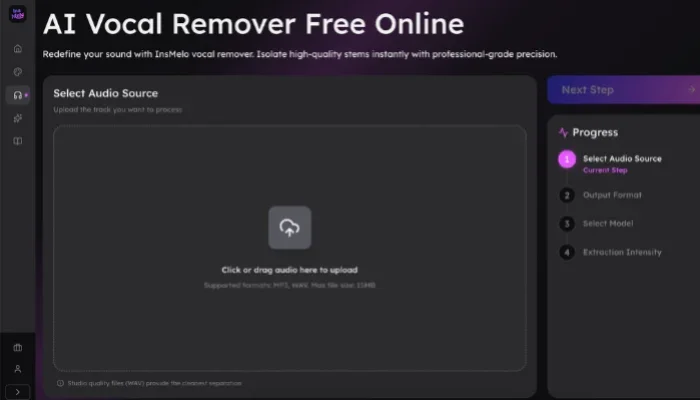
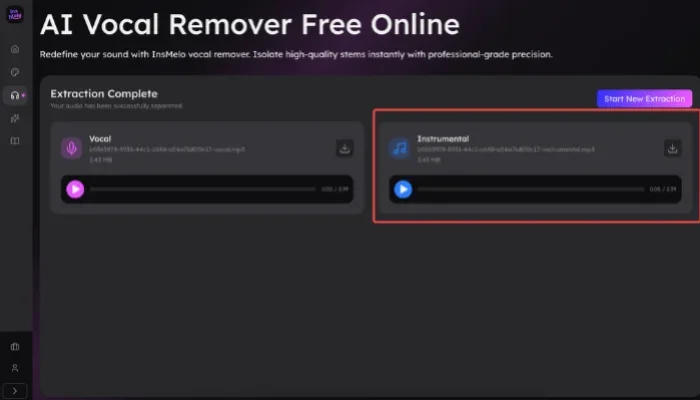
In my testing, this method works especially well for pop songs with clear vocal layering and instrumental, while tracks with heavy reverb may leave slight vocal traces.

2. How to Remove an Instrument or Different Instruments by Stem Splitter
When you are looking for how to isolate one or more specific instruments from a song, Insmeo AI Stem Splitter is the perfect tool for you. This advanced feature goes beyond simple vocal removal to break a song into its individual instruments.
Follow 3 steps to isolate guitar, drum, or other instruments from a song:
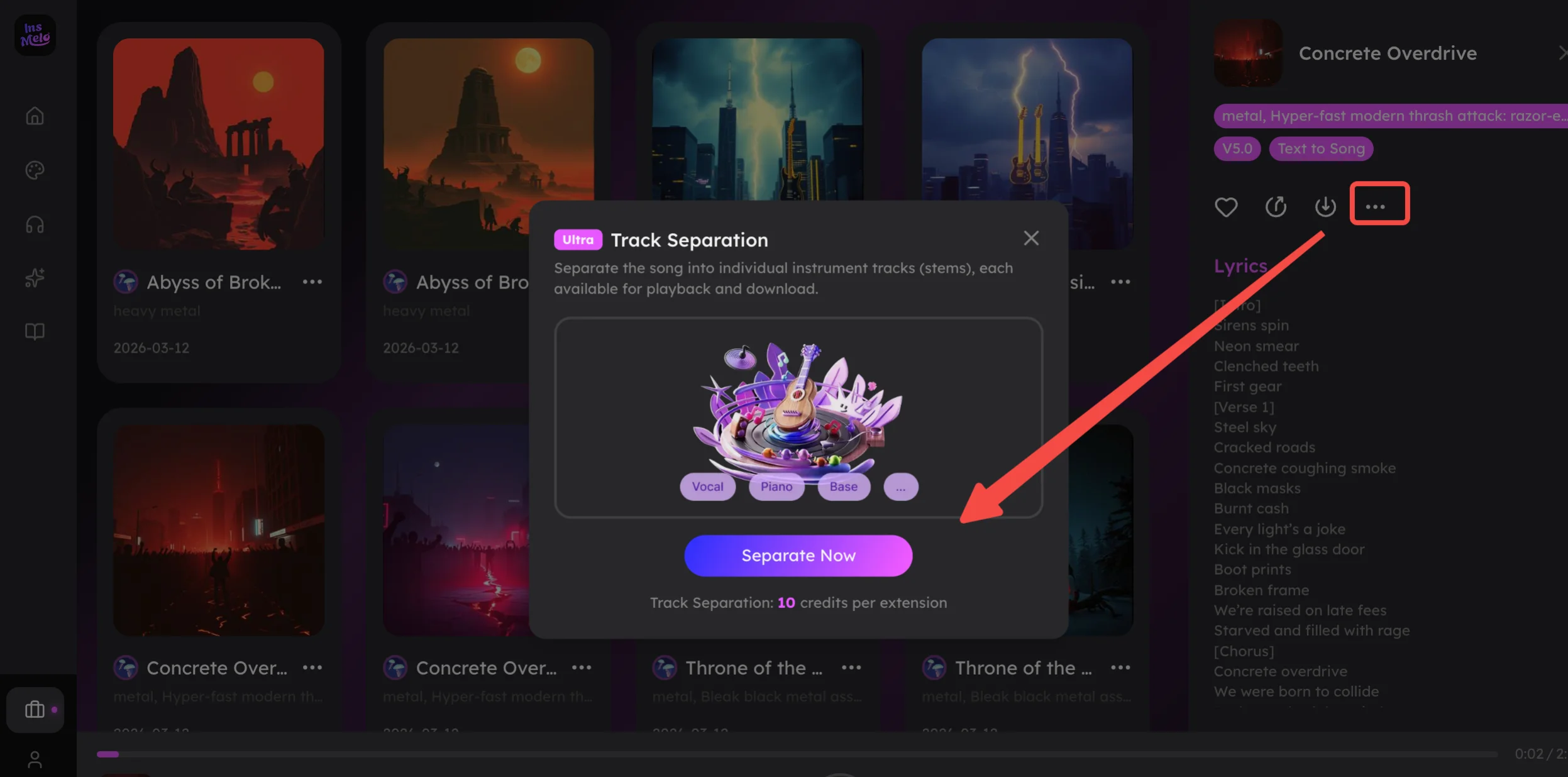
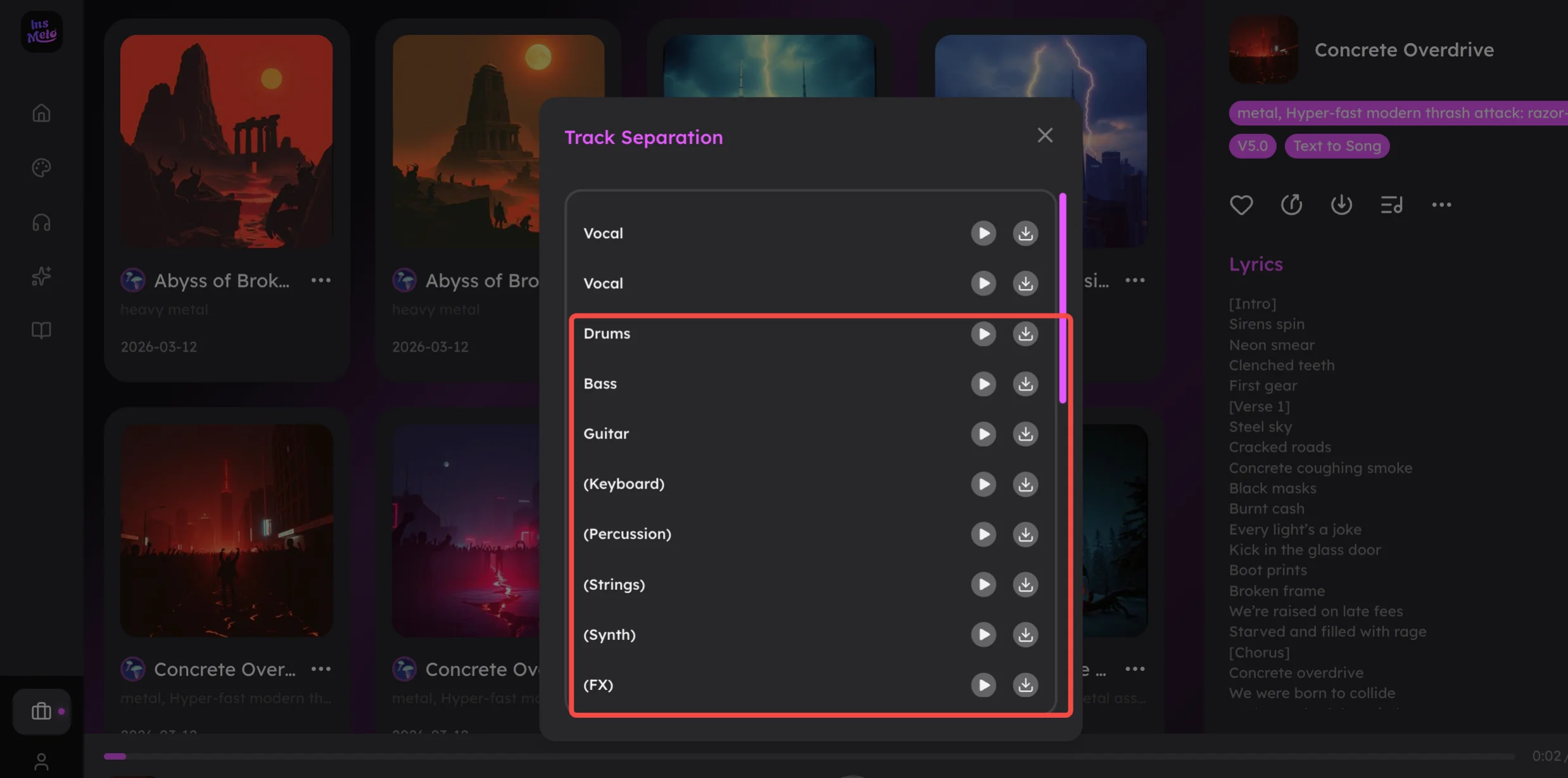

From my experience, stem separation performs best when instruments are clearly separated in the mix, while dense tracks may require minor post-editing.
No matter which way you choose, to get wonderful instrument isolation, please keep these tips in mind.
Pro Tips for Isolating Instruments from a Song Without Compromising Quality
To improve separation quality, follow these practical tips:
Alt: Practical tips for how to remove an instrument from a song effectively
Choose Advanced AI Tools: Tools like InsMelo AI Song Generator that support vocal removal and multi-stem separation can better isolate instruments from a song, producing more natural individual tracks.
Start with High-Quality Audio Source: Lossless formats such as WAV or FLAC produce better results than compressed formats like MP3.
Avoid Over-Processing Audio: Running the same file through multiple tools can degrade quality. A single, reliable AI instrument separation process often delivers better results than stacking edits.
Even with advanced AI, perfect isolation depends on the complexity of the original mix. Songs with heavy effects or overlapping frequencies may still produce minor artifacts after processing.
FAQs about Isolating Instruments in a Song
Conclusion
Learning how to isolate instruments from a song no longer requires advanced technical skills or expensive software. AI-powered tools have simplified the process, making it accessible to anyone working with music.
From quick vocal removal to detailed stem separation, modern solutions provide flexibility for different creative needs. As AI audio technology continues to evolve, instrument isolation will become even more precise, opening new possibilities for music creation and editing.
For creators working on remixes, covers, or content production, mastering instrument isolation has become a core skill in modern music workflows.