Instrumental tracks have become a vital part of modern music creation, offering musicians and creators the freedom to explore melodies without vocals. Learning how to make a song instrumental opens up new possibilities for remixing, producing backing tracks, or experimenting with sound. AI technology transforms this process, turning complex audio editing into a quick and seamless experience.
According to a 2025 survey by Music Ally, over 60% of content creators now rely on AI to optimize their music production workflow. Streaming platforms report more than 1.2 billion streams each year for karaoke and instrumental tracks, showing a clear demand for clean, professional-sounding instrumentals across the industry.
What is a Song Instrumental
Song instrumental is a version of a track that removes the main vocals while keeping the music intact. It preserves the melody, harmony, rhythm, and overall structure of the original song, allowing the musical composition to be experienced without vocal interference.

Instrumentals reveal the arrangement and interactions between the musical elements. By focusing solely on the music, listeners can perceive details in the composition that are often less noticeable in the full version, highlighting the song’s structure and flow.
How to Make an Instrumental from a Song With InsMelo
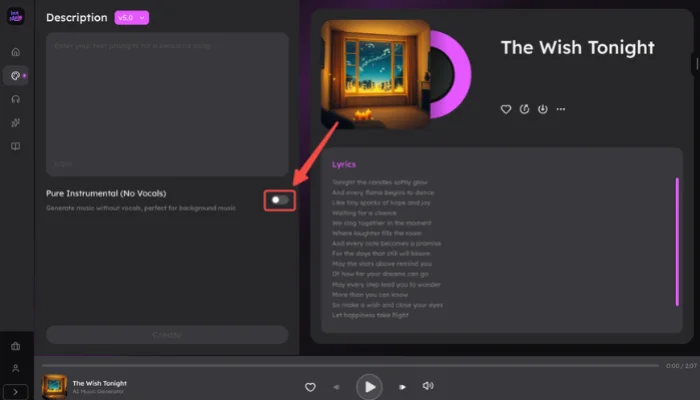
AI technology has transformed music creation, and understanding how to make a song instrumental makes it simple to produce original tracks without vocals. InsMelo's text to song generator creates high-quality instrumentals directly from prompts, creating a smooth workflow for music production.
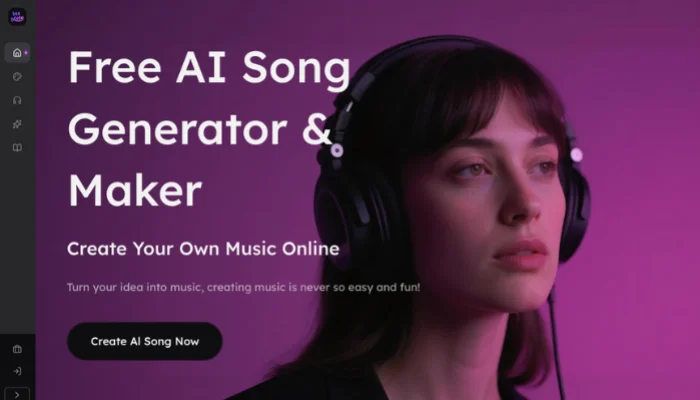
How to make a song instrumental
Turn Songs into Instrumentals with Vocal Remover
In addition to generating instrumentals from text prompts, existing songs can be converted into instrumentals using InsMelo Vocal Remover. This method provides a second approach to creating music tracks, focusing on separating vocals from the original audio while keeping the instrumental intact.
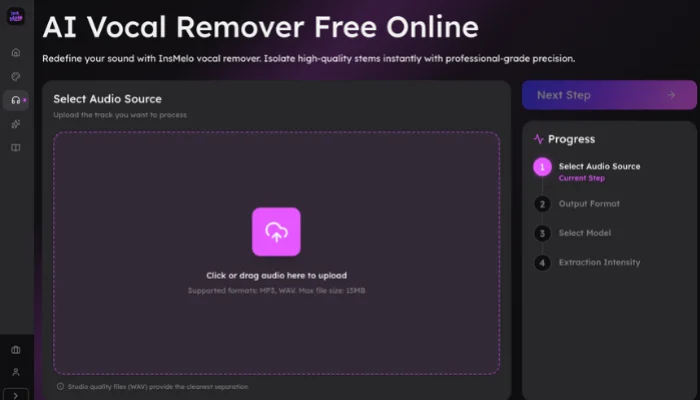
How to convert a song into instrumental
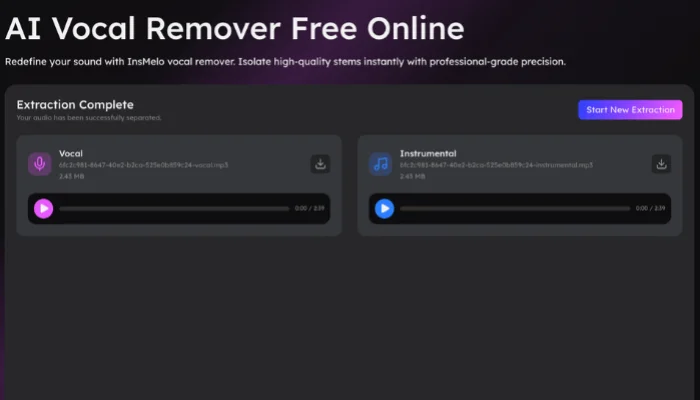

Compare InsMelo Instrumental Features
Choose the most efficient workflow based on your specific production requirements. The comparison below identifies the best tool for each scenario.
| Feature | Text to Instrumental | Vocal Remover |
| Primary Goal | Creating original music from text | Isolating music from existing songs |
| Input Type | Text prompts (Mood, Genre, BPM) | Audio files (MP3, WAV) |
| Best For | Backing tracks for singers | Sampling for hip-hop |
| Core Result | Produces a unique composition | Extracts a clean karaoke version |
Tips for Better Instrumental Quality
Improving instrumental quality begins with clear style, mood, and instrument choices. Understanding how to make a song instrumental online helps create a balanced and polished track that sounds professional.
- Provide Descriptive Prompts: Detail the specific instruments, such as "acoustic piano" or "heavy distorted bass," to give the AI a clear roadmap. Descriptive language results in a more defined mix when you how to create an instrumental track.
- Define the Atmosphere: Include mood keywords like "ambient," "energetic," or "melancholic." Specifying the vibe prevents the generation of clashing frequencies and results in a more cohesive backing track.
- Specify Structural Cues: Mention specific sections like "heavy drum intro" or "slow synth outro." Defining the structure leads to a more usable file when you how to make a song a instrumental for long-form video content.
- Optimize Tempo Settings: Match the BPM to your intended project use. Setting an accurate tempo from the start ensures that you how to create an instrumental song that integrates perfectly with your existing edits.

FAQ
Conclusion
Learning how to make a song instrumental has become an essential skill for modern creators, combining creativity with efficiency. Whether generating unique song from a text prompt or extracting a clean backing track from an existing song, tools like InsMelo AI song generator simplify the process and deliver professional results in seconds.
Take control of your music today and turn your ideas into high-quality instrumentals in moments. With InsMelo, creating polished, ready-to-use tracks has never been easier, start experimenting now and bring your musical vision to life.