You finally got a song that sounds amazing. The melody's right, the vibe is there, and then... one lyric is off. Or the ending cuts out mid-note. The song is a little bit short, the vocal sounds weak, or the whole track would be better in another style. So what now? Should we regenerate the whole thing and hope for better luck?
No, InsMelo gives creators a practical way to edit songs with AI without starting over from scratch. Instead of regenerating a full track and hoping the new version keeps the same magic, you can choose the exact editing tool that matches the problem: change lyrics, rearrange the style, extend the song, add vocals, remove vocals, split stems, create samples, or remix two tracks into something new.
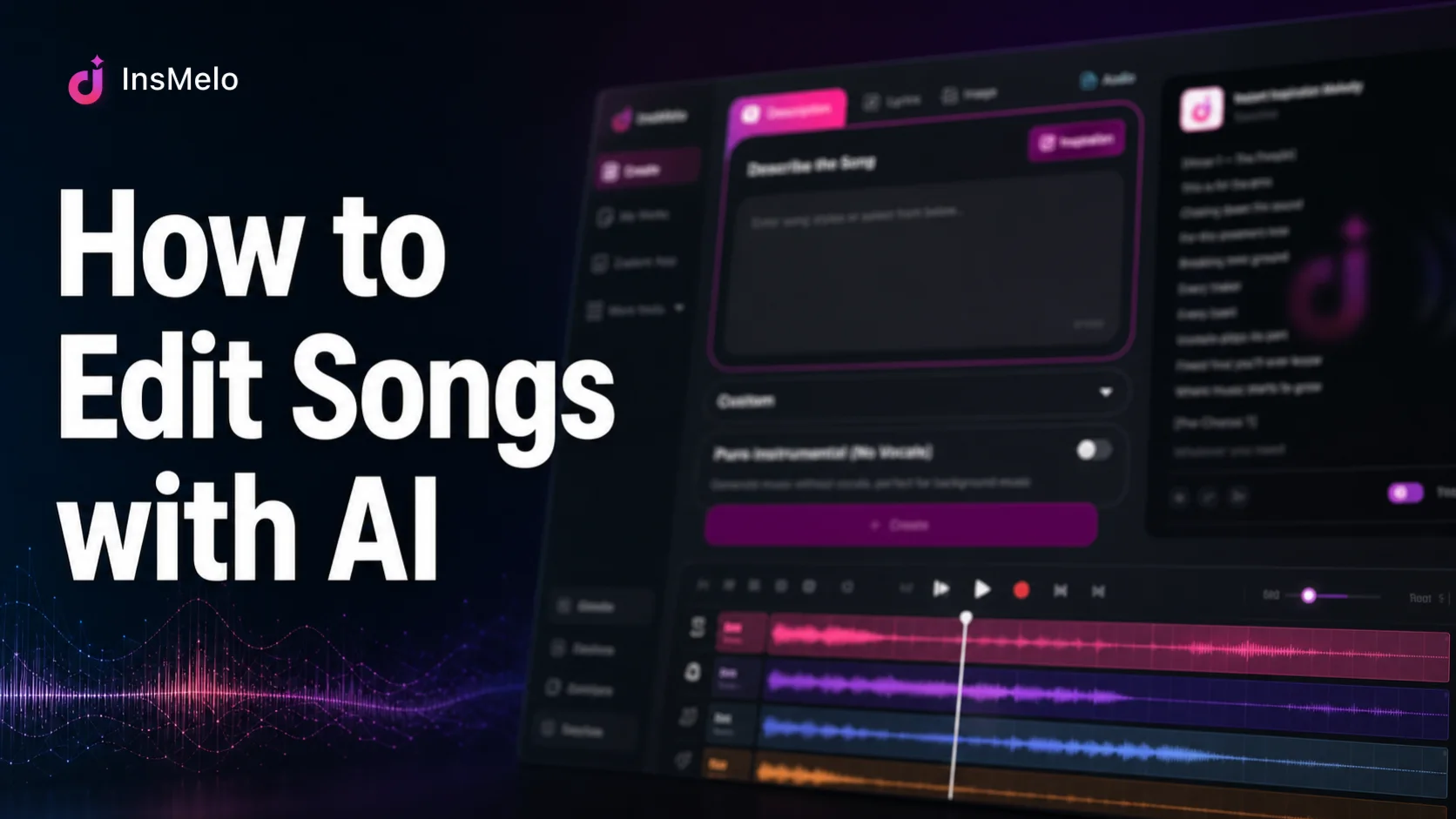
This guide walks through the most common song editing scenarios and shows which InsMelo tool fits each one.
Quick Overview: AI Music Editing Tools
AI music editing works best when you know what you want to fix. Before diving into each scenario, here's the full toolkit at a glance:
| Scenario | Best InsMelo AI Song Editing Tools | What It Does |
|
Wrong lyric, bad cover image, weak song title |
Song Details Editor |
Modify song details, such as replacing the cover image, adjusting the song title, and changing displayed lyrics |
|
Want a new song with a different music style | AI Music Rearranger |
Change music style or genre |
|
Build a full song from a short clip | AI Sample Generator | Turn a sample into a full new track |
|
Extend a short song | AI Music Extender | Edit music track length naturally |
|
Have a melody without vocals | Add Vocals to Music | Create a song with lyrics and vocals from a melody or backing music |
|
Two songs, one idea | Mashup Maker | Remix selected parts into a new track |
|
Weak or unwanted vocals | Vocal Remover | Keep the background music and remove the vocals |
|
Need isolated tracks | Stem Splitter | Isolate vocals, drums, bass, piano, guitar, and more |
Each of these solves a specific editing problem, and most work whether you're starting from a song you uploaded yourself or one you already generated by InsMelo AI song generator. Let's go through them one by one.
Update the Song Title, Cover Image, or Lyrics
Sometimes the song itself works. The details just need a little polish.
Maybe the song name feels too plain, the cover image does not match the mood, or one lyric sounds awkward after a few listens. These small edits matter because they shape how the track feels when you share it, publish it, or send it to collaborators.

In InsMelo, open your existing song from your works or dashboard. From the song details area, click "Edit" to update the title, change the cover image or lyrics. Save the changes, then preview the song page to make sure everything feels consistent.
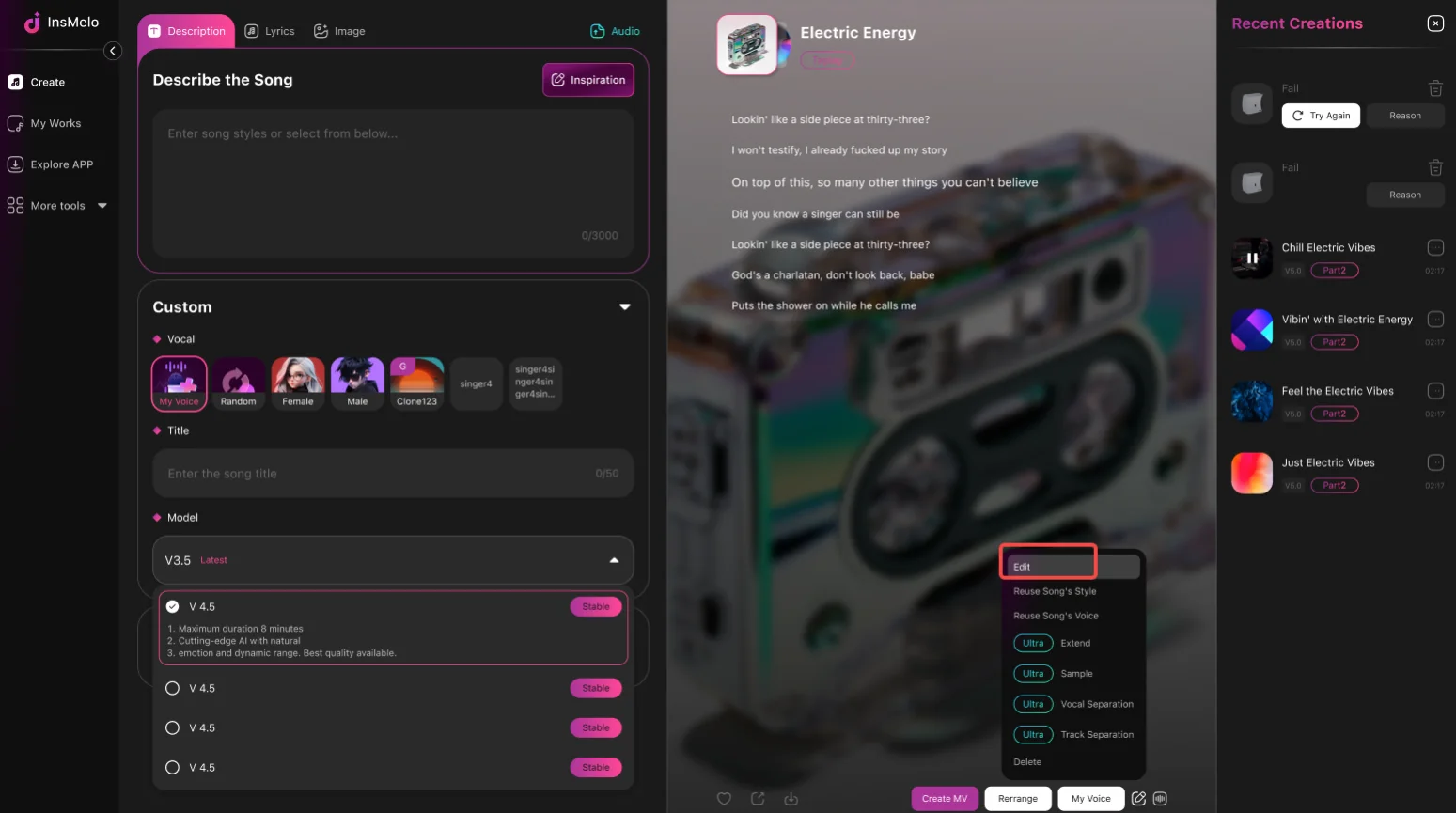

For a full lyric-editing walkthrough, read: Change Lyrics of a Song Online Free.
Change the Style or Genre of a Song
"I have a song, but want it in a different style. How to change the song quickly?" You may wonder. This is where the AI music rearranger comes in.
InsMelo’s AI music arrangement tool lets you rework an existing track into a different musical direction. Instead of throwing away the song, you can reshape the mood, genre, instrumentation, and energy into a new song.
Start with a song from your InsMelo library or upload a local audio file. Then describe how you want to rearrange this song in plain language. Be specific about genre, emotion, instruments, and vocal direction.
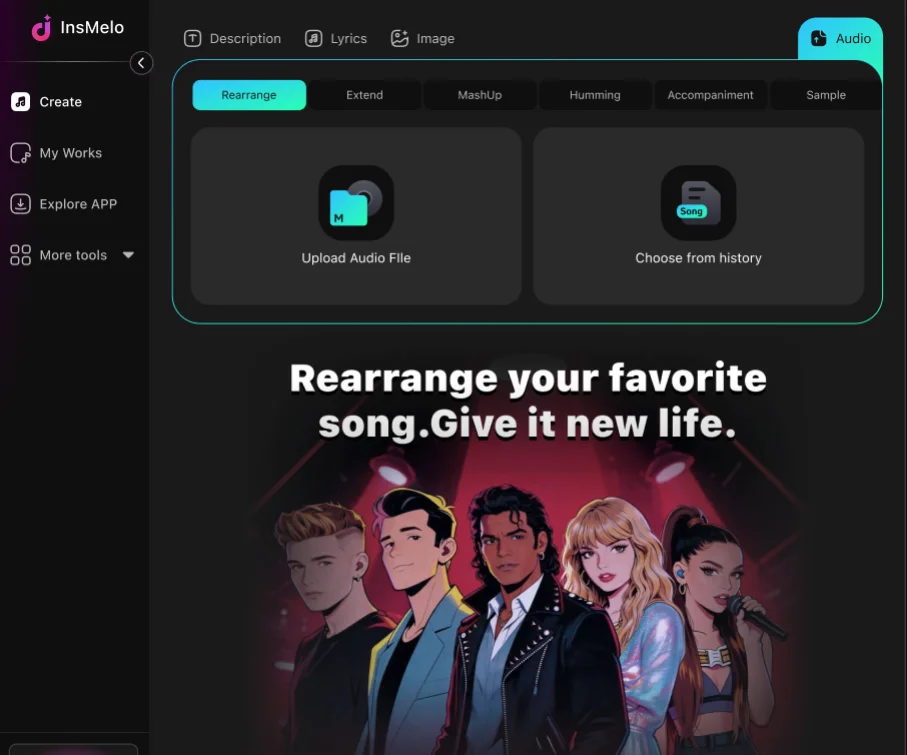
For example:
- "Rearrange this song into a slow acoustic ballad with warm guitar and soft vocals."
- "Keep the melody, but make the production more cinematic and dramatic."
- "Turn this track into an upbeat dance-pop version with stronger drums."
- "Make the backing track feel more soulful and less electronic."
Turn a Short Sample into a Full New Song
If you have a four-bar loop, a vocal hook, a chord progression you hummed into your phone, can AI turn the tiny piece into a full song?
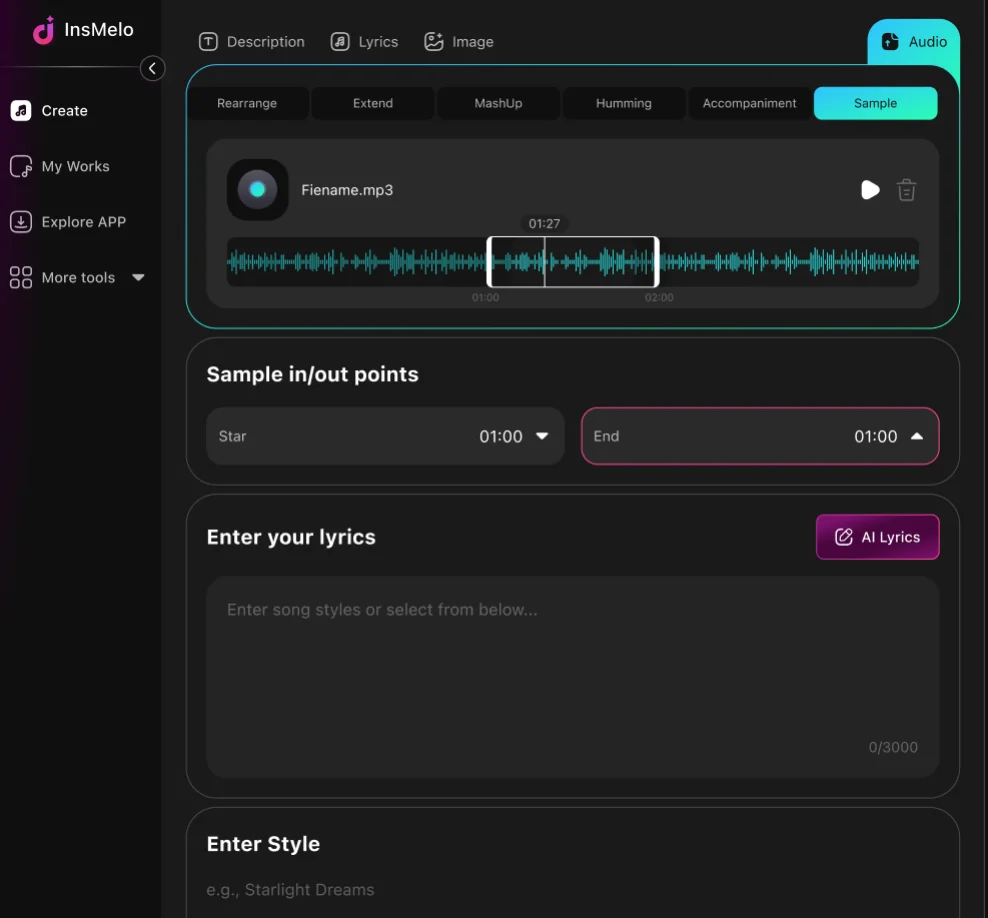
With the AI sample generator, yes. Its steps are as follows:
- Upload the sample directly, or choose a song you already created.
- Set the exact starting point of your music sample. Optionally customize the new track by adjusting mood, genre, or BPM to match your vibe.
- Generate a new track based on the sample.
This is especially useful for producers, video creators, and songwriters who collect music samples but struggle to turn them into finished tracks.
Extend a Song That's Too Short or Cuts Off
Can you use AI to edit a music track's length?
Absolutely yes. InsMelo AI music extender continues an existing track so it feels longer and more complete while keeping the vibe.
- Upload a track or select one from your history.
- Set where the extension should begin and style options for your track.
- Extend the song and preview it.
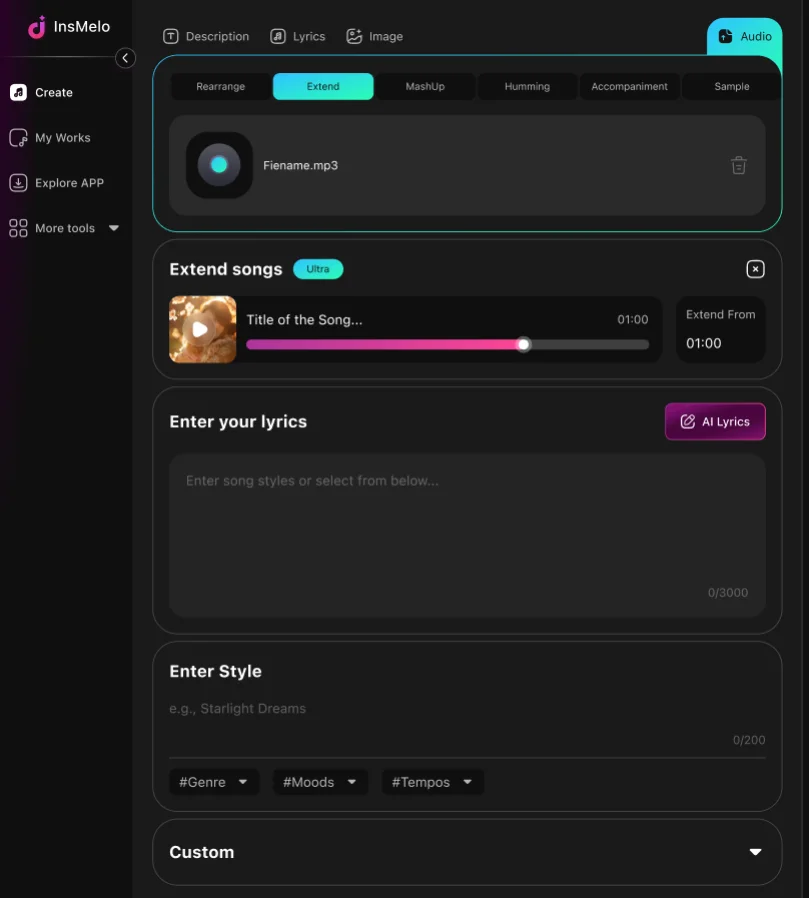
Editor's Tips: The best extensions start from a clean musical moment. Avoid cutting in the middle of a word, drum hit, or messy transition. A natural phrase ending gives the AI a better starting point.
For a detailed guide, read How to Extend Songs with AI.
Add Vocals to an Instrumental or Melody
If you already have an instrumental, beat, or melody, the "Add Vocals to Music" tool can help turn it into a vocal song. This is useful for songwriters, beat makers, and creators who have the music but still need a singing voice.
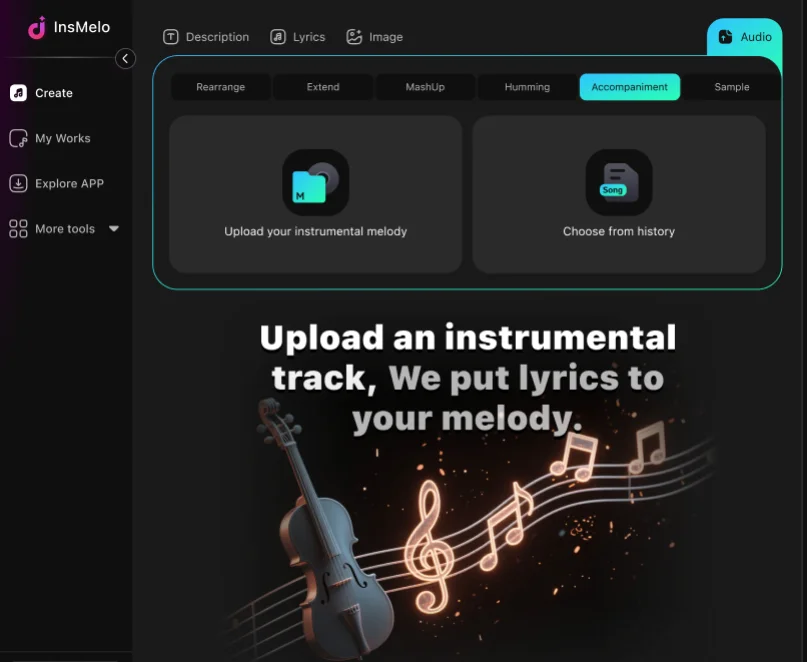
- Start by uploading the instrumental or choosing a pure track from your InsMelo history.
- Adjust the start and end points if needed, add your lyrics, and choose the vocal style.
- Click "Create" to generate the vocal version of your instrumental.
Note: If the default singer's voice is not what you like, you can create your own AI voice or describe the vocals you want in the song style input box.
It's a fast way to turn a half-finished idea into a complete song, especially for producers who lean instrumental-first and songwriters who want to test different vocal directions before committing to a final recording.
Remix Two Songs into a New Track
There's a particular kind of magic in combining two songs that shouldn't work together but somehow do. Maybe you've got a moody intro from one track and an explosive chorus from another, and you want to see what happens when they remix.
Its mashup maker can combine two songs into a new version creatively. Choose two tracks from your library. Then, optionally customize song style and singer and generate the mashup.
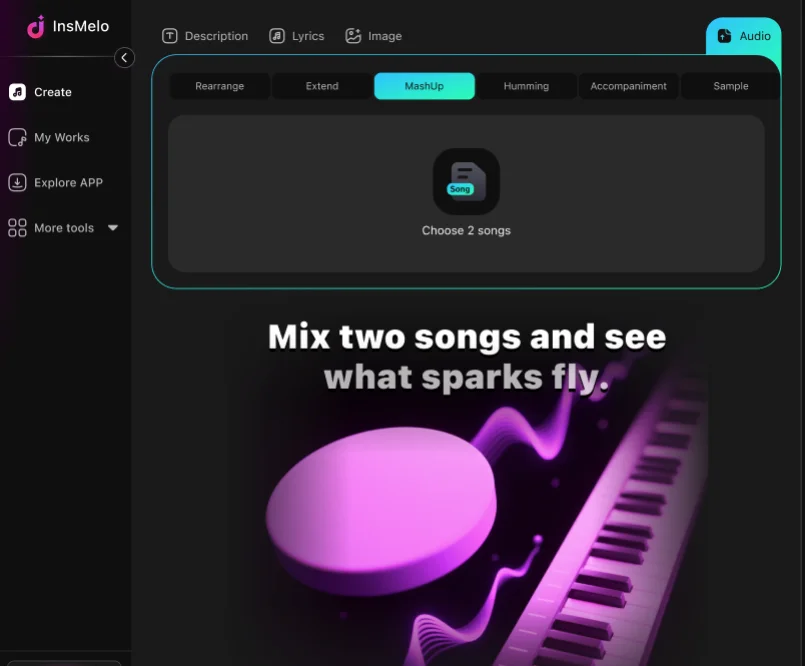
Before starting, listen to both songs and decide which element matters most. It could be the vocal from one track, the beat from another, or a chorus section you want to reuse. Avoid choosing two busy tracks unless you want a dense sound. A clear vocal over a cleaner instrumental often works better than two full arrangements competing at once.
Remove or Improve Weak Vocals
When the backing track is useful but the vocal does not fit, vocal separation is often the fastest next step. The issue might be tone, pronunciation, performance style, or simply a voice that does not match the song.
InsMelo AI vocal remover separates the vocals from the instrumentals. Upload the song or choose one from your music history, then run the vocal remover. After processing, preview the separated parts and download the version you need.
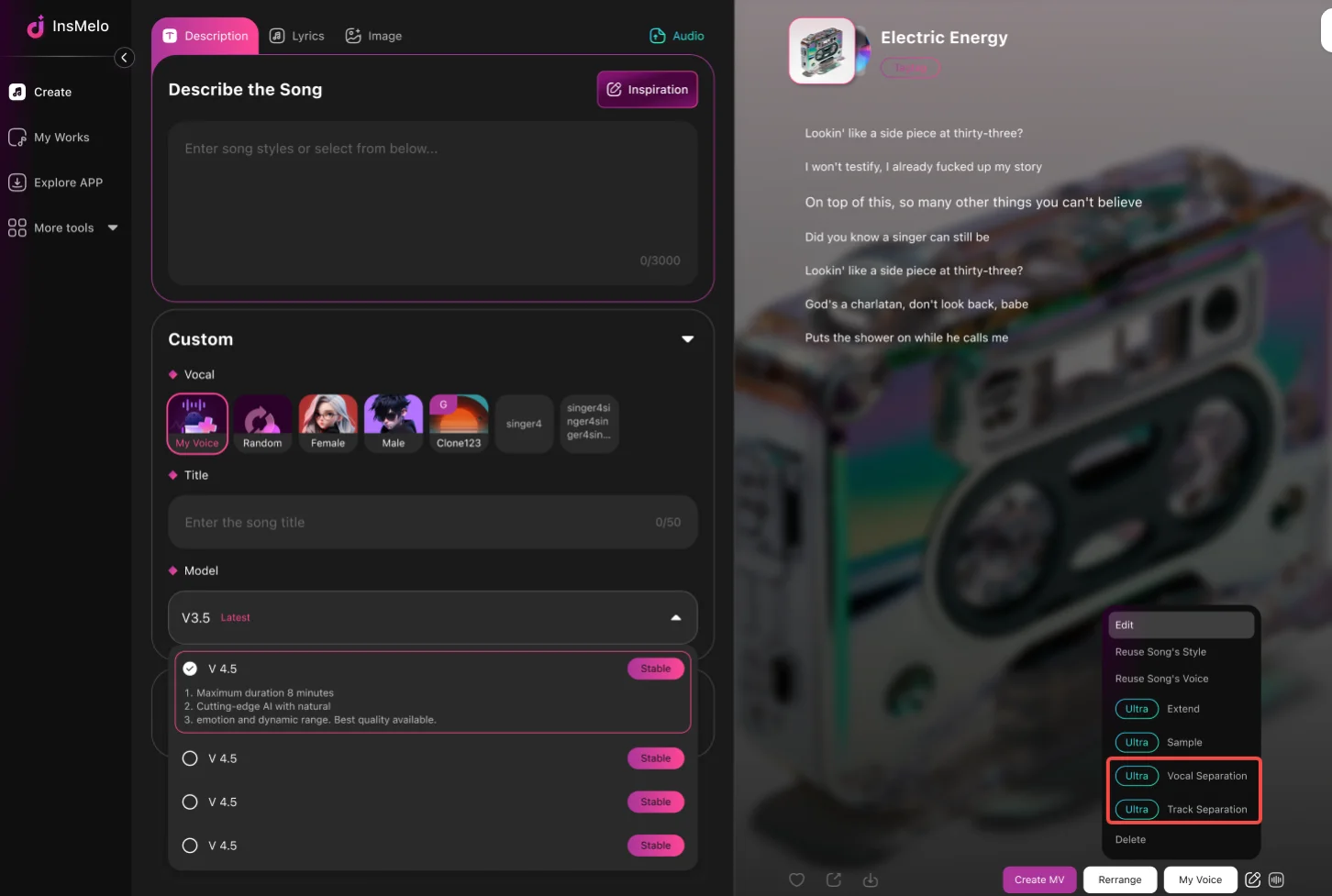
This is helpful when you want to keep the background music, create a karaoke version, prepare a remix, or replace the vocal later with a new performance.
Tips: For cleaner results, start with the best-quality audio file you have. Heavy distortion, noise, or crowded mixes can make separation less precise.
Isolate or Split Individual Tracks
Vocal removal is useful for separating vocals from music, but some edits need more control. If you want to work with drums, bass, piano, guitar, vocals, or other layers separately, use an AI stem splitter.
Stem Splitter separates a track into its individual components: vocals, drums, bass, and other instruments so each piece can be pulled out and used on its own. Select the song from your works, run the stem separation, preview each layer, then download the stems you need.
This is a better choice for remixing, sampling, arrangement changes, or more editing where one instrument needs attention. For example, you may want to keep the drums, remove the vocals, study the bassline, or rebuild the song around a single section.
Tips for Better AI Music Editing Results
AI can make song editing fast, but these tips still matter:
Start with the cleanest audio file available. Low-quality, noisy, or distorted audio gives the AI less useful information. A clear source track usually leads to cleaner edits.
Fix one problem at a time. If the lyrics, vocals, structure, and genre all need work, handle them in stages. Change the lyrics first, then arrange the style, then extend or split the song if needed. A step-by-step workflow makes results easier to judge.
Be specific with prompts. If you need to describe how to edit or change, keep the prompts in detail.
Save different versions as you edit. One version may have a stronger vocal, while another may have a better arrangement.
Respect rights and usage rules. If you upload copyrighted music or use someone else’s sample, make sure you have permission before releasing, monetizing, or distributing the edited song.
Most importantly, treat AI music editing as a creative assistant, not a one-size-fits-all tool. The more precise your ideas, the better the editing will be.
FAQs about Using AI to Edit Music
Final Thoughts
Editing music with AI is no longer about starting over every time something goes wrong.
A nearly perfect song can be finished with one focused edit: a weak vocal removed, a short track extended, a loose sample built into a full arrangement, a plain mix pushed into a new genre, two half-ideas blended into one mashup.
InsMelo brings these AI music editing tools into one creative workflow, so you can choose the right editing tool for your song.
If you are wondering how to edit songs with AI, begin with the problem you hear first. Is it the lyrics, the vocals, the length, the style, the structure, or the mix? Once you know that, the next step becomes much easier.
Great songs rarely arrive perfect on the first try. The real magic often happens in the edit.