Learning how to remove vocals from a song has become easier than ever thanks to AI-powered music tools like InsMelo. What once required advanced audio engineering, expensive software, and manual editing can now be done online in just a few clicks. This makes vocal removal accessible not only to producers, but also to users who want fast, high-quality results without technical complexity.
Why do Users Need to Remove Vocals from a Song?
Audio separation has become a standard requirement in modern audio processing workflows. Over 60% of independent music projects involve some form of track reuse or audio restructuring, which increases demand for remove vocals from a song solutions. AI-based separation tools dominate this field, providing more accurate and faster results compared to traditional methods.
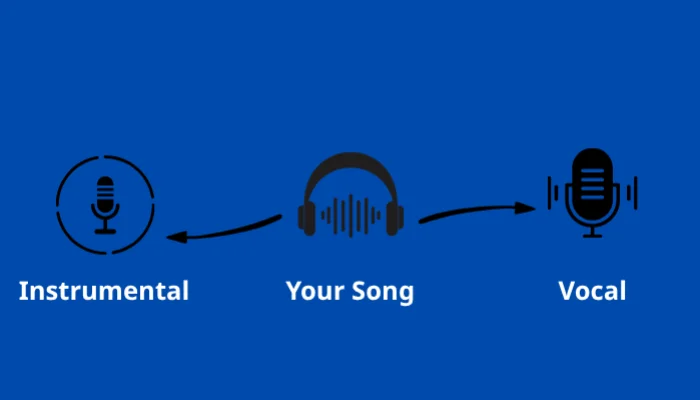
Recent audio engineering benchmarks show that neural network models can achieve up to 95% separation accuracy in controlled audio environments. Beginner-level audio production studies also indicate that nearly 45% of new users interact with vocal separation tools within their first stage of learning digital audio workflows, highlighting the rising relevance of isolate vocals from a song technology in modern audio processing.
How to Isolate Vocals from a Song with AI (Step-by-Step)
Modern AI provides a level of precision that traditional phase inversion cannot match. Use the InsMelo AI music generator interface to removing vocals from a song without the artifacts typically found in older software. It reconstructs the underlying audio to provide a full-bodied instrumental.

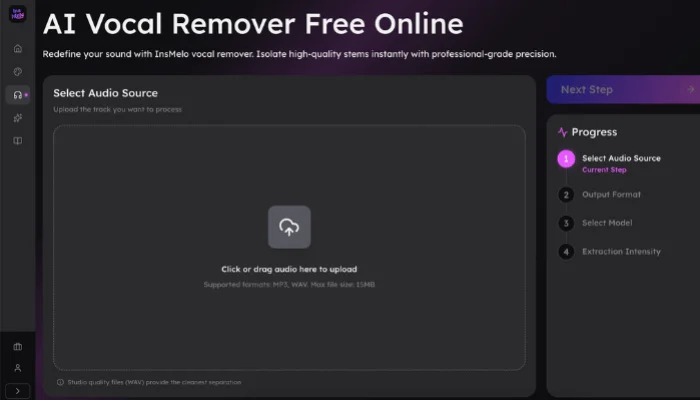
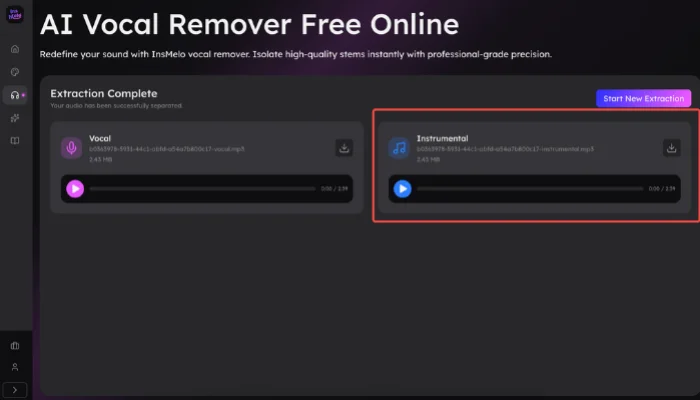
How to Remove Vocals by Uploading Your Own Song
Users can remove vocals from a song free by uploading their own audio file into InsMelo. InsMelo vocal remover processes the track that separate vocal and instrumental layers, then generates a clean instrumental version ready for download or further use.
How to Remove Vocals from Songs in the InsMelo Library
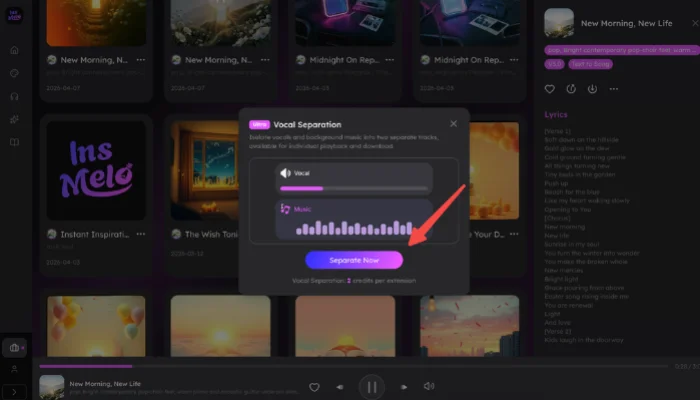
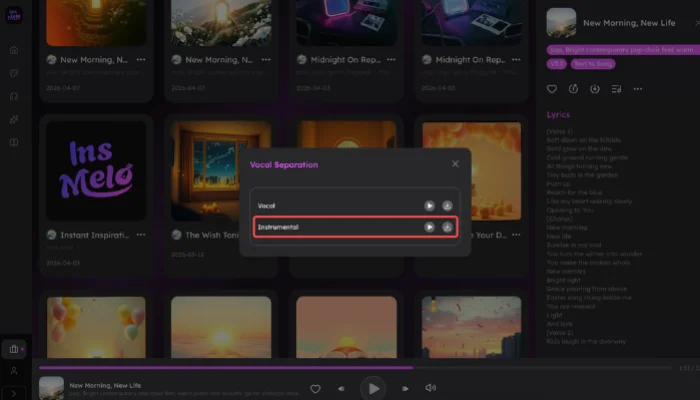
Instead of uploading your own file, you can select a generated track directly from "My works" to start the process. Once a song is selected, the system prepares it for separation, allowing you to quickly generate an instrumental or vocal-only version without any extra setup.

Best Way to Isolate Vocals from a Song Without Losing Quality
If you're looking for the best way to isolate vocals from a song without losing quality, the method you choose plays a key role in the final result. Here are the most effective approaches to try:
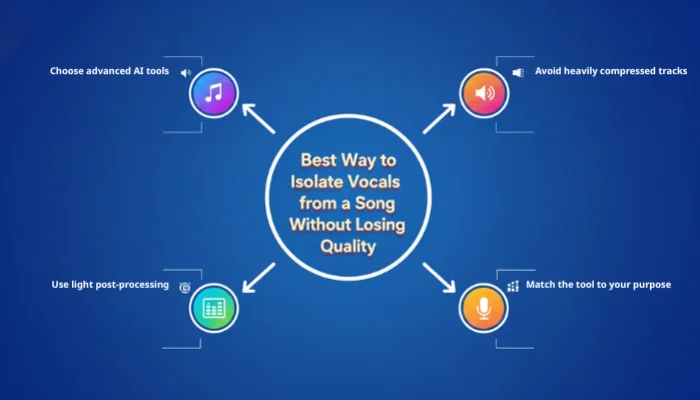
- Choose advanced AI tools: Tools like InsMelo AI Song Generator that support multi-stem separation can better distinguish vocals from instruments, producing more natural results.
- Avoid heavily compressed tracks: Low-quality or overly compressed audio reduces separation accuracy and can leave noticeable vocal residue.
- Use light post-processing: Small EQ tweaks or noise reduction can improve clarity after isolating vocals from a song, especially for complex mixes.
- Match the tool to your purpose: Some AI tools are better for karaoke, while others are optimized for remixing or professional editing.

Use Cases for Removing Vocals from a Song
Creative professionals and hobbyists utilize audio separation for a wide variety of projects. Transforming a standard track into a versatile asset opens up numerous possibilities for performance and media creation.
- Karaoke and Live Performance: Many fans remove the vocals from a song free to host singing sessions at home or local venues. You can perform with the original high-quality backing track instead of relying on low-quality MIDI recreation.
- Remixing and DJ Sets: Music producers spend time isolating vocals from a song to extract clean acapellas for electronic dance music. Users can change the tempo or key of the isolated track to fit a brand-new rhythmic arrangement.
- Background Music and Narration: Podcast producers often remove the lyrics from a track to create a clean bed of music for transitions. Help you to create a professional atmosphere where the music complements your dialogue instead of competing for the listener's attention.
- Content Production for Social Media: Creators on platforms like YouTube and TikTok often isolate melodies to use as a background layer. You can keep the music behind your narration to avoid any original lyrics clashing with your spoken voiceover.
- Study and Musical Analysis: Educators often isolate vocals from a song to help students hear the subtle nuances of an instrumental composition. Music student can study the complex layering of guitars, synths, and percussion that sits behind the lead singer.
FAQ About Isolate Vocals from Song
Conclusion
Mastering audio separation no longer requires a professional studio or years of engineering experience. Learning how to remove vocals from a song is less about technical expertise and more about using a repeatable, AI-driven process. Start with any track, use the InsMelo AI, and you will have high-quality instrumental or vocal files in minutes.
Your next creative project is closer than you think. Go to InsMelo today and use our AI tools to remove vocals from a song now!