Want to learn how to mashup songs without getting stuck in complex editing software? InsMelo AI Mashup Maker helps creators turn two original tracks into a fresh music idea with less manual production work and more room for experimentation.
Song mashups are popular because they bring familiar melodies, rhythms, and moods into a new creative context. This guide explains what mashups are, why AI changes the workflow, and how InsMelo supports creators who want faster inspiration, cleaner music combinations, and an easier way to explore AI mashup songs online.

What Is a Song Mashup?
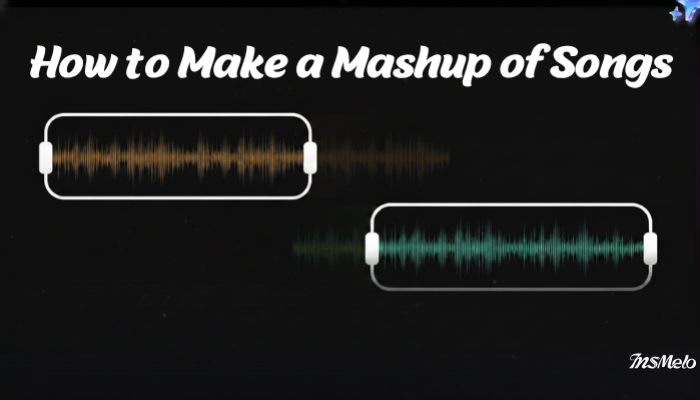
Song mashups combine the character of two tracks into one fresh listening experience. Creators shape a new version by blending the strongest musical identity of each song, so the result feels intentional rather than simply layered.
People search for how to make a mashup because they want familiar music to feel new. Unlike remixes or medleys, mashups fuse songs inside one track and create a fresh version from sounds listeners may already recognize.
Why Use AI to Make a Mashup?
Modern AI makes mashup creation faster by reducing the technical work behind shaping two songs into one natural result. For creators learning how to mashup songs, this means less time struggling with editing software and more time exploring musical ideas.
Luminate reported that global music streams reached 5.1 trillion in 2025, while Spotify reported through its 2026 Loud & Clear update that it paid the music industry more than $11 billion in 2025. Music moves quickly across streaming platforms and creator communities, so fresh audio ideas need a quicker path from concept to result.
InsMelo AI Song generator supports this workflow by helping users create and combine two generated songs inside one platform. Creators can focus on the feeling of the mashup while InsMelo handles more of the production work behind the blend.

How to Make a Mashup of Songs with InsMelo AI
After understanding why AI changes the mashup workflow, it becomes easier to see where InsMelo fits in. Instead of treating mashup creation as a technical editing task, InsMelo turns it into a guided creative process where users can move from song ideas to a new blended track more smoothly.
Before You Start: Use Songs Created in InsMelo
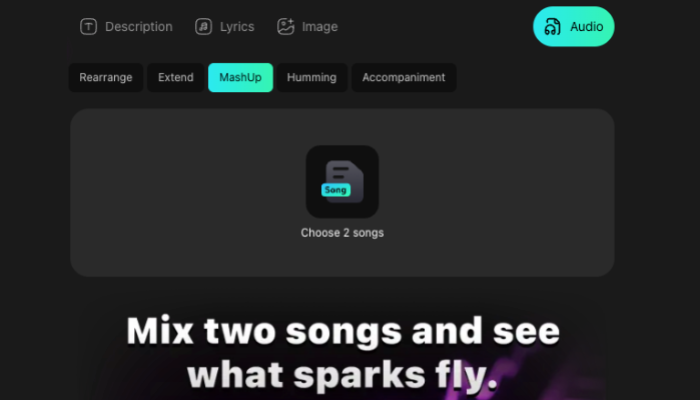
InsMelo MashUp currently works with songs generated inside InsMelo. To create an AI mashup, prepare two tracks in your InsMelo library first, then use MashUp to combine them into a new version. This workflow helps creators build mashups from original AI-generated music instead of relying on copyrighted third-party songs.
No Songs Yet? Create Two Songs First
If you do not have songs ready, you can create original tracks with InsMelo before using the mashup maker.
- Lyrics to Song AI: Turn your own lyrics into a complete song with AI vocals and music.
- Text to Song: Describe the genre, mood, theme, or story you want, then generate a full track from text.
- Image to Music: Upload an image and let InsMelo turn its visual mood into music inspiration.
After generating two songs, go back to MashUp, choose both tracks, and create a new AI mashup from them.
How do you make a mashup of songs
With InsMelo, the process starts with songs generated inside the platform. The MashUp tool is designed to combine two InsMelo-created tracks, so users should create or select two songs from their library before starting. Instead of editing tracks manually, you can use the mashup maker to combine two songs and create a new version through AI.
Tips for Getting Better AI Mashup Results
The quality of an AI mashup depends heavily on the songs you choose and how you review the final result. For creators who want to make mashup songs online, a cleaner blend usually starts with better song pairing and a few rounds of listening.
- Choose two songs with a clear creative connection. The tracks can share a similar mood or create a strong contrast, but the pairing should feel intentional.
- Use clean and complete songs. InsMelo works as music mashup maker for tracks created inside the platform, so starting with polished songs gives the final result a stronger foundation.
- Avoid pairing two songs that both feel too crowded. If one track already has a strong vocal or dense arrangement, choose another song with more space.
- Test more than one pair. When creating an AI mashup two songs project, different combinations can lead to very different results.
- Listen to the full mashup before deciding. The beginning may sound good, but the full track should still feel smooth from start to finish.
AI Mashup vs Traditional Mashup Editing
Traditional mashup editing gives producers detailed control, but it also takes more time, tools, and production experience. InsMelo AI Song Generator offers a faster AI-first workflow for creators who want to test ideas and build a song mashup without starting from a complex editing timeline.
| Comparison | Traditional Mashup Editing | InsMelo AI Mashup Maker |
| Starting point | Import songs into a DAW and prepare the timeline manually | Choose two generated songs inside InsMelo |
| Skill level | Requires editing, timing, and mixing experience | Beginner-friendly and easier to start |
| Workflow | Manual cutting, alignment, arrangement, and review | AI-assisted creation from selected songs |
| Time needed | Can take hours for one polished version | Creates a new mashup much faster |
| Creative control | More detailed control for advanced producers | Faster idea testing for creators and beginners |
| Best for | Producers who want full manual editing | Users who want to make mashup songs online with less setup |
Best Use Cases for AI Song Mashups
AI mashups work well when creators need fresh music ideas without building every edit manually. With InsMelo, you can turn two generated songs into a new track for different creative needs.
- Social media videos
Short videos often need audio that feels new and catchy. InsMelo helps you create custom-sounding tracks for TikTok, Reels, Shorts, and other fast-moving content formats.
- Music inspiration
For creators exploring how to mashup music, InsMelo can turn two generated songs into a new idea that sparks a different mood, hook, or direction.
- Content creation
Creators who need background music, intros, or campaign audio can use InsMelo to create mashup songs online inside one platform.
- Fan-style creative projects
People searching for ai mashup songs often want playful, experimental, or emotional combinations. InsMelo gives users a simple way to explore that kind of creative result.
- Fast demo creation
Musicians and teams can use an AI mashup 2 songs workflow to test a concept before spending time on a full production session.
FAQ About How to Mashup Songs
Conclusion
The best way to learn how to mashup songs is to start with two strong tracks and use a creation method that keeps the process simple. Traditional editing gives producers more manual control, while InsMelo AI Mashup Maker helps creators turn two generated songs into a fresh track with less production work.
For creators who want to make mashup songs online, InsMelo offers a faster way to create, preview, and share new music ideas. Try InsMelo MashUp today and turn two songs into a new version in minutes.