Add Vocals to Any Instrumental Online
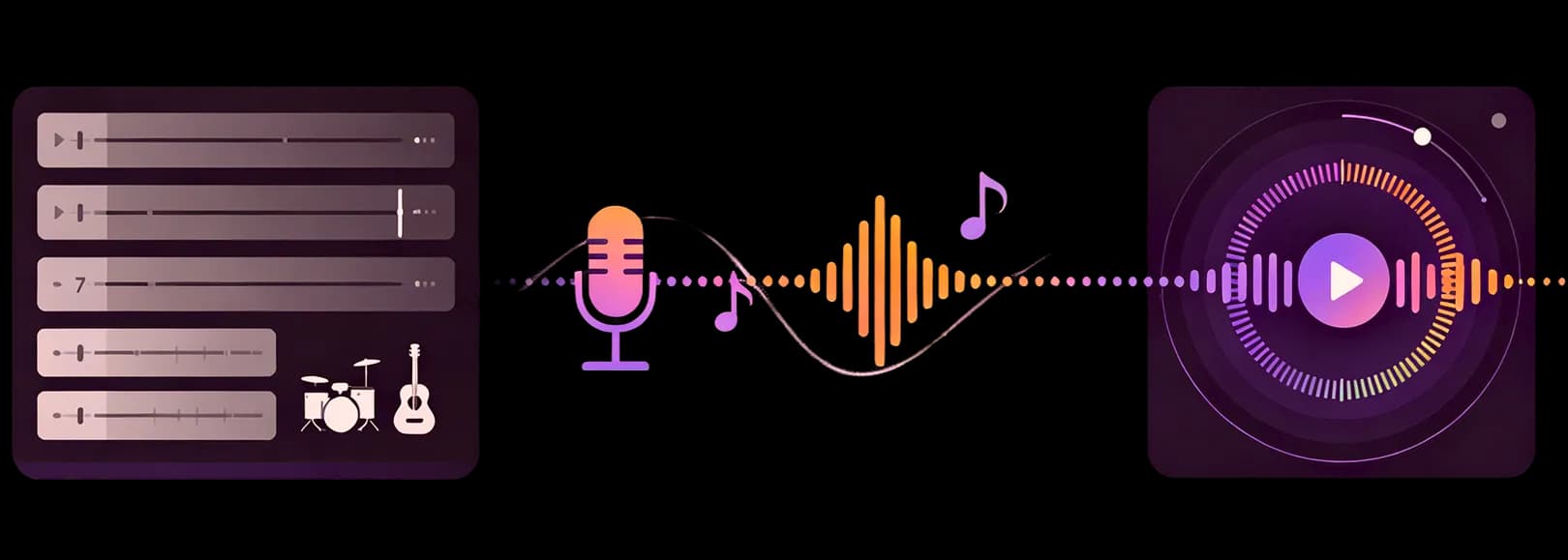
Turn your instrumental into a complete song with InsMelo AI vocals. Start free, bring your lyrics to life, and hear them sung with natural expression that follows the feeling of your music.

AI Cover Song Examples You Can Hear
Listen to real AI cover song created by InsMelo. Explore different vocal styles, compare results, and discover how easily any song can be transformed into a fresh new performance.




Why Use InsMelo to Add Vocals to Instrumental AI
Explore how InsMelo AI Song Generator add AI vocals to instrumental tracks while keeping the original song feeling intact. The result sounds more like a complete vocal music and less like a voice placed over a beat.
Add AI Vocals to Any Instrumental
Turn an instrumental into a fuller vocal song without losing the character of the original music. With InsMelo, add AI vocals to instrumental creation gives your track a voice that feels connected to the beat, melody, and atmosphere already in place, so the result sounds more like a finished song than a separate vocal layered on top.
Add AI Vocals to InstrumentalBring Your Lyrics to Life
Lyrics can hold a strong idea, but they need musical movement to feel alive. This feature makes add vocals to instrumental feel more expressive by turning written lines into singing that carries emotion, follows the track's feeling, and gives each phrase a clearer role inside the song. If you want to turn lyrics into a full song from scratch, try Lyrics to Song.
Add Vocals to MusicMatch Vocals to Your Music Style
The vocal direction should grow from the sound of the instrumental, not fight against it. InsMelo helps AI add vocals to instrumental music in a way that follows the track's rhythm and mood, whether the song leans toward Cheer, R&B, Rap, EDM, FNF, or a softer acoustic sound.
Add Vocals to Beat AINatural Singing That Fits Your Music
Great vocal results feel natural from the first listen, with the voice moving as if it belongs inside the track. With voice to music creation, the singing follows the flow of the instrumental and gives the song a more complete feeling while keeping the emotion of the original sound intact.
Add Vocal to Music OnlineFast Vocal Generation for Creators
When a song idea is fresh, hearing it with a voice can change the whole direction of the track. You can add vocals to music online and explore a vocal version faster, keeping the creative moment alive without waiting for a full recording process.
AI Add Vocals to InstrumentalNo Singer or Studio Needed
Vocal ideas should not always depend on finding a singer or booking studio time. InsMelo gives creators a simpler way to add vocals to instrumental AI, helping an instrumental move closer to a complete vocal song while keeping the creative process lighter and easier to continue.
Add Vocals to Instrumental AI
How to Add Vocals to Instrumental Online
Learn how to add vocals to a music track with a simple online flow. Bring your instrumental, lyrics, and song direction together, then turn the idea into a vocal version that feels closer to a complete song.
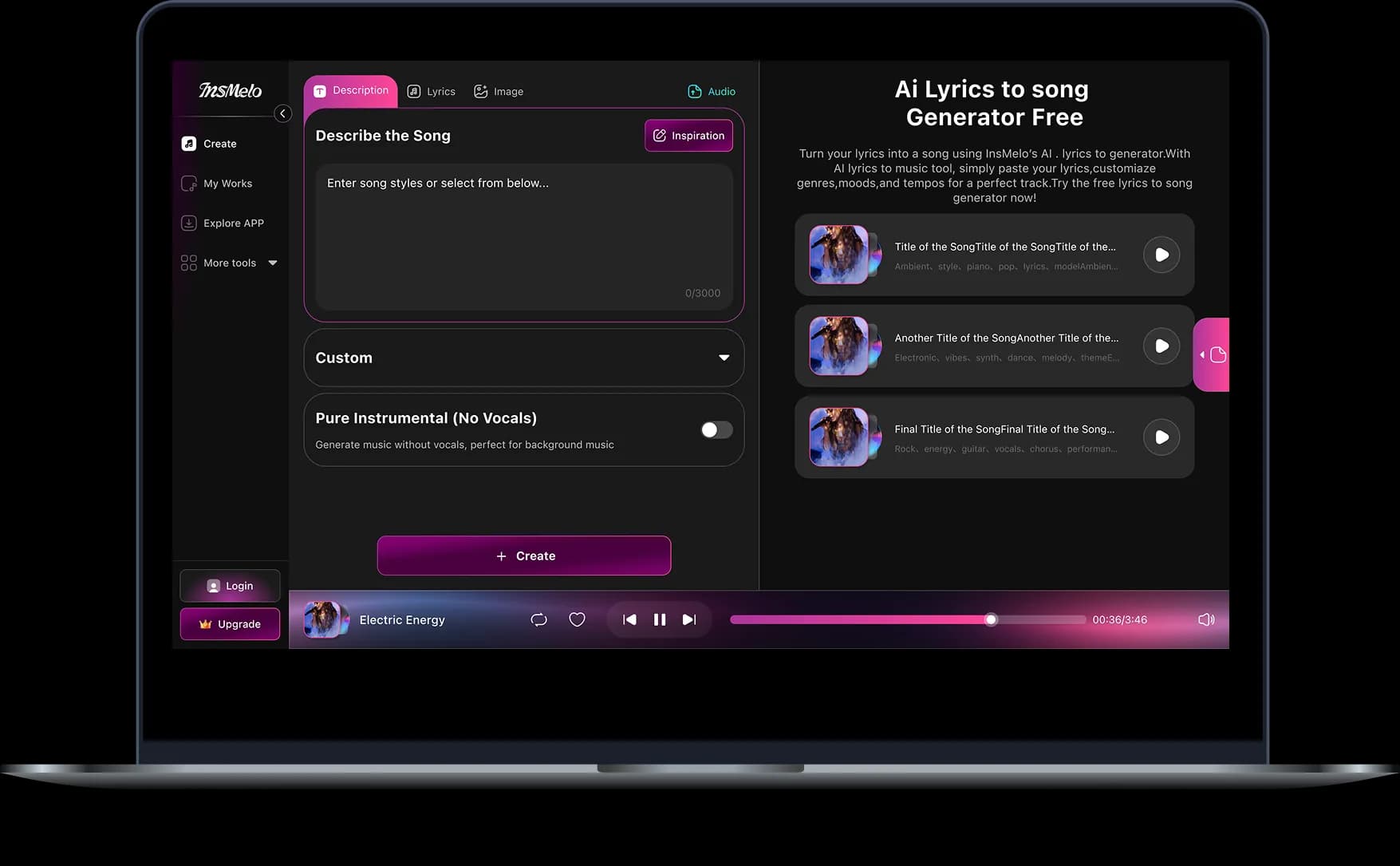
1.
Choose Your Instrumental Source
Choose either an audio file from your device or a track from your InsMelo history. Upload Audio File lets you start with something new, while Choose from History lets you continue working with music you have already created or saved in InsMelo.
2.
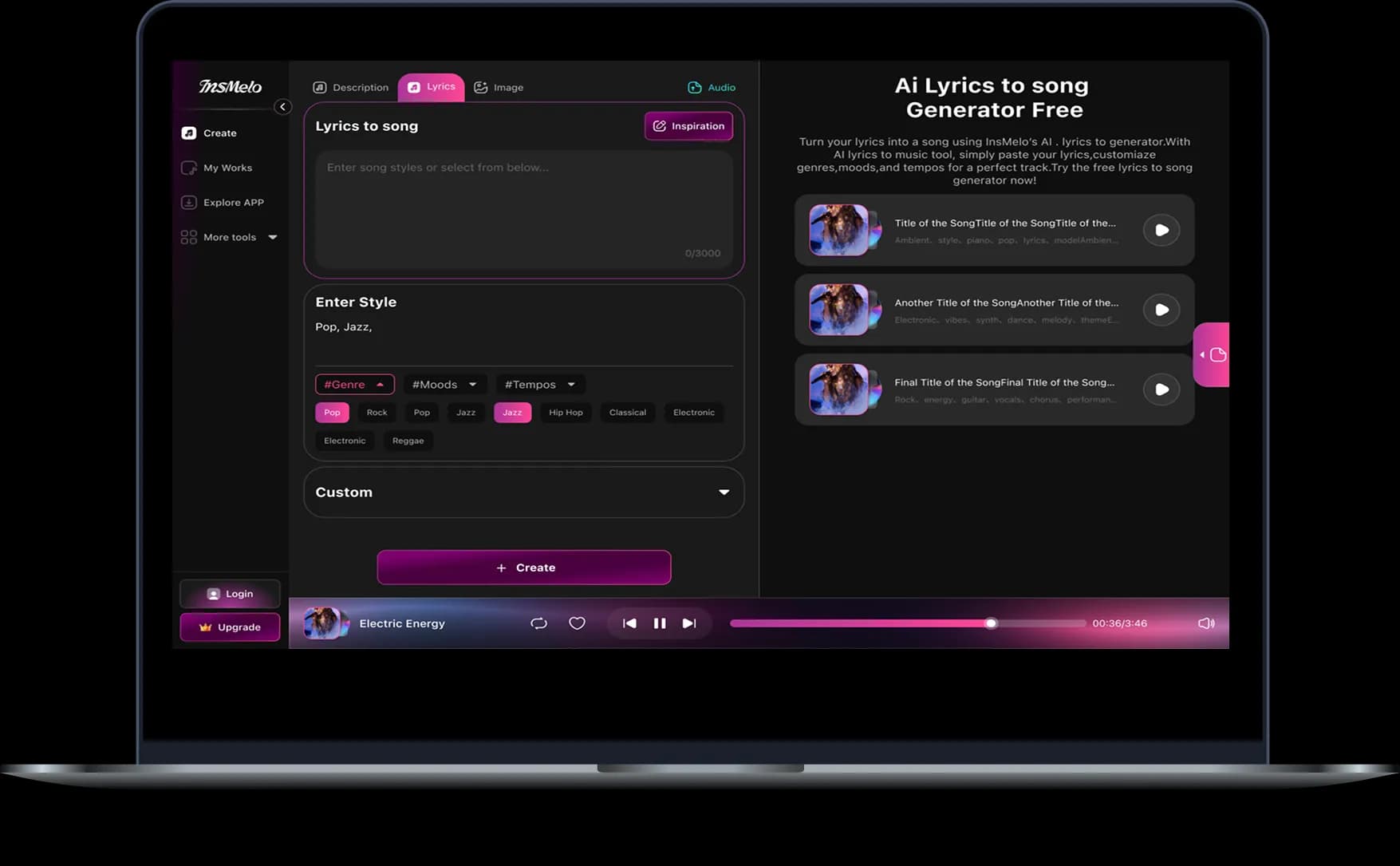
Add Lyrics and Vocal Direction
After selecting the track, adjust the start and end point if needed, then enter the lyrics you want AI to sing. You can also refine the song style, singer direction, and title so the generated vocals follow the mood of your instrumental more closely.
3.
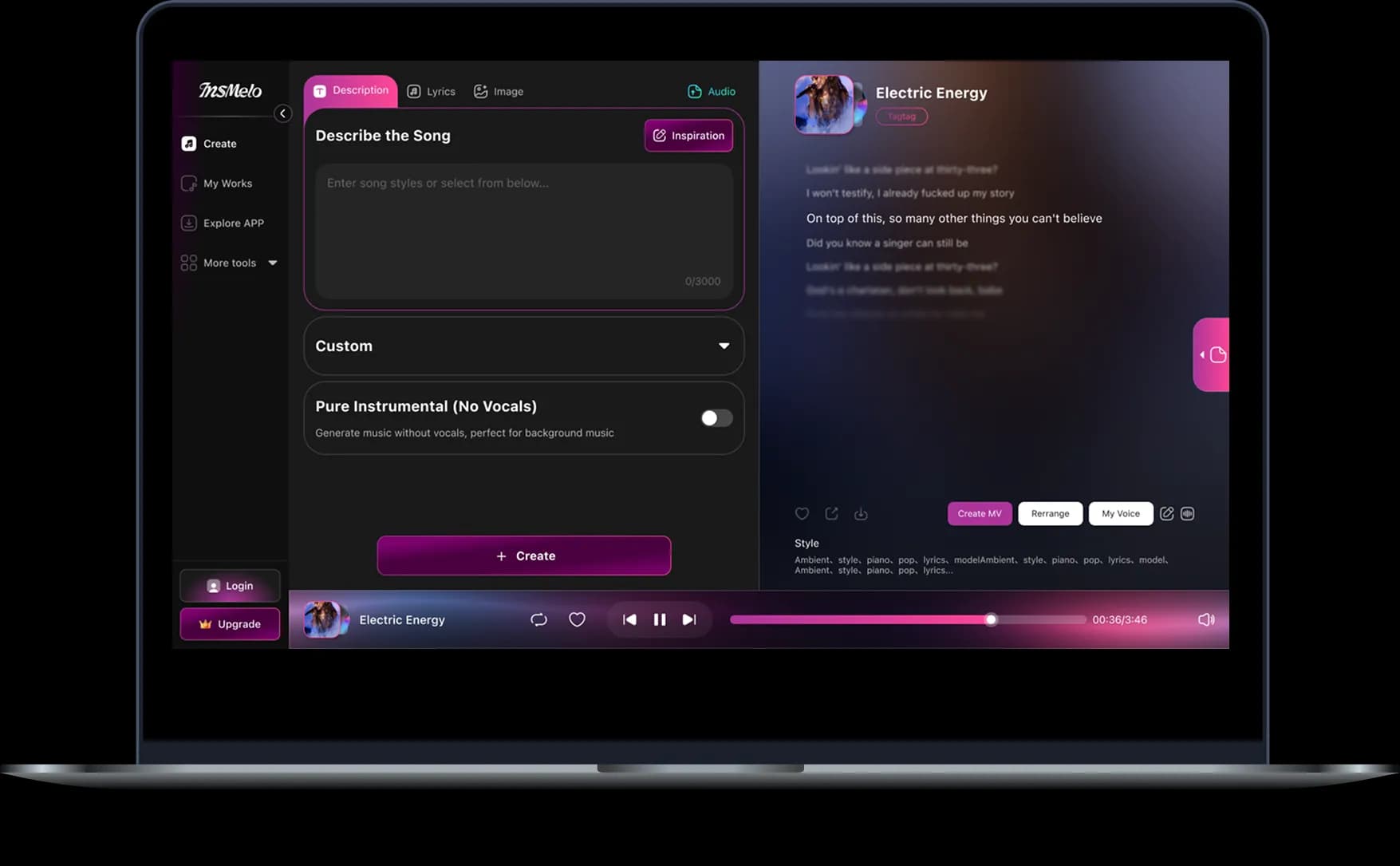
Generate, Download & Share
Click Create to generate the vocal version of your instrumental. When the result sounds right, download the finished song or share it with your audience.
Practical Uses for Adding Vocals to Instrumental AI
From an early beat to a song-ready idea, add vocals to instrumental AI by InsMelo gives creators a way to hear lyrics, melody, and instrumental music as one complete direction.
Songwriters Building Demos
Lyrics often reveal their real rhythm only when they are sung over music. Songwriters can add vocal to music while the idea is still fresh, then hear whether the phrasing, emotion, and chorus land the way they imagined.

What Creators Hear in Their First AI Vocal Version
See how creators describe what happened when they used InsMelo's add vocals to instrumental AI experience, from hearing lyrics come alive to feeling a track finally turn into a song.
Lena Park
Songwriter
The chorus had been bothering me for days. With InsMelo AI, I could add vocal to music while the melody was still fresh, and I immediately knew which two lines had to change.
Dante Moore
Hip-Hop Beat Maker
What surprised me was the pocket. InsMelo let me add vocals to instrumental AI without flattening the beat, and the energy stayed exactly where it belonged.
Marcus Reed
Music Producer
A track sitting in my project folder finally had a center. I had been asking myself, "Can I add AI vocals to my music before I commit to a session?" Hearing the first version answered that pretty quickly.

4.8
User Rating
Maya Chen
Video Editor
For a short edit, the instrumental was close but not quite enough. Being able to add vocal to music online with InsMelo gave the video somewhere to build emotionally instead of leaving the music in the background.
Sofia Martinez
Content Creator
The lyrics were written. The visual was edited. Once I could add vocals to music, the whole post stopped feeling like an edit and started feeling like something personal.
Noah Williams
Bedroom Producer
Honestly, I thought an add vocals to instrumental AI tool would only give me a rough test. Instead, I kept replaying the version because it gave the beat somewhere new to go.
4.8
User Rating
Lena Park
Songwriter
The chorus had been bothering me for days. With InsMelo AI, I could add vocal to music while the melody was still fresh, and I immediately knew which two lines had to change.
Dante Moore
Hip-Hop Beat Maker
What surprised me was the pocket. InsMelo let me add vocals to instrumental AI without flattening the beat, and the energy stayed exactly where it belonged.
Marcus Reed
Music Producer
A track sitting in my project folder finally had a center. I had been asking myself, "Can I add AI vocals to my music before I commit to a session?" Hearing the first version answered that pretty quickly.
Maya Chen
Video Editor
For a short edit, the instrumental was close but not quite enough. Being able to add vocal to music online with InsMelo gave the video somewhere to build emotionally instead of leaving the music in the background.
Sofia Martinez
Content Creator
The lyrics were written. The visual was edited. Once I could add vocals to music, the whole post stopped feeling like an edit and started feeling like something personal.
Noah Williams
Bedroom Producer
Honestly, I thought an add vocals to instrumental AI tool would only give me a rough test. Instead, I kept replaying the version because it gave the beat somewhere new to go.
Lena Park
Songwriter
The chorus had been bothering me for days. With InsMelo AI, I could add vocal to music while the melody was still fresh, and I immediately knew which two lines had to change.
Dante Moore
Hip-Hop Beat Maker
What surprised me was the pocket. InsMelo let me add vocals to instrumental AI without flattening the beat, and the energy stayed exactly where it belonged.
Marcus Reed
Music Producer
A track sitting in my project folder finally had a center. I had been asking myself, "Can I add AI vocals to my music before I commit to a session?" Hearing the first version answered that pretty quickly.
Maya Chen
Video Editor
For a short edit, the instrumental was close but not quite enough. Being able to add vocal to music online with InsMelo gave the video somewhere to build emotionally instead of leaving the music in the background.
Sofia Martinez
Content Creator
The lyrics were written. The visual was edited. Once I could add vocals to music, the whole post stopped feeling like an edit and started feeling like something personal.
Noah Williams
Bedroom Producer
Honestly, I thought an add vocals to instrumental AI tool would only give me a rough test. Instead, I kept replaying the version because it gave the beat somewhere new to go.
Frequently Asked Questions
Find clear answers about adding vocals to instrumentals with InsMelo, so you can understand how the tool works before turning your lyrics and music into a complete vocal song.
InsMelo Accompaniment starts with an instrumental track from upload or history. Add the lyrics for the song, adjust the style direction if needed, and our feature turns those lyrics into sung vocals that follow the music.
Yes. You can start free with InsMelo AI vocal generator and create a vocal version from your instrumental, lyrics, and song direction. This gives you a way to add vocals to instrumental online free before deciding whether to explore more credits, models, or commercial-use options.
Yes. InsMelo AI Song Generator can work in many music styles, from pop and R&B to rap, cheer, FNF, acoustic, and more. A clear song style description helps the add vocals to music AI result feel closer to the mood and rhythm of the instrumental.
Vocal Remover separates vocals from a finished song. Adding AI vocals to instrumental does the opposite: it starts with instrumental music and creates sung lyrics over it, turning the track into a vocal song. It is built for creators who want to add vocals to instrumental music rather than remove an existing voice.
Yes. The Song Style field lets you guide the genre, mood, tempo, and overall feeling of the result. You can also use the Singer option to give extra direction for how the lyrics should be sung, helping you add vocal to instrumental tracks in a way that feels closer to your intended sound.
No. InsMelo is beginner-friendly, so even users with no music experience can add vocals to instrumental music without dealing with a traditional studio setup.
Generation time can vary by track length and system load, but most songs can be created in a few minutes. Shorter, clearer inputs usually make the process feel faster when using the add vocals to instrumental AI feature.
Yes, as long as your InsMelo plan includes commercial rights. Always check the license terms for your account before using generated songs in monetized videos, streaming releases, ads, or client projects.
Yes, lyrics are needed because the vocals are sung from the words you provide. If you do not have lyrics ready, you can use AI Lyrics Generator as a starting point and edit them before creating the song.
Add Vocals to Your Instrumental AI Now
Turn the instrumental you already love into a complete vocal song with InsMelo. Let your lyrics find their voice and hear your music come alive in minutes.