
Want to learn how to find a song by humming in 2026? A tune stuck in your head with no title attached is one of the most common everyday frustrations, and a handful of tools now solve it by listening to your voice instead of your typing. This guide walks through every major option, how each one actually works.
Quick Answer: How to Find a Song by Humming
The best first choice is Google Hum to Search. Open the Google app, tap the microphone, choose the song search option, then hum or whistle the melody for about 10 to 15 seconds. Google introduced Hum to Search in 2020 and said the feature can work without lyrics, artist names, or perfect pitch. Source: Google Search Blog.
For most users, how to find song by humming comes down to three things: use the chorus, keep the rhythm steady, and give the app enough melody. A short two-note fragment rarely gives a clean result, but a clear hook often does.
What Is Hum to Search
Hum to Search describes a category of tools that identify a song from a hummed, whistled, or sung melody instead of a recorded clip. Instead of comparing your voice to a studio track, it extracts the melody's pitch contour, meaning how the notes rise and fall over time, and compares that shape against a reference database.
This is why perfect pitch isn't required. This technology reads the melody's structure, not vocal quality, and that single detail makes how to find a song by humming it feel practical even for people who cannot sing on pitch.
Quick Verdict: What Is the Best Hum to Search Tool?
For most people, Google Hum to Search is the best place to start. It is easy to use, works on mobile, and is designed specifically to match hummed, sung, or whistled melodies with songs in its database.
If you already use YouTube Music, its song search feature is also convenient. SoundHound is another strong choice if you want a dedicated music recognition app. Shazam is excellent for identifying songs that are actually playing, but it is not the best option for pure humming.
Here is the short version:
| Tool | Best For | Humming Support | Ease of Use |
| Google Hum to Search | Best overall choice | Strong | Very easy |
| YouTube Music | Mobile users | Good | Easy |
| SoundHound | Singing or humming | Good | Easy |
| Shazam | Real song audio | Limited for humming | Very easy |
| AHA Music | Browser audio | Limited | Moderate |
| Midomi | Web-based humming | Decent | Simple |
| WatZatSong | Human help | Yes, community-based | Slower |
How Hum to Search Works
Hum to search tools recognize the melody behind your voice, not perfect singing. When you hum, they analyze pitch movement, rhythm, and melodic shape, then compare that pattern with known songs.
For better results, hum a clear 10 to 15 second section instead of only a few notes.
Google Hum to Search
Google Hum to Search is the most reliable option for anyone learning how to find name of song by humming. It is built into the Google app and Google Assistant, so you can identify a tune without installing a separate music tool.
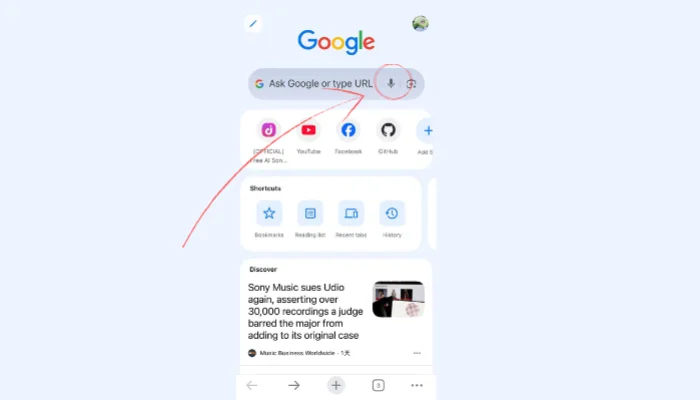
How to use it:
Step 1: Open the Google app and tap the microphone icon.
Step 2: Select "Search a song".
Step 3: Hum, sing, or whistle the melody for 10 to 15 seconds.
Step 4: Review the possible song matches.
Google is convenient because most people already have it on their phone. It also handles imperfect humming well, so you can still get useful results even if you are slightly off-key.
Best for: Anyone who wants the fastest way to identify a song by humming.
Limitations: It may struggle with obscure songs, very short melodies, instrumental tracks, or songs with similar melodic patterns.
YouTube Music
YouTube Music is another strong choice if you want to find a song by humming and play it right away. Its search feature can recognize singing, humming, or audio clips.

How to use it:
Step 1: Open YouTube Music and tap the search icon.
Step 2: Tap the microphone or song search icon.
Step 3: Hum, sing, or play the melody, then open the result to listen or save it.
The main benefit is speed after recognition. Once YouTube Music finds the song, you can play it immediately, add it to a playlist, or check covers and live versions.
Best for: YouTube or YouTube Music users.
Limitations: The exact feature may vary by device, region, or app version.
SoundHound
SoundHound is a dedicated music recognition app, and one of its strengths is recognizing singing and humming, not just recorded music nearby.

How to use it:
Step 1: Open SoundHound and tap the orange button.
Step 2: Sing or hum the clearest part of the song.
Step 3: Wait for SoundHound to process the melody, then review the song title, artist, lyrics, or playback links.
SoundHound works well when you remember a clear chorus or hook. It also makes a good backup if Google does not find the right match.
Best for: Users who want a dedicated app for music recognition and discovery.
Limitations: It may not be as consistently strong as Google for rough or uncertain humming.
Shazam
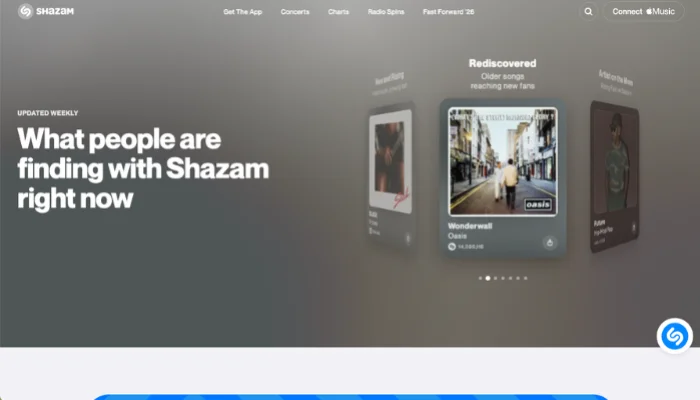
Shazam is one of the most popular music recognition apps. It works best when the actual song is playing nearby, such as in a store, on the radio, in a video, or from another device.
How to use it:
Step 1: Open Shazam and tap the Shazam button.
Step 2: Let the app listen to the song that is playing.
Step 3: Wait a few seconds, then check the song name, artist, and listening options.
Shazam is not the best choice for humming from memory. It is designed more for matching real audio than interpreting an imperfect vocal melody.
Best for: Identifying songs that are already playing.
Limitations: Not ideal for humming-only searches.
AHA Music
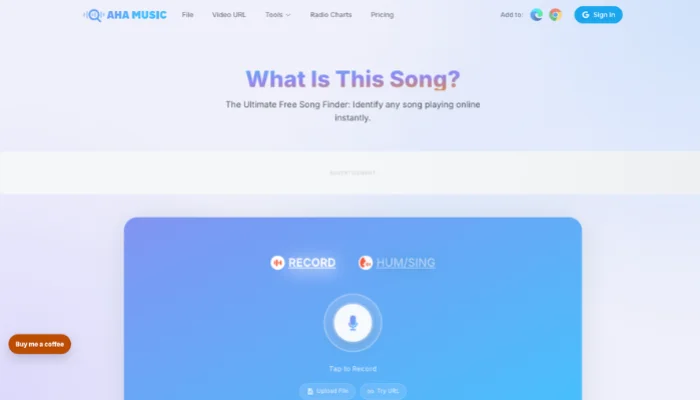
AHA Music is a browser-based music recognition tool. It is useful when you want to identify music from a web page, online video, or browser tab.
How to use it:
Step 1: Open AHA Music or its browser extension.
Step 2: Play the audio you want to identify.
Step 3: Click the recognition button, then review the song result.
AHA Music is better for existing audio than rough humming. If you are trying to identify a track from a video or web page, it can save time.
Best for: Browser audio and online video music.
Limitations: Less suitable for singing or humming from memory.
Midomi
Midomi is a simple web-based option when you want to find a song by humming online free or find a song by humming online from a desktop browser. It lets you sing or hum into your microphone without installing a mobile app.

How to use it:
Step 1: Go to the Midomi website and click the voice search or singing button.
Step 2: Sing or hum the melody into your microphone.
Step 3: Check the suggested matches.
Midomi is not as polished as some mobile tools, but it is still worth trying when you need a quick browser-based humming search.
Best for: Desktop users who want a free online option.
Limitations: Results can vary, and microphone quality may affect recognition.
WatZatSong
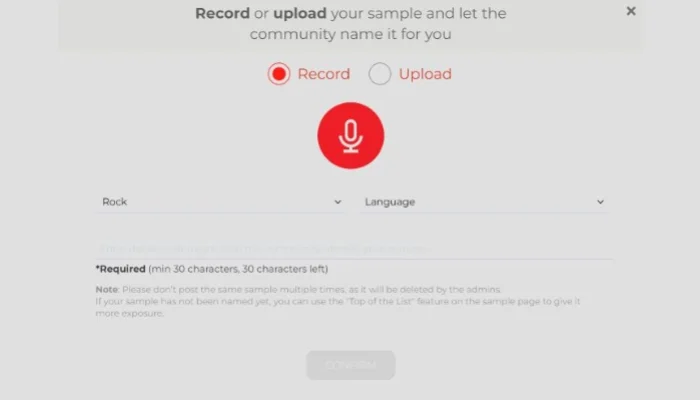
WatZatSong is a helpful fallback when automatic tools cannot identify the melody. It uses real people instead of relying only on AI recognition. It is useful when you are still searching how to find out a song by humming after automatic tools return the wrong match.
How to use it:
Step 1: Go to WatZatSong and sign in.
Step 2: Upload a short humming or singing sample with useful details like genre, language, or where you heard it.
Step 3: Wait for community suggestions.
This method is slower than Google or SoundHound, but it can help with obscure songs, old tracks, regional music, or melodies that AI tools miss.
Best for: Hard to find songs and obscure melodies.
Limitations: It is not instant. You may need to wait for someone to recognize your recording.
Tips to Get Better Results When Humming a Song
Even the best hum to search tool needs a clear melody to work with. Before you switch apps, try these small adjustments to improve your match rate.
- Hum the most recognizable part of the song.
- Repeat one melody steadily instead of jumping between different fragments.
- Keep the rhythm clear, because steady beat and melody movement matter more than perfect pitch.
- Record in a quiet environment other background voice will not interfere with recognition.
- Try a second version if the first result is wrong.
Bonus: What If the Melody Is Your Own Idea?
Most tools in this guide are designed to identify existing songs. They search a music database and try to match your humming with a known track.
But if the melody is original, song identification tools will not return a match. In that case, you need a different type of tool, one that turns your hummed idea into a new song instead of finding an existing one.
InsMelo's Hum to Song tool is built for this creative use case. It is not meant to replace Google Hum to Search, SoundHound, or YouTube Music for song identification. It is for creators who want to turn a rough hummed hook into a fuller track with arrangement and instrumental layers.
How to Turn Humming Into a Song
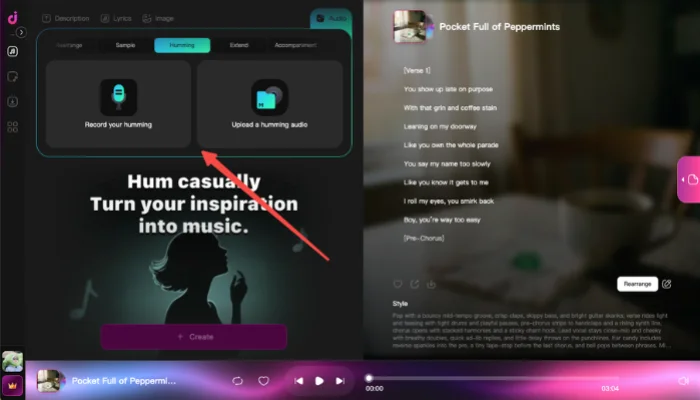
This is useful for creators who have melody ideas but no production workflow. A rough vocal note can become a more complete demo, background track, or starting point for songwriting.
Frequently Asked Questions
Conclusion
The best answer to how to find a song by humming is to start with Google Hum to Search. It is fast, free, and reliable for melody-based search. For backups, try YouTube Music or SoundHound; use Shazam when the real song is playing nearby.
If common tools fail, Midomi and WatZatSong are worth trying. If the melody is your own idea, InsMelo Hum to Song can turn it into a new music track.