Free AI Game Music Maker
Make custom game music online with InsMelo's free game music maker. High-quality, royalty-free soundtracks ready to drop into your game. No music skills needed.
Describe your game theme
0/1000
Why Game Developers Choose AI Game Music Maker
The great game music maker should feel fast and flexible, not complicated. InsMelo AI Song Generator covers everything from quick scene-based generation to full OST production, all within a clean and intuitive experience.
Pure Instrumental Output for Game BGM
Game BGM should never compete with your sound effects or player dialogue. InsMelo lets you generate clean, vocal-free tracks in one click, so every track is ready to use as background music straight out of the box.
Try Game Music Maker NowDescribe Your Scene in Plain Language
You don't need to know the difference between a Dorian scale and a tritone. Just write what's happening in your game: "Final boss arena, dark orchestral, rising tension, 130 BPM." InsMelo translates your scene into a track that actually matches the on-screen emotion. It's the most intuitive music maker for games you'll find.
Try Game Music Maker Now100% Royalty-Free for Commercial Games
Planning to ship on Steam, itch.io, or mobile? Every track you generate is original and fully yours for commercial use. No attribution required, no Content ID claims, no licensing fees per unit sold. Generate once, use forever in any game you release.
Try Game Music Maker NowBuild a Cohesive OST Across Every Level
Lock in a Style Anchor, for example Dark Fantasy, orchestral, minor key, and generate your entire soundtrack within the same sonic universe. Boss fight, exploration, victory fanfare: all different moods, all sounding like they belong to the same game world.
Try Game Music Maker Now

How to Make Game Music With InsMelo
Learning how to make music for video games has never been this straightforward. InsMelo's game music maker gets you from idea to finished track in three steps.
1.
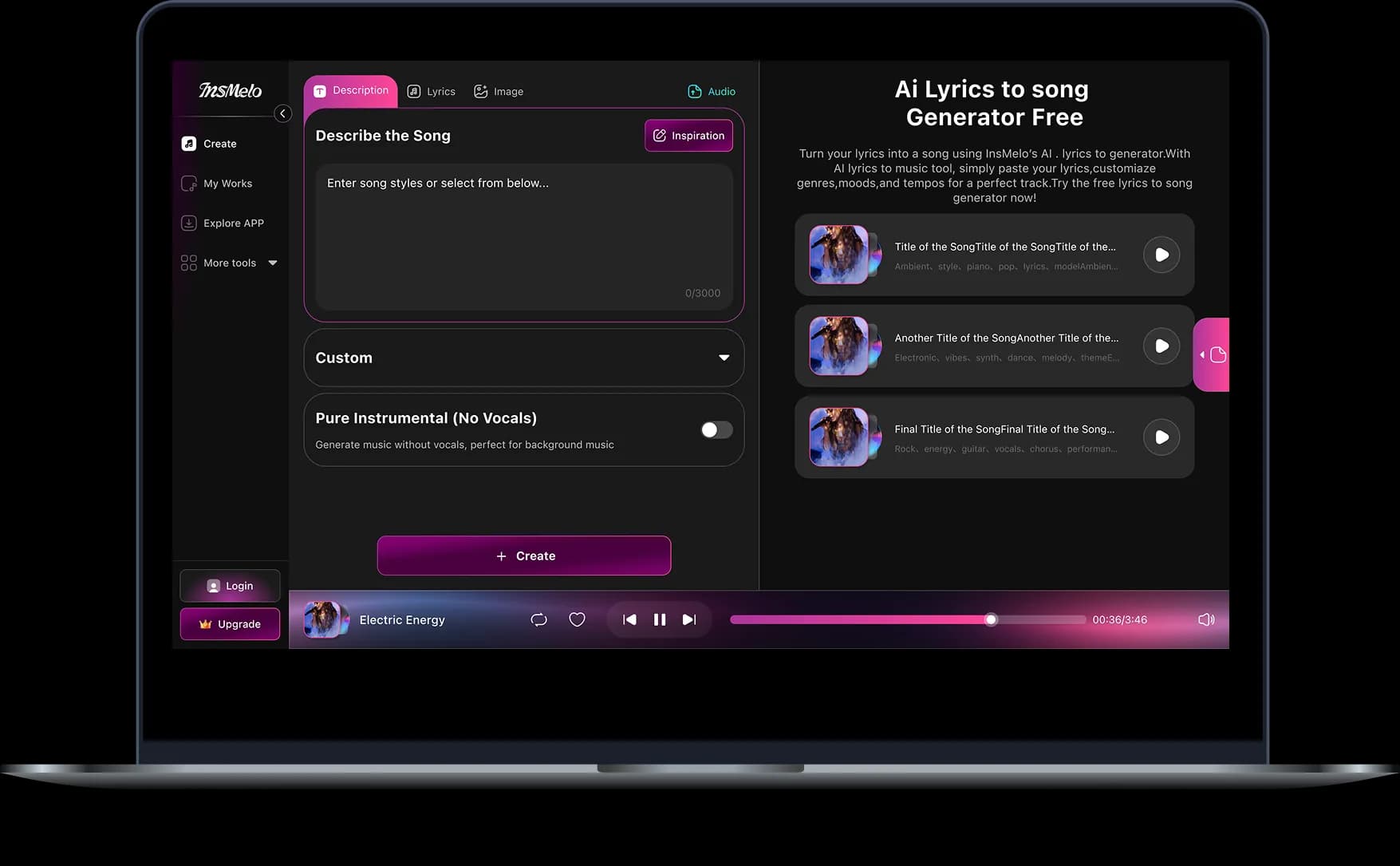
Describe Your Game Scene
Type what's happening in your level: the setting, the mood, the intensity. Something like "tense boss arena, dark orchestral, rising energy, 130 BPM" is all it takes. The more specific your scene description, the better your track will match the moment.
2.
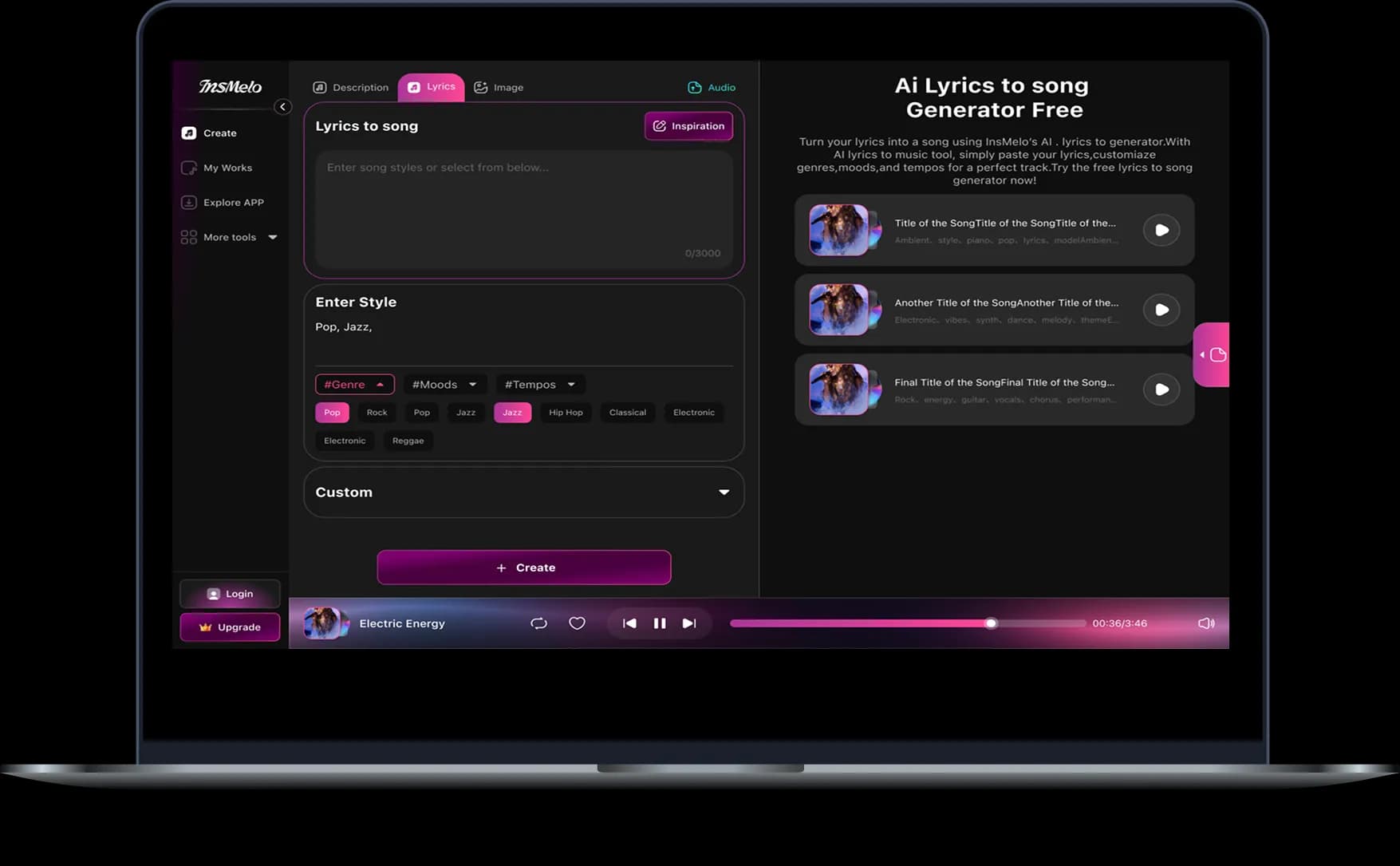
Enable Pure Instrumental & Hit Create
Toggle on Pure Instrumental to strip out any vocals. Game BGM should never compete with your sound effects or player dialogue. Click Create and your track is ready in seconds.
3.
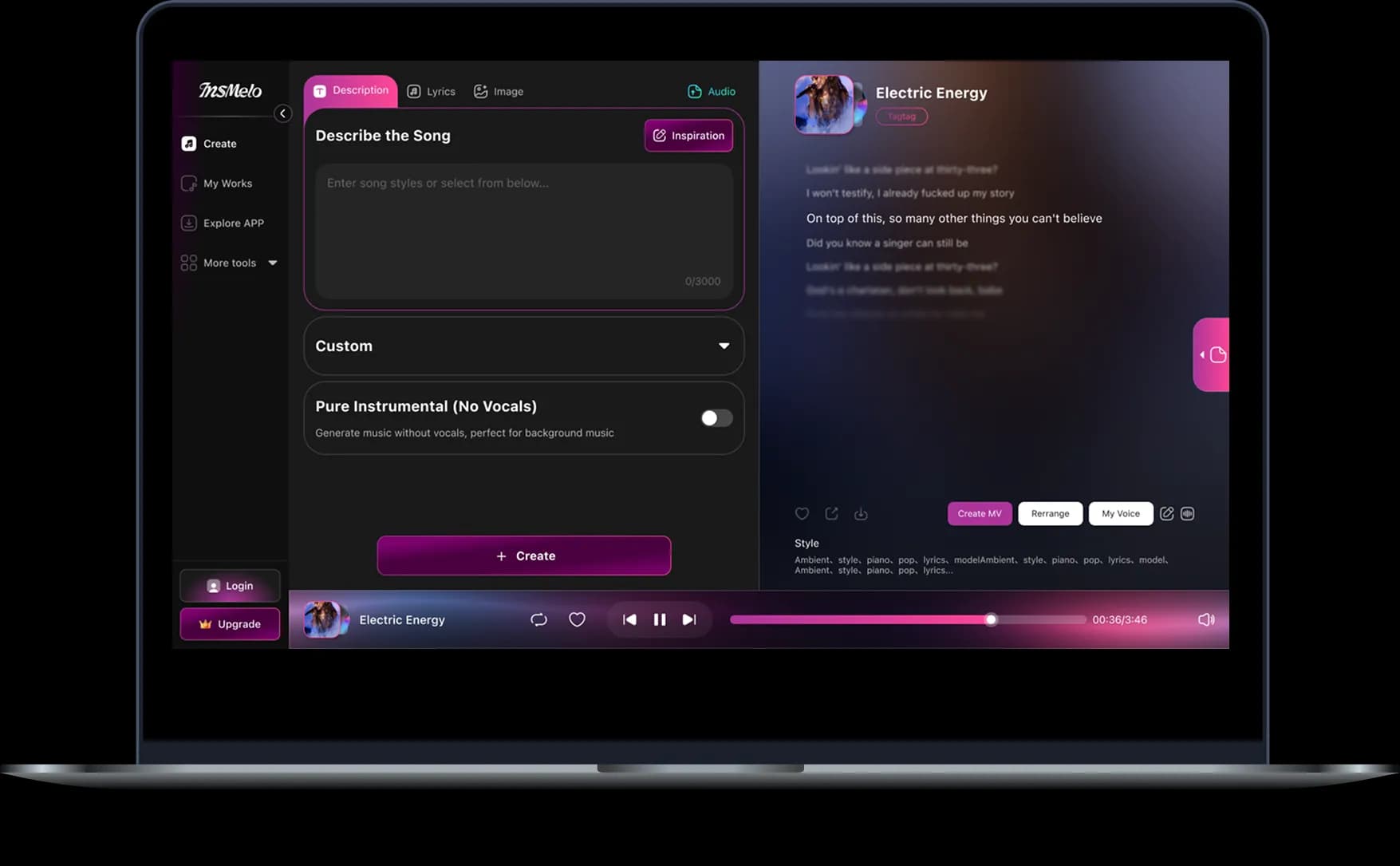
Preview, Refine & Export to Your Game
Listen to your generated track, tweak the description if the mood isn't quite right, and generate again until it fits. Once it sounds perfect, download in MP3 or WAV and bring it straight into your game track.
Game Music Styles for Every World You Build
From chiptune retro to epic orchestral, InsMelo covers every genre your game needs. Make game music online in any style, instantly.
8-Bit Chiptune
Nostalgic, punchy, and instantly recognizable. 8-bit chiptune tracks bring the classic sound of retro consoles back to life, perfect for pixel art platformers, arcade-style games, and any world built on retro charm.
Synthwave
Neon-lit, cinematic, and driven by pulsing synths. Synthwave game music sets the tone for cyberpunk cities, sci-fi landscapes, and high-speed racing sequences where every second feels electric.
Dark Ambient
Tense, atmospheric, and quietly unsettling. Dark ambient tracks build a sense of dread without a single note out of place, ideal for horror games, dungeon crawlers, and survival worlds where silence is never truly safe.
Cinematic Action
Bold, dynamic, and built for high-stakes moments. Cinematic action music pushes the energy forward through boss fights, chase sequences, and climactic battles where players need to feel every hit.
Peaceful Acoustic
Warm, gentle, and easy on the ears. Peaceful acoustic tracks create a sense of calm and belonging, perfect for village themes, puzzle levels, and menu screens where players need a moment to breathe.
Lo-Fi Chill
Soft, unhurried, and effortlessly relaxing. Lo-fi chill music keeps casual and mobile games feeling cozy without distraction, the kind of soundtrack players leave on and forget to turn off.
Orchestral Epic
Grand, sweeping, and emotionally resonant. Orchestral epic game music carries the weight of open worlds, story-driven cutscenes, and narrative moments that players will remember long after the credits roll.
Electronic / EDM
High-energy, rhythm-driven, and impossible to ignore. Electronic and EDM tracks fuel the intensity of sports games, rhythm games, and arcade sequences where the music and the gameplay move as one.
Built for Every Game Creator
Whether you're a solo developer or shipping your tenth title, InsMelo helps you create music for games at every stage of production.
Indie Game Developers
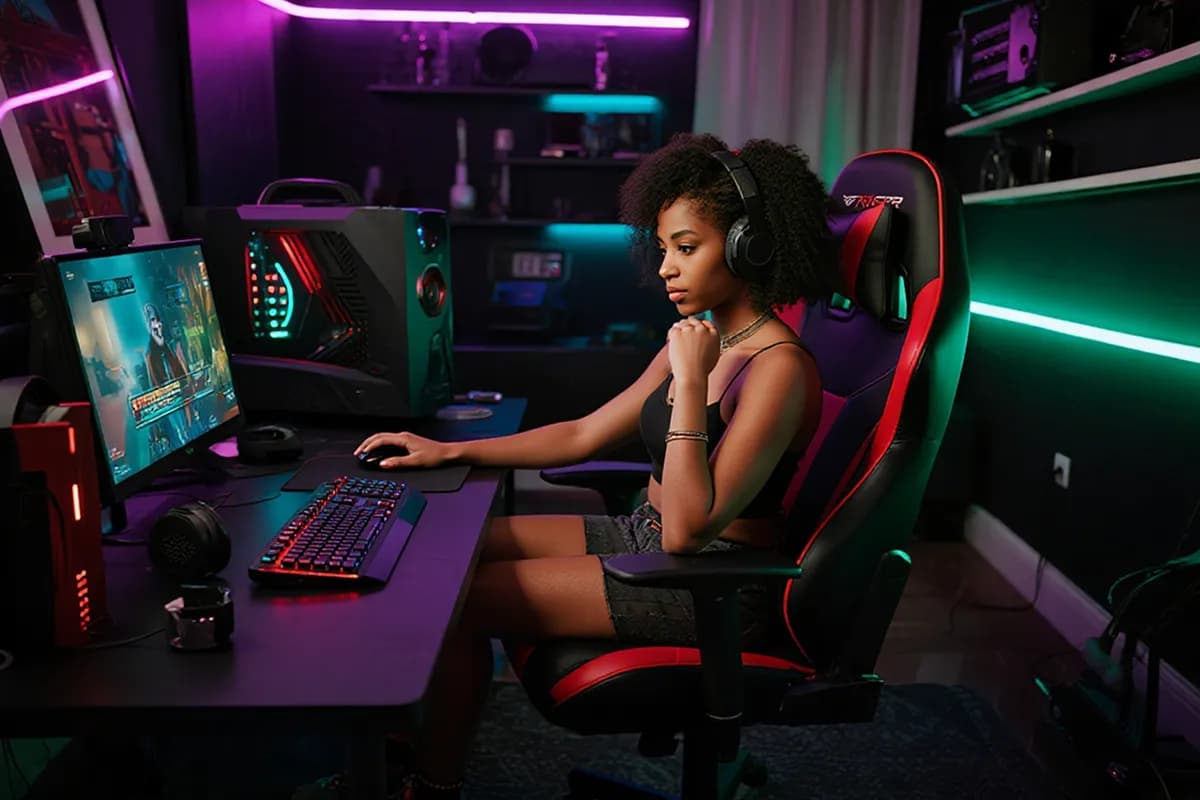
From main menus to boss fights, every level in your game deserves its own sound. InsMelo's free game music maker helps developers score a full, cohesive OST that brings their game world to life.




What User Say
Thousands of creators around the world use InsMelo game music makers to bring their projects to life. Here is what they have to say.
Marcus T.
Indie Game Developer
I used this game song maker to score my entire Game Jam entry over a weekend. Every level got its own track and the whole OST felt cohesive from start to finish. I didn't expect it to sound this good.
Priya S.
Mobile Game Developer
I was about to ship my mobile game with placeholder music until I found it. Regenerated the full soundtrack in a matching style in a few hours. Launched on time with zero copyright concerns.
Jake R.
Gaming Content Creator
As a YouTube gaming creator, copyright strikes were always in the back of my mind. Now I generate a custom track for every video and it actually fits the vibe of my gameplay footage.

4.8
User Rating
Lea M.
Hobbyist Game Developer
I'm not a musician at all. I just typed what my dungeon scene felt like and got back something genuinely atmospheric. My RPG finally sounds like it belongs in a real game.
Daniel K.
Content Creator & Streamer
I make lo-fi study content with a gaming aesthetic. InsMelo AI game music maker lets me generate fresh background music every week without repeating the same tracks. My listeners have noticed the difference.
Sofia R.
Co-founder at an Indie Game Studio
We needed a full set of tracks for our studio's first title and had no budget for a composer. It gave us a complete, genre-consistent soundtrack that our playtesters actually commented on. It set the mood exactly the way we envisioned.
4.8
User Rating
Marcus T.
Indie Game Developer
I used this game song maker to score my entire Game Jam entry over a weekend. Every level got its own track and the whole OST felt cohesive from start to finish. I didn't expect it to sound this good.
Priya S.
Mobile Game Developer
I was about to ship my mobile game with placeholder music until I found it. Regenerated the full soundtrack in a matching style in a few hours. Launched on time with zero copyright concerns.
Jake R.
Gaming Content Creator
As a YouTube gaming creator, copyright strikes were always in the back of my mind. Now I generate a custom track for every video and it actually fits the vibe of my gameplay footage.
Lea M.
Hobbyist Game Developer
I'm not a musician at all. I just typed what my dungeon scene felt like and got back something genuinely atmospheric. My RPG finally sounds like it belongs in a real game.
Daniel K.
Content Creator & Streamer
I make lo-fi study content with a gaming aesthetic. InsMelo AI game music maker lets me generate fresh background music every week without repeating the same tracks. My listeners have noticed the difference.
Sofia R.
Co-founder at an Indie Game Studio
We needed a full set of tracks for our studio's first title and had no budget for a composer. It gave us a complete, genre-consistent soundtrack that our playtesters actually commented on. It set the mood exactly the way we envisioned.
Marcus T.
Indie Game Developer
I used this game song maker to score my entire Game Jam entry over a weekend. Every level got its own track and the whole OST felt cohesive from start to finish. I didn't expect it to sound this good.
Priya S.
Mobile Game Developer
I was about to ship my mobile game with placeholder music until I found it. Regenerated the full soundtrack in a matching style in a few hours. Launched on time with zero copyright concerns.
Jake R.
Gaming Content Creator
As a YouTube gaming creator, copyright strikes were always in the back of my mind. Now I generate a custom track for every video and it actually fits the vibe of my gameplay footage.
Lea M.
Hobbyist Game Developer
I'm not a musician at all. I just typed what my dungeon scene felt like and got back something genuinely atmospheric. My RPG finally sounds like it belongs in a real game.
Daniel K.
Content Creator & Streamer
I make lo-fi study content with a gaming aesthetic. InsMelo AI game music maker lets me generate fresh background music every week without repeating the same tracks. My listeners have noticed the difference.
Sofia R.
Co-founder at an Indie Game Studio
We needed a full set of tracks for our studio's first title and had no budget for a composer. It gave us a complete, genre-consistent soundtrack that our playtesters actually commented on. It set the mood exactly the way we envisioned.
Frequently Asked Questions About InsMelo Game Music Maker
InsMelo's game music maker is a free online tool that generates custom, royalty-free soundtracks for any game scene. Describe your level and get a track ready for your game in seconds.
Yes. New users get free credits to start generating right away with no paid needed. Paid plans are available for unlimited generation and commercial projects.
Yes. Every track you generate is original and comes with full commercial use rights. You can include it in paid games, DLCs, trailers, and promotional content with no attribution or per-sale fees required.
Keep your style descriptors consistent across every generation, for example Dark Fantasy, orchestral, minor key, and only swap the mood per scene. Your full OST will feel like it belongs to the same world.
Absolutely. Select the 8-Bit Chiptune style or describe the retro feel you're going for in your prompt. InsMelo will generate a track that captures the nostalgic, pixelated energy of classic gaming music.
Completely. Just describe what's happening: the setting, the tension level, and the pace of gameplay. That is all InsMelo AI game music generators need to create music for games that fit the moment.
Ready to Make Your Own Game Music Online?
Score every scene, build a full OST, and bring your game world to life with InsMelo's free game music maker.