Want to learn how to make a Halloween song for your next celebration? Start with a Halloween scene: friendly ghosts collecting candy, a midnight monster party, or a house that wakes after dark. Choose your audience, write a short chorus, and describe the sound you want in InsMelo AI Song Generator. This guide walks you through the process, with prompts you can adapt for kids, parties, and horror videos.

What Makes a Good Halloween Song?
A good Halloween song combines a recognizable theme, a memorable chorus, and a mood that fits its audience. Friendly ghosts and playful rhythms suit children's activities, while darker stories and haunting vocals work well for horror content.
The National Retail Federation's 2026 survey found that 74% of U.S. consumers planned to celebrate Halloween. Choose a clear audience for your track, then build the lyrics around a focused story, vivid details, and a short, repeating chorus. Source: NRF
The best Halloween songs pair a distinctive hook with sounds that reinforce the mood. Music boxes and distant bells create an eerie atmosphere; punchy drums and a strong bassline bring energy to a party track. Keep the arrangement focused so the vocals remain clear.

How to Make a Halloween Song with InsMelo AI
Learning how to make a Halloween song with InsMelo AI starts with your own seasonal inspiration. InsMelo AI Song Generator turns ideas, lyrics, or images into music, helping you create spooky party tracks, playful sing-alongs. Explore the creation methods below to find the right starting point.

Method 1: Create a Halloween Song from Text, Lyrics, or an Image
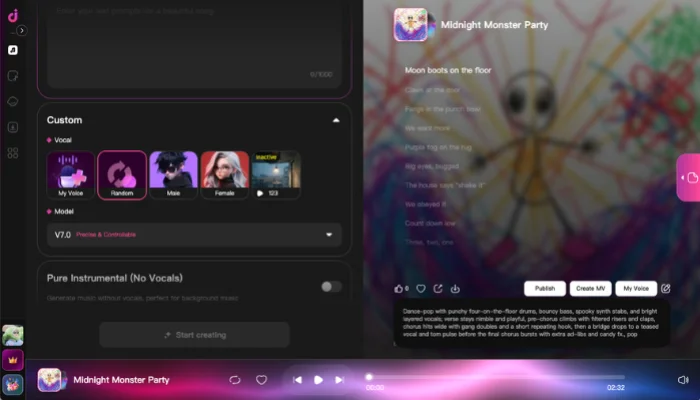
Before generating, decide who the song is for, what happens in the story, and how it should feel. For example: "A cheerful song for children about friendly ghosts collecting candy, with handclaps, light bells, and an easy sing-along chorus."
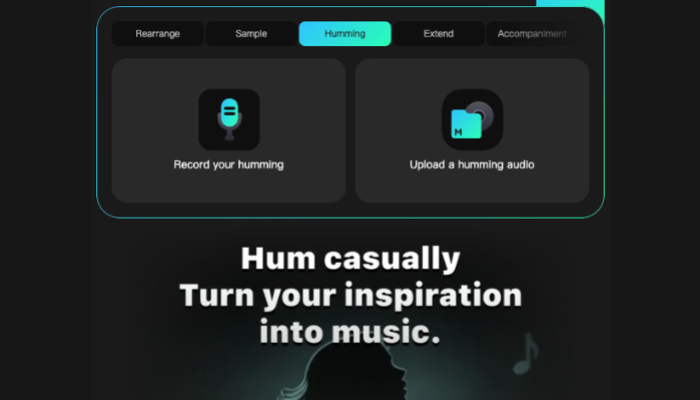
Method 2: Develop a Melody with Hum to Song
Already have a tune in mind? Hum to Song gives your melody a starting point beyond a voice recording. Capture the main hook clearly, then develop it into a Halloween song.
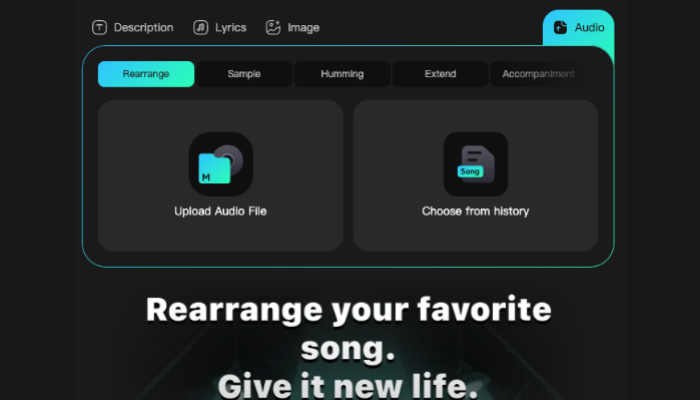

Method 3: Rework Music with AI Song Arrangement Generator
Build on a recording you already have with AI Song Arrangement Generator. Develop a new musical direction for your Halloween theme song.
Halloween Song Prompts You Can Try
When learning how to make Halloween songs, give each prompt a clear subject, mood, and musical direction. Copy a prompt below into Description, then personalize the story to fit your project.
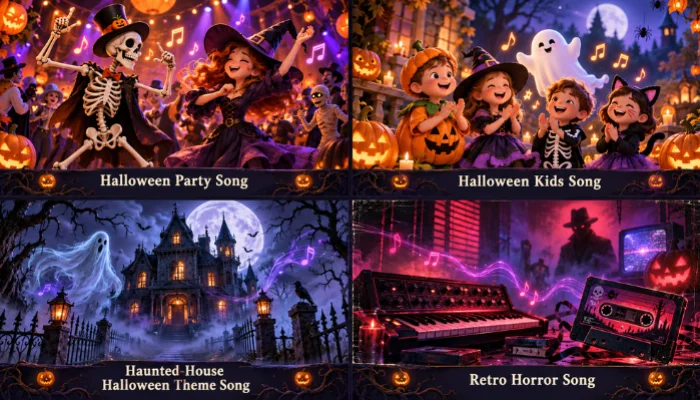
Halloween Party Song
Create an upbeat dance-pop song about a midnight monster party. Use punchy drums, bouncy bass, spooky synths, and energetic vocals. Give the chorus a short, repeating hook.
Halloween Kids Song
Create a cheerful Halloween kids song about friendly ghosts collecting candy. Use simple rhymes, handclaps, light bells, and warm vocals. Add a repeating chorus with easy movement cues.
Haunted-House Halloween Theme Song
Create a haunting Halloween theme song about a house that wakes at midnight. Use low strings, distant bells, and restrained vocals. Build tension through the verses toward a dramatic chorus.
Retro Horror Song
Create a retro horror-pop song about shadows following someone home. Use pulsing analog synths, a steady bassline, and eerie vocals. Build around a memorable melodic chorus.
Tips to Make Your Halloween Song Catchy
The best Halloween songs pair a memorable chorus with a distinct spooky atmosphere. Focus your revisions on these details:
- Keep the chorus simple: Repeat one short phrase and trim words that disrupt the rhythm.
- Match the mood to your audience: Use playful sounds for children and darker textures for horror content.
- Leave room for suspense: A brief pause before the chorus can strengthen its impact.
- Add a personal touch: Include a familiar place or shared joke. IFPI found that 79% of respondents considered human creativity essential to music creation. Source: IFPI
- Compare versions: Change one musical instruction at a time and keep the strongest take.

FAQs About Making Halloween Songs
Conclusion
Now you know how to make a Halloween song with InsMelo AI, from choosing your starting material to generating and refining the finished track. Use the prompts and songwriting tips in this guide to shape its mood and give it a personal touch.
Try InsMelo AI Song Generator and create a soundtrack that makes this year's celebration feel more personal.