On March 15, 2026, LeVo 2 (SongGeneration 2) officially reached full availability with its V11.0 update. The AI music model now supports vocal and background music (BGM) separation, along with improved multilingual generation.
It’s a big leap forward for AI music. So what exactly makes it so powerful, and is it really as easy to use as it sounds?
In this guide, I’ll break down what LeVo 2 is, why it’s trending, the real challenges users face, and a much easier way to create songs using an AI Song Generator.
What Is LeVo 2 (SongGeneration 2)?
LeVo 2 (SongGeneration 2) is an open-source, commercial-grade AI music generation model developed by Tencent AI Lab. It can transform structured lyrics, along with optional style prompts, into complete, high-quality songs with vocals and instrumentation.
As the second-generation model in the LeVo framework—short for "Leverage Vocals", it represents a significant upgrade in AI-driven music creation. SongGeneration 2 was officially released on March 1, 2026, under the name SongGeneration-v2-large on platforms like Hugging Face and GitHub.
One of its biggest advantages is accessibility. Unlike closed-source AI music tools such as Suno or Udio, SongGeneration 2 is fully open-weight. This means developers, researchers, and creators can download the model, run it locally, and even build their own applications on top of it without paying licensing fees.
What Makes LeVo 2 Outstanding?
Why is everyone on GitHub and Hugging Face talking about SongGeneration 2? Industry experts note that the model's Phoneme Error Rate (PER) has dropped to a staggering 8.55%, making it more accurate at "singing" lyrics than many popular commercial competitors (Source: Tencent AI Lab).
Beyond raw performance, what truly sets SongGeneration 2 apart is its structured and precise approach
- Structured Lyrics Input: Provide clearly formatted lyrics with section labels like verse, chorus, and bridge for more accurate song composition.
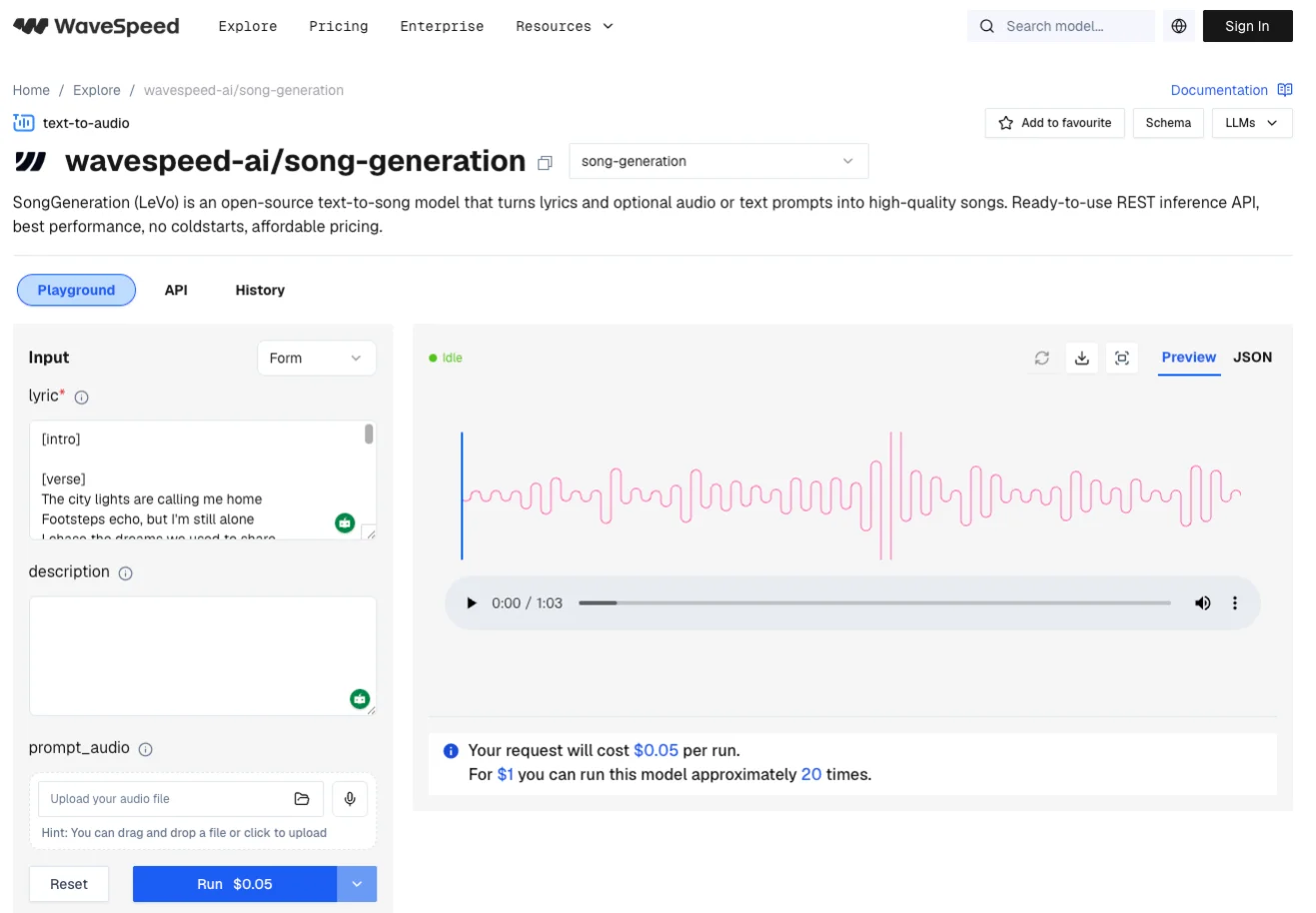
- Optional Style Prompts: Add text description such as genre, vocal gender, instruments, mood, or BPM to guide the overall sound and direction.
- Reference Audio Support: Upload a short audio clip (around 10 seconds) to transfer style and influence the tone of the generated song.
Based on these precise inputs and commercial-grade quality song generation, SongGeneration 2 stands out from other open-source AI music models.
Pro Note: Is LeVo 2 Right for You?
While LeVo 2 (SongGeneration 2) excels in lyric accuracy and musicality, it’s not exactly plug-and-play. Running it efficiently often requires a high-end GPU with large VRAM, along with some experience in local setup and code troubleshooting.
For beginners or creators who want to make music quickly, this technical barrier can slow things down and interrupt the creative flow.
Common Issues Found in Testing LeVo 2
Since its release, our team has encountered issues when conducting hands-on testing. To fully utilize this powerful Text to Song Generation, here are the most common issues we encountered during testing:
- Broken Output from Improper Lyrics Formatting: You can’t simply paste in lyrics or a poem. LeVo 2 requires specific section tags. For example, using a semicolon to separate phrases and [verse] or [chorus] tags is mandatory. Forget these, and the AI might skip half your words.
- Failed Generation from Full-Sentence Prompts: When describing your vibe, full sentences don’t work well. Instead, you need to use concise, comma-separated keywords.
👎 Bad Prompt: "Create a sad pop song about heartbreak with piano and soft vocals."
👍 Good Prompt: "sad pop, heartbreak, piano, soft female vocal, slow tempo."
- Crashes Due to High VRAM Requirements: Running the large version of SongGeneration 2 requires significant VRAM (often 22GB+). If you’re on a standard laptop, you’ll likely face crashes or out-of-memory errors.
Best LeVo 2 Alternative – InsMelo
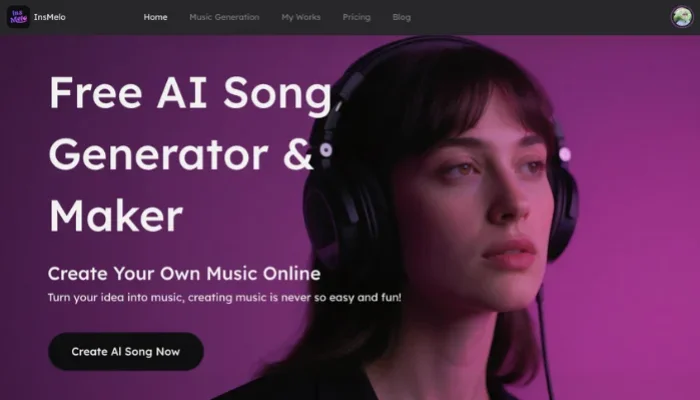
If you want professional quality of LeVo 2 without the headache of coding or strict formatting, InsMelo AI song generator is a much simpler alternative.
Zero-Barrier Song Creation
Forget Python environments or high-end GPUs. InsMelo is entirely cloud-based. You can generate a studio-quality track from your phone or a standard laptop. It’s a true plug-and-play workflow that removes all technical friction between your idea and the final track.
Flexible Text-to-Music Generation
InsMelo song generator supports a highly intuitive creation where you can turn lyrics, short poems, or even simple ideas into full songs. There are no strict formatting rules. Whether you use keywords, a full description, or a rough concept, the AI song generator can understand and transform it into music naturally.
Multi-Input Creation with Free Access
Beyond Lyrics to Song and Text to Music modes, you can upload your beloved image or photo to inspire music generation. These three free-to-start models make AI song generation more open and accessible to everyone.

Bonus: Create a Song Easily with InsMelo AI Song Generator
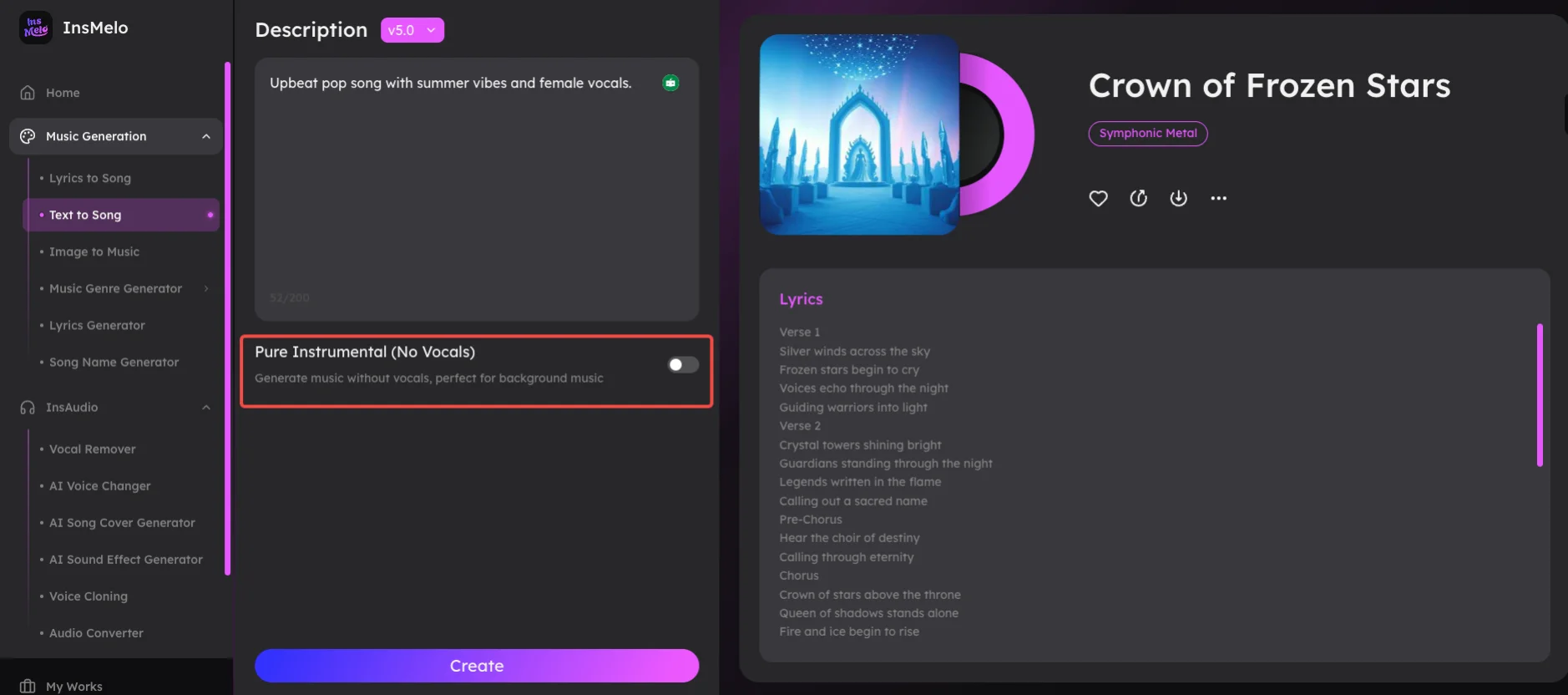
So how does it actually work? Here is how you can use InsMelo to go from an idea to a full song in under 60 seconds.
Prompt Example:
"Upbeat pop song with summer vibes and female vocals."
No need to overthink structure or keywords. Just describe your idea naturally.
FAQs about LeVo 2 (SongGeneration 2)
Final Thoughts
LeVo 2 (SongGeneration 2) is a powerful step forward in AI music generation. With its impressive lyric accuracy, structured input system, and open-source flexibility, it offers a level of control that few tools can match.
However, that power comes with complexity.
For many users, especially beginners, the need for structured prompts, technical setup, and high-performance hardware can make the experience less practical for everyday use.
Fortunately, the InsMelo AI Song Generator offers a convenient way to create music quickly and easily. Whether you’re a pro looking for a quick demo or a hobbyist making a gift for a friend, InsMelo is the best free alternative to Levo 2. Start creating for free today!