Ever had this thought: “What if I could turn my own voice into a full AI song?”
Good news for you! With Suno AI V5.5, there are now several ways to use your voice in Suno, from simple uploads to more advanced workflows. Some are quick and beginner-friendly. Others give you studio-level control.
Let’s walk through all of them and show exactly how to use your voice in Suno and how to make a song with AI using your own voice.

4 Ways to Use Your Voice in Suno
There are four practical ways to make Suno use your voice, depending on your goal and experience level. Let's hash them out!
Use Your Voice as Audio Input
The latest Suno AI V5.5 lets you upload or record your own audio to guide how the AI generates a song. Record a clean clip, upload it during creation, and pair it with a detailed prompt describing tone and style. This method is straightforward and beginner-friendly. It works best for quick demos, personal songs, or testing ideas.
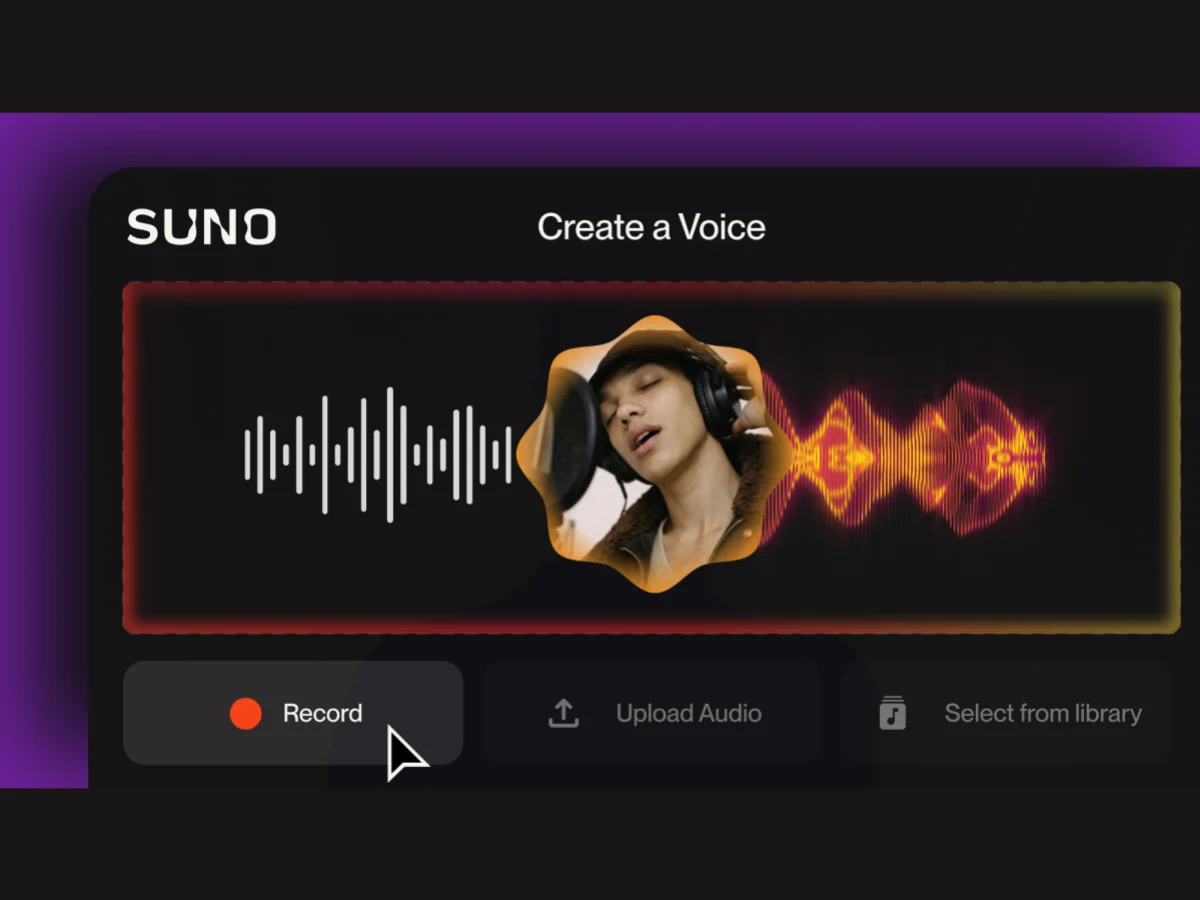
Use Your AI Voice to Make A Song Cover
Instead of starting from scratch, generate a song first, then use Suno’s AI cover song feature to reshape the vocals in an existing track by guiding tone and style with your AI voice. This approach suits creators who already have a track but want to align it closer to their vocal identity. It’s useful for iterative refinement and creative experimentation.
Edit Vocals in Suno Studio
Inside Suno Studio, using the "Edit" or "Replace Section" tool, you can regenerate specific vocal parts while keeping the rest of the track intact. This lets you fix weak lines, adjust tone, or improve clarity. Best for users who want precision control without leaving Suno. Perfect for polishing near-final songs efficiently.
Export Stems for External Editing
For deeper control, export vocal and instrumental stems from Suno's stem separation feature and refine them in tools like FL Studio or Ableton Live. You can layer your real voice, mix, and master professionally. This workflow suits advanced users, musicians, and producers aiming for studio-quality results.
No matter which method you choose, most users ultimately want one thing: to make a song using their own voice quickly and easily.
How to Use Your Voice in Suno to Make a Song
Ready to create your first AI song with your voice? Follow these steps to make a song using my voice with the latest V5.5 model.
Using Suno AI 5.5 Model to Generate a Song with Your Voice
Before you start the workflow, please make sure you have an audio recording of your voice.
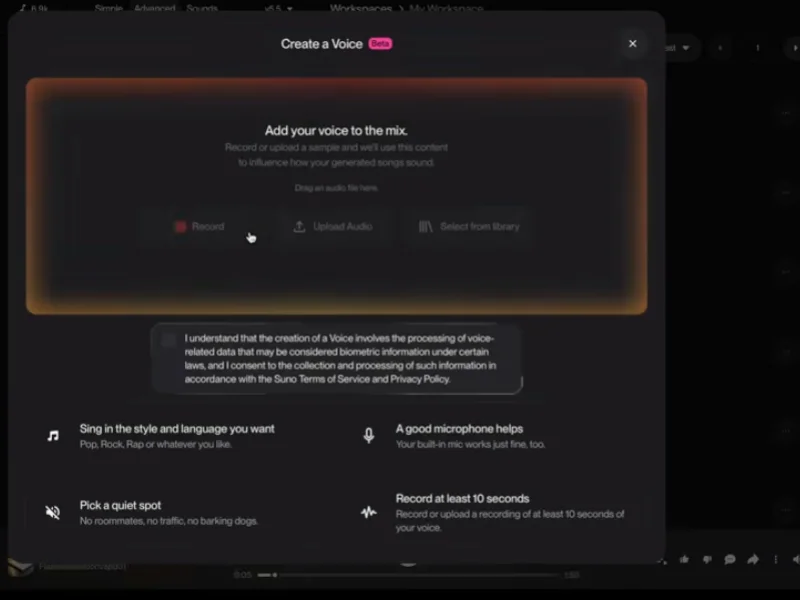
Notes: When creating a new voice, you have three ways for the audio source:
- Use a voice from a Suno song in your library.
- Record audio in real time through your microphone.
- Upload a pre-recorded voice file from your device.
Tips: For best results, use an acapella recording (voice only) in a quiet, neutral environment. If your audio file includes background music, Suno will automatically extract the vocals using stem separation.

This is the fastest way to make a song with AI using your voice. The result can feel surprisingly personal—great for creative projects, gifts, or just for fun.
But what if you want to sing an existing song in your own voice?
Bonus: Use My Voice to Make a Song Cover with InsMelo AI
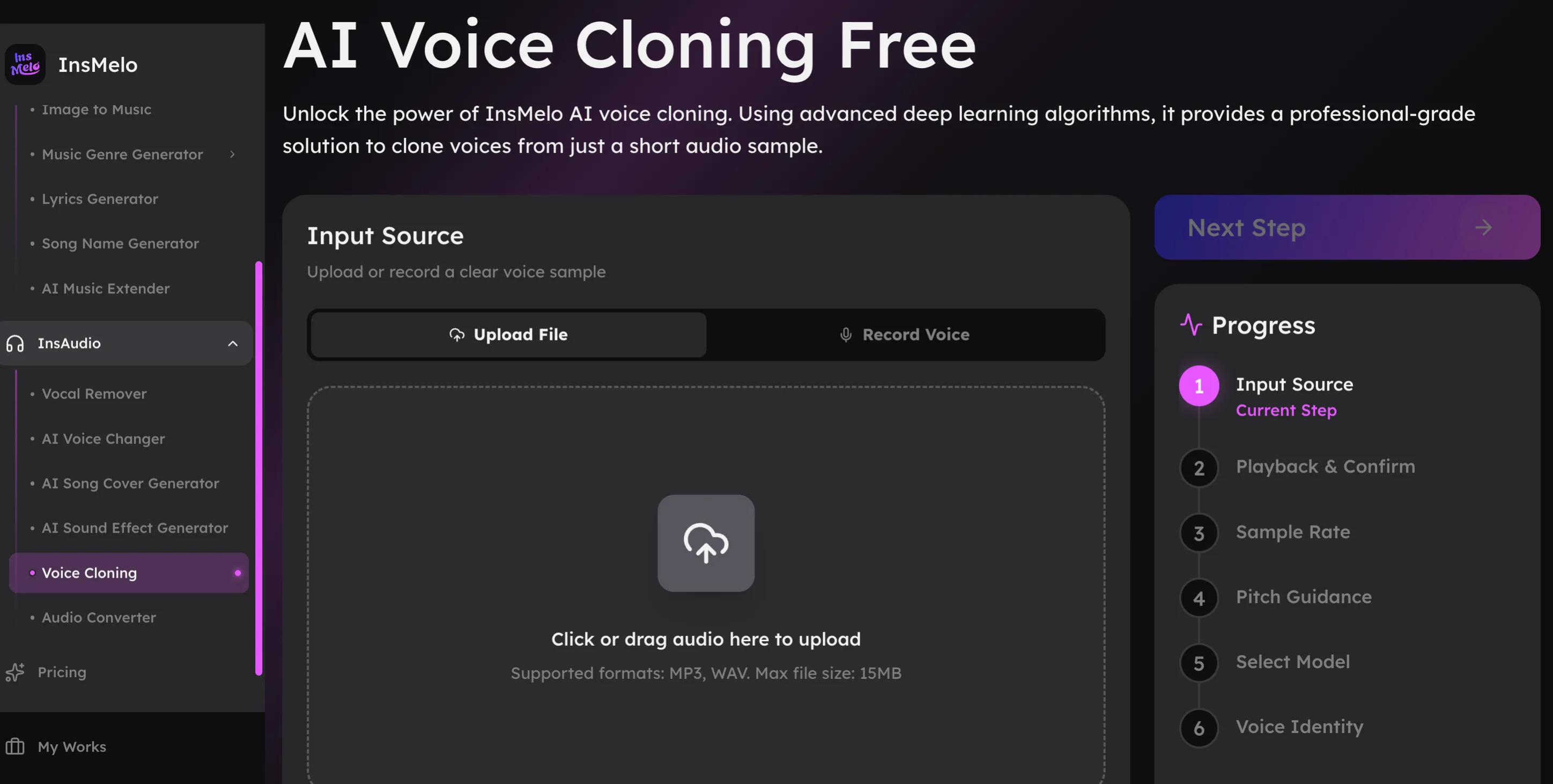
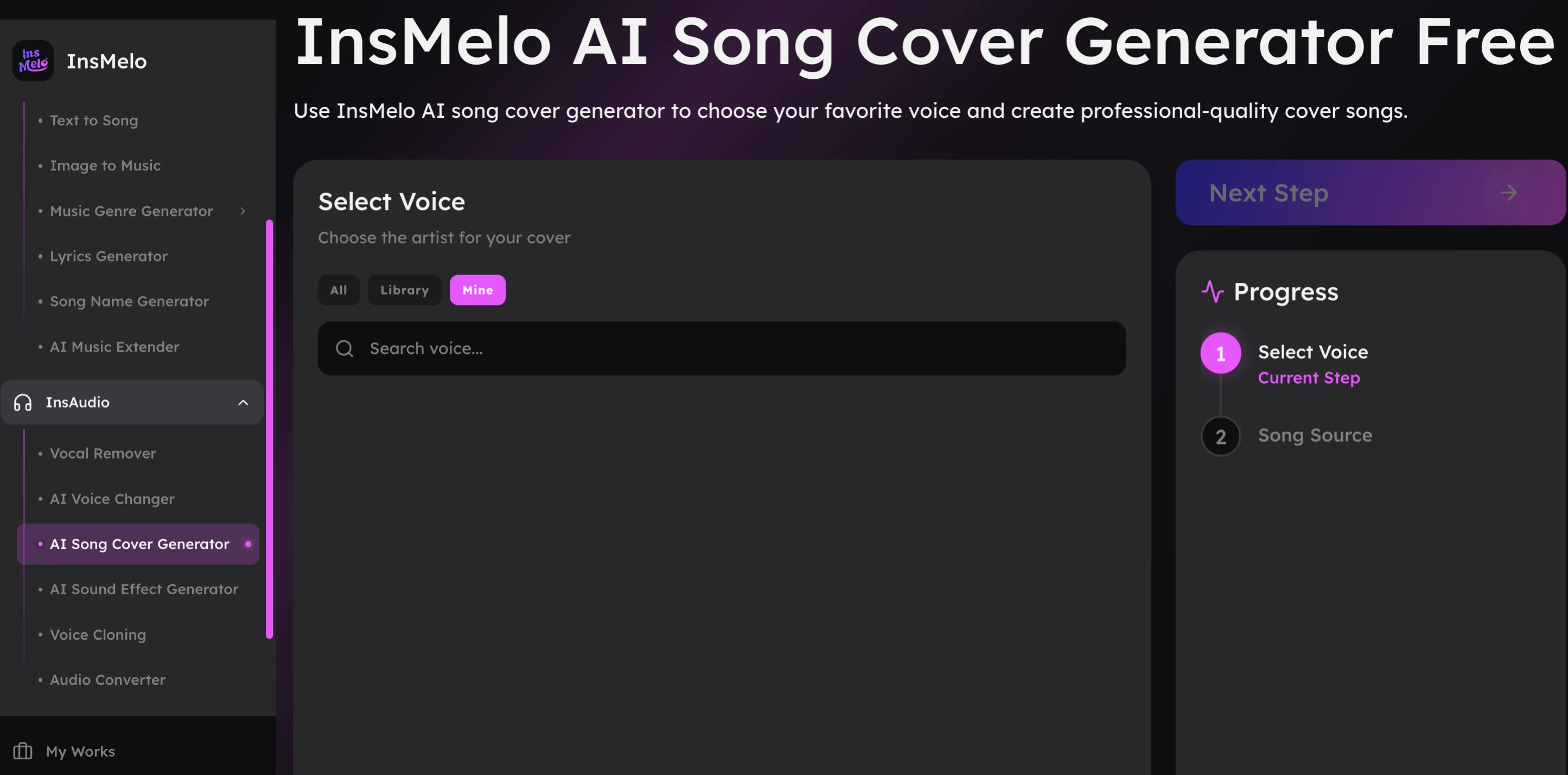
Fortunately, InsMelo AI song cover generator can help you sing your loved song with your AI voice. Follow these simpler and faster steps to generate a song that sounds like you.
Tips to Make Your AI Voice Sound Better
No matter whether you use your voice to generate an original song or to make a song cover, the first important thing is that you have your own good voice model.
To ensure your own voice sounds better, keep these tips in mind:
- Choose Easy-to-Use AI Voice Cloning Platforms: To get started, you should select a platform to create your AI voice model. Open-source options like RVC offer high accuracy but require more setup, while platforms like Suno, ElevenLabs and InsMelo provide easier, guided workflows. Many offer free tiers, so you can try voice cloning before upgrading.
- Start with Clean, Isolated Vocals: Record in a quiet space with minimal echo, and avoid background music if possible. Clear, voice-only audio helps AI voice cloning produce more natural vocals.
- Use Diverse Voice Recordings for Better Accuracy: More and better data improve voice accuracy. For singing voices, you'd better include variety in your recordings, such as low and high vocal ranges, multiple genres (pop, rap, rock, melodic), and mix sustained notes with fast passages.
FAQs about How to Use Your Voice in Suno
Conclusion
Using your voice in Suno to make a song has become much easier, and the output now reflects your vocal tone and personality more naturally than before. Even without any music background, you can quickly use your voice to create a full song.
As the AI voice technology keeps improving, it’s easy to imagine a near future where anyone can use their own voice to create music, whether it’s a personal memory or a thoughtful gift for someone else. It’s simple, but surprisingly meaningful.