Music is quickly evolving at this time. It used to take thousands of dollars to create an amazing cover song; it took hours of work and expensive equipment to create a cover song using difficult software and spending hours in a studio; however, thanks to AI, it has never been easier to make AI cover songs that sound polished and professional, even without studio equipment or advanced music production skills.
This guide will explain how to make ai cover songs from start to finish. You'll learn about many of the tools available to help you get started, as well as simple tips to ensure your track sounds as good as possible, regardless of your musical training.
What Is an AI Song Cover?
How to make ai cover songs is now easier than ever, thanks to a new form of music creation that allows you to create your own version of an existing song using an artificial voice for the lead singer. AI cover songs are easy to access, meaning that even someone with little to no musical skill can create an AI cover. In other words, you take the instrumental track (the music behind the sung part of the song) and input it into an AI software program. Then, the AI software takes the melody of the original singer's voice and performs it in the voice model that you chose.
This is all made possible due to the advancements in voice cloning technology. The AI system learns the way that you sing and your exact tone, pitch, and vocal style, thus allowing for a much More sophisticated type of artificial performer. Because of this process, AI platforms have quickly become the top product for ai song cover maker of existing music.
As you can see, an AI cover of a song is really just instructing a computer to "sing this song like that." The result is a high-quality rendition of the track that can often sound just like the real thing, giving music and video creators unlimited potential for creativity.
How to Make AI Cover Songs with the Top 6 Tools
The rapid advancement of music technology has opened up endless creative possibilities for creators. To help you navigate this evolving landscape, we have curated a selection of the top 6 tools currently available. Each platform offers unique strengths, allowing you to experiment with different vocal styles and bring your musical visions to life.
InsMelo
InsMelo offers a streamlined approach to generating AI song covers with a focus on vocal accuracy. It utilizes voice cloning to replicate specific emotional nuances, which helps in creating a more natural-sounding performance.
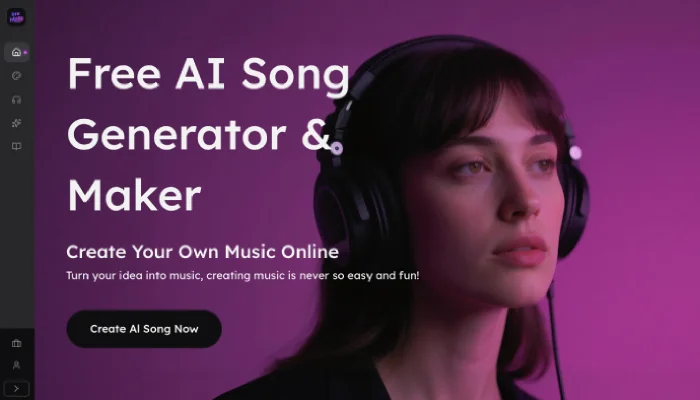
A key convenience of AI song cover generator is the ability to extract audio directly from YouTube links, removing the need for manual file preparation. Moreover, with a diverse library of celebrity and virtual character models, it serves as a versatile resource for social media creators and hobbyists looking for reliable results.
How to make AI covers for songs with InsMelo:
Step 1. Select Your Ideal Voice
Explore our extensive library to identify the AI voice model that best matches your song's genre and emotional tone.
Step 2. Provide Source Audio
Upload a local file or paste a YouTube link to supply the foundation for your track.
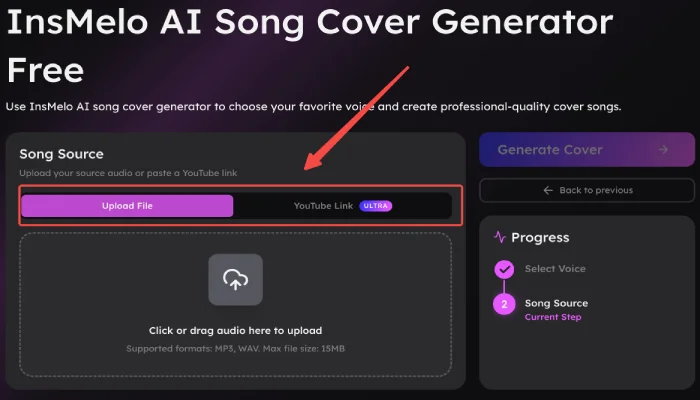
Step 3. Finalize the Creation
Hit "Generate Cover" to start making your track. After a brief processing period, your polished AI cover will be ready for immediate listening and download.



AI Song Cover Example: Before and After Comparison
Musicfy AI
Musicfy AI is a beginner-friendly AI song cover maker that works online and generates high-quality covers in minutes. Its simple interface and various voice models make it ideal for users learning how to make AI cover songs without professional skills.
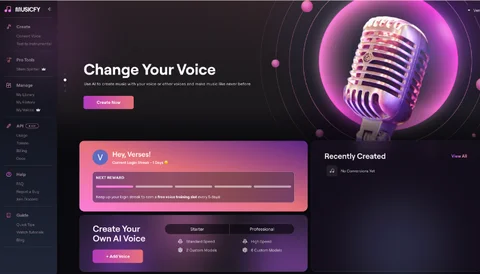
How to make AI covers for songs with Musicfy AI:
Step 1. Go to Musicfy AI and sign up or log in to your account.
Step 2. Select an AI voice model and upload your song or instrumental track.
Step 3. Let the AI generate the cover by applying the selected voice to the melody.

Jammable
Jammable is a versatile tool that offers a variety of voice models, making it easy to experiment with different vocal styles. It’s a great online option for creators looking to explore how to make AI cover songs with a wide selection of voices.
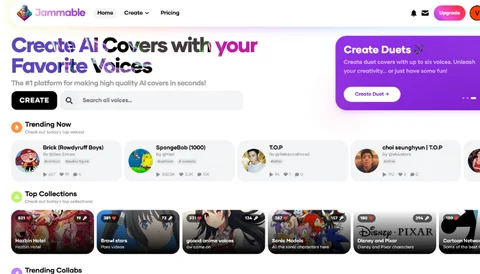
How to make a song cover using Jammable:
Step 1. Go to Jammable’s website and sign up or log in.
Step 2. Click the "Select Song" button, and you can then choose to upload song or record.
Step 3. Browse and select the AI voice model you want to use for your cover.
Step 4. Click Generate to create your AI cover song.
TopMediai AI
TopMediai AI provides an intuitive, web-based platform to create professional AI covers with minimal effort. Its built-in optimization tools make it easy for users to quickly adjust and improve their AI-generated songs, perfect for learning how to make an ai cover of a song.
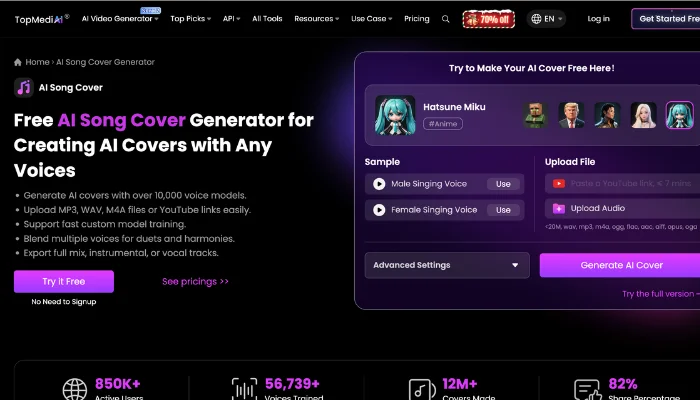
How to make an AI cover song with TopMediai AI:
Step 1. Go to the TopMediai AI song cover page and choose your favorite AI model.
Step 2. Upload your audio file or paste a YouTube link of the song you want to cover.
Step 3. Click Generate to create your cover song.
AISongMaker.io
AISongMaker.io allows you to easily switch between different voice models for customized AI cover songs. Its online interface supports both lyrics-to-song and track uploads, giving you full control over how to make AI cover songs.
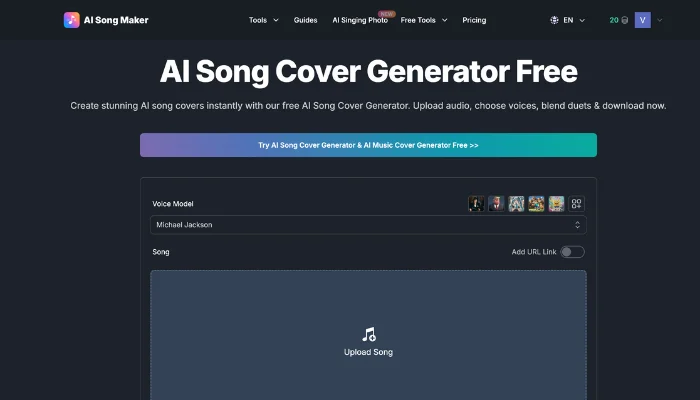
How to make an AI song cover using AISongMaker.io:
Step 1. Open the AI Song Cover Generator tool on AISongMaker.io.
Step 2. Upload your audio file or paste a YouTube link for the song you want to cover.
Step 3. Choose your favorite models, including celebrities, anime, and unique styles.
Step 4. Click Generate to create a studio-quality AI cover.
MusicCreator AI
MusicCreator AI is an online AI music platform that helps users generate original songs and create AI song covers. It supports multiple creation paths, making it more than a simple AI song cover generator, it’s a full AI music creation suite.
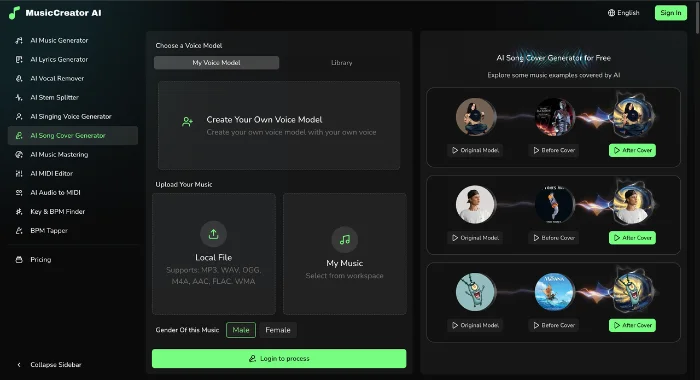
How to make AI covers songs with MusicCreator AI:
Step 1. Visit MusicCreator AI and sign up or log in.
Step 2. Choose an AI voice model from the available voice categories.
Step 3. Upload an audio file or select a track from My Music.
Step 4. Identify the original vocal gender if required, then generate and download your AI cover.
How to Elevate Your AI Cover Songs from Good to Great
It is easy to generate a voice using AI, but for your AI cover to sound amazing, there needs to be some additional work done to achieve the best possible sound quality of the cover. These tips are based solely on what you can hear to helping you master how to make ai covers of songs that genuinely impress.
- Balance the Volume: A professional song keeps the vocals clear and upfront without overpowering the music. When reviewing your AI cover, adjust the balance so the vocals are not drowned out by the instrumental—or overly isolated from it. The goal is a seamless, well-integrated mix between vocals and music.
- Clean Up Clarity: A great cover always sounds crisp and clean; therefore, if the AI-generated vocals sound “muffled” or “muddy,” you can use the optimization features built into your AI cover song maker to brighten the vocal sound. The key is to apply a subtle boost to the high end, which adds a sense of “air” to the vocals and helps them stand out clearly against the instrumental elements with greater confidence.
- Space for the Singer: AI vocals should feel natural and three-dimensional, not flat or “dry.” If your cover lacks depth, it often means there’s no sense of space in the mix. Adding a small amount of echo or reverb can quickly recreate the feeling of performing in a real venue and give the vocals more presence.
- Checking Your Final Notes for Wobble: AI-generated vocals can sometimes introduce pitch instability. Listen carefully to your cover from start to finish and check whether each note is held steadily. If you notice wobble, switching to a different AI voice model can help, as each model performs the same song differently and may produce cleaner results.
Bonus: Create Original Songs Instantly with InsMelo Text to Song Generator
If you already know how to make AI cover songs, taking the next step is creating a song with AI music generator from scratch. InsMelo text to song generator lets you turn written lyrics into a complete song with melody, vocals, and music, no recording or music theory required. Ready to bring your lyrics to life? Try it now and create your own song in minutes!
Pros
Easy to Use: No music or recording experience required. Simply enter lyrics and generate a song.
Multiple Styles: Supports different music genres and vocal styles for versatility.
Fast Results: Produces a complete track in minutes, saving time compared to traditional composition.
Creative Flexibility: Lets you experiment with original lyrics and melodies, perfect for demos or content creation.
Cons
Quality May Vary: Some generated songs may need a few tries to sound polished.
AI Interpretation Only: The melody is automatically created from lyrics, so it may not match your exact vision.

FAQ
conclusion
Using AI technology, it is easier than ever to learn how to make AI cover songs, regardless of your musical ability or experience. Using a quality AI song cover maker and making some simple adjustments can allow almost anyone to create polished, creative-looking covers for their own music and video projects. If you want to go a step further, InsMelo text to song generator lets you turn written ideas into original music, helping you move from inspiration to a complete song with ease.