The AI music landscape has shifted from "novelty" to "industry standard." By 2026, the global AI music market is projected to skyrocket to a $6.6 billion valuation, with over 22% of professional creators now using AI for foundational composition. In this new era of Suno V5/V6 and TopMediai's multi modal ecosystem, choosing the right tool is no longer just about fun, it's about professional edge and legal compliance.
In this guide, we dive deep into the performance, features, and commercial value of Suno vs TopMediai to help you decide which AI composer deserves a spot in your 2026 studio.
Meet Suno and TopMediai: AI Music Generator
To understand the Suno vs TopMediai rivalry, we must look at their specialized roles in the 2026 creative economy.
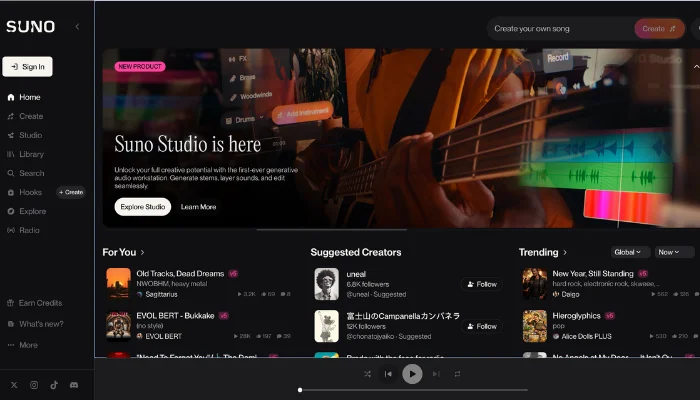
Suno has solidified its reputation as the "Soulful Virtuoso." Since the landmark release of its V5 model in late 2025, Suno has focused on emotional depth and "Intelligent Composition Architecture." It is the go to platform for users who want to turn a simple prompt into a radio ready 8 minute song with nuanced breathing, vibrato, and human like phrasing.
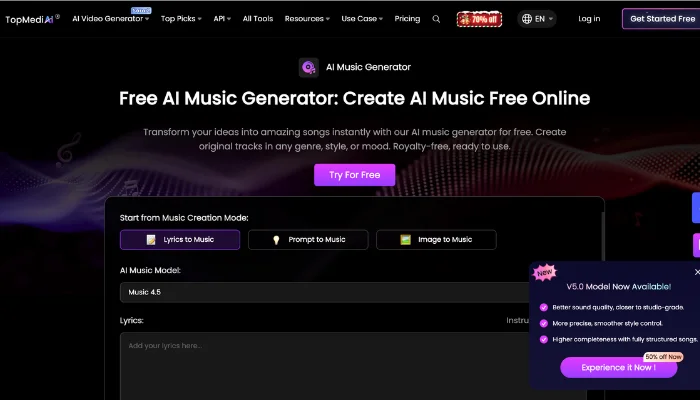
TopMediai, conversely, is the "Creator’s Swiss Army Knife." It integrates music generation into a broader suite of 3,200+ AI voices and video tools. While Suno focuses on the song, TopMediai focuses on the workflow, offering specialized modes like image to music and direct MIDI integration that cater specifically to social media influencers and game developers.
What Sets Suno and TopMediai Apart
When comparing Suno vs TopMediai, it’s important to take a closer look at how each AI music generator supports the creative process, from generating musical ideas to refining the final track. Understanding the differences in how these platforms handle composition, arrangement, and overall workflow can help creators make more informed decisions and get the most out of their music production tools.
Ease of Use
Suno: Designed with beginners in mind, featuring a clean and intuitive interface that requires little prior music knowledge. Users can easily select styles, moods, and basic settings without dealing with complex production workflows, making the overall experience smooth and accessible for non-professionals.
TopMediai: Provides a more advanced interface with deeper control over instruments, structure, and arrangement. While this increases flexibility and creative control, it also introduces a higher learning curve, making it better suited for users who are already familiar with music production concepts.
Music Quality
Suno: Produces high quality tracks suitable for casual projects, background music, or social media content. The AI generates coherent melodies with pleasing harmonies, making it perfect for creators needing fast, reliable output.
TopMediai: Delivers professional grade audio with richer instrument textures, layered effects, and realistic dynamics. Tracks are suitable for commercial releases, jingles, or professional projects, ensuring a polished, studio quality sound.
Customization
Suno: Offers basic adjustments such as genre, tempo, and instrument selection, focusing on speed and simplicity. While it lacks deep customization, it is perfect for creators who want to experiment quickly without dealing with complex settings.
TopMediai: Provides extensive customization including multi-track editing, instrument layering, tempo changes, and AI assisted chord progressions. Users can tweak every detail of a track, making it ideal for creators seeking professional control and creative freedom.
Speed
Suno: One of the fastest AI music generators on the market. Tracks are created in under 5 minutes, enabling rapid experimentation. This focus on efficiency makes Suno easier to adopt for casual creators, especially those new to AI music tools.
TopMediai: Slower due to complex AI processing and detailed rendering, but the extra time results in richer and more polished tracks, making it worthwhile for commercial and professional use.
Integration & Compatibility
Suno: Works well as a standalone platform, but integration with other DAWs or plugins is limited. Export formats are straightforward, making it easy to use for immediate projects.
TopMediai: Supports integration with other music production tools, DAWs, and plugin workflows, allowing seamless transfer of stems, MIDI, or multitrack files. This makes it highly compatible with professional studio setups.
Value for Money
Suno: Offers a balance of speed and quality at an accessible price point, making it a great choice for beginners or casual creators who want good results without a steep learning curve.
TopMediai: Offers premium features and professional grade output, which may come at a higher cost, but the added control, depth, and quality make it worthwhile for serious musicians and commercial projects.
Step by Step: Making Music with Suno & TopMediai
Step by step instructions for making music with Suno vs TopMediai, guiding you through track generation, customization, and export to create polished AI-powered songs.
Suno
Step 1. Add song structure
Arrange sections like Intro, Verse, Chorus, Bridge, and End to build the foundation of your track.
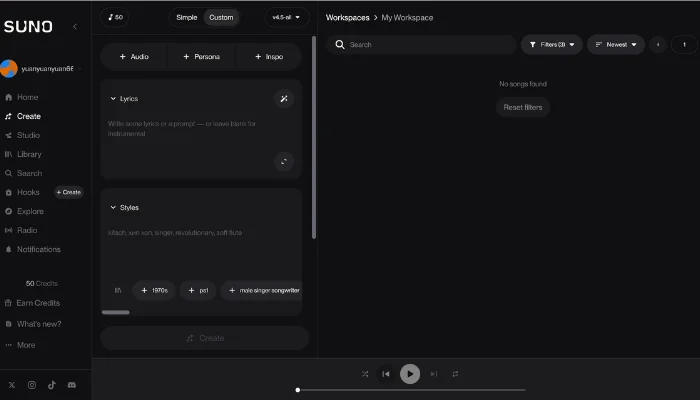
Step 2. Choose music styles
Select one or multiple styles, and the AI will generate melodies and rhythms that match your choices.
Step 3. Refine in Suno Studio
Don't just export; use the new multitrack timeline to adjust 12 individual stems (vocals, bass, drums) before your final lossless WAV download.
TopMediai
Step 1. Select a generation mode
Choose whether to create music from lyrics, a text prompt, or an image, depending on your creative goal.
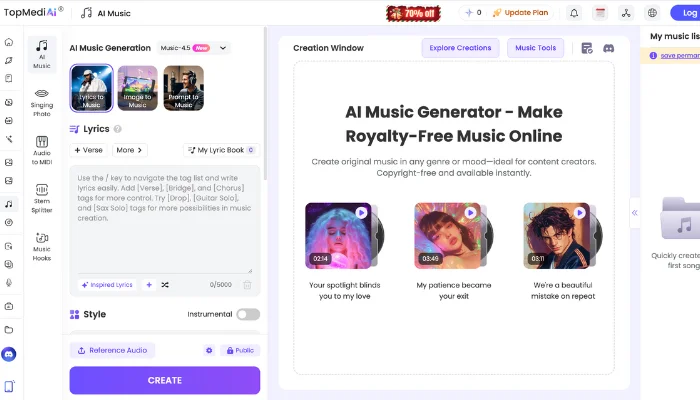
Step 2. Input content and fine tune
Provide your text, lyrics, or prompt; then adjust genre, instruments, tempo, and overall musical mood for a more tailored result.
Step 3. Generate, optimize, and export
Produce the track and optionally refine it with features like stem separation, MIDI conversion, lyric editing, or style transformation, then export a professional-quality audio file.
What You’ll Pay for Suno vs TopMediai
Compare Suno vs TopMediai pricing, from free trials to premium subscriptions, and learn which AI music generator provides the best value for your music creation needs.
| Feature / Plan | Suno AI | TopMediai |
| Basic / Free Plan | $0 (50 credits/day, Non-commercial) | $0 (Trial credits, Non-commercial) |
| Pro / Creator Plan | $10/mo($8/mo billed annually) | $17.99/mo($8.99 first month promo) |
| Premier / Professional | $30/mo ($24/mo billed annually) | $99.99/year (Approx. $8.33/mo) |
| Monthly Song Limit | 500 Songs (Pro) / 2,000 Songs (Premier) | 375 Songs (Creator) / 500+ Songs (Pro) |
| Commercial Rights | Included in all paid plans | Included in all paid plans |
| Key Bonus | Advanced Stem Separation | 3,200+ Voice Models & Video Tools |
2026 Policy Alert: Starting in 2026, Suno has deprecated older unlicensed models. Tracks made on the Free Plan are now "Play & Share only" and cannot be downloaded. You must have an active paid subscription to export audio files.
Bonus: Bring Your Lyrics to Life with InsMelo
Ever wished your lyrics could instantly become a full song? With InsMelo lyrics to song, that dream is now a reality. Just enter your words, pick a music style, and the AI transforms them into a complete track, perfectly matching melody and rhythm to your lyrics.
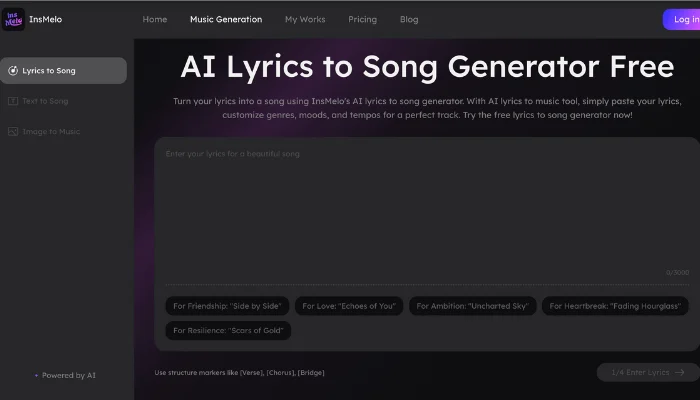
Now, let’s see how you can turn your lyrics into a full song:
Step 1: Input Lyrics
Enter your lyrics into the text box, full songs or new lines both work perfectly.
Step 2: Select Style & Model Version
Choose a music style (pop, rock, R&B, cinematic, etc.) and select the AI model version for optimal results.
Step 3: Generate, Share & Download
Click “Create” to generate your track, preview it, and then share or download your finished song.
Conclusion
When comparing Suno vs TopMediai, both platforms are powerful AI music generators, each offering unique strengths for different types of creators. Suno stands out for its fast, high quality track creation with an intuitive interface, perfect for beginners or those who want quick results. TopMediai, on the other hand, provides extensive customization and professional grade control, allowing creators to refine every detail of their music.
For creators looking to take their music even further, tools like InsMelo lyrics to song feature can complement Suno and TopMediai by turning written lyrics into fully produced tracks.