Recently, a friend of mine, a graphic designer, asked me how to make lofi music quickly. She spends her days coding and creating visuals, always with lofi music playing in the background. This time, she wanted to create her own. The only problem? She had zero music experience and no idea where to start. If that sounds familiar, you’re in the right place.

What Is Lofi Music?
Lofi music (short for “low fidelity”) is a music genre that makes imperfection into a vibe. Instead of polished, studio-clean sound, it leans into subtle noise, vinyl crackle, and slightly off-beat rhythms. That imperfect texture is exactly what makes it feel warm and relaxed.
Most lo-fi tracks sit between 60–90 BPM and follow a relaxed, loop-based structure. It’s designed to create a mood. That is calm, nostalgic, a little dreamy.
That’s exactly why so many people like my friend keep it on in the background while working or studying.
Actually, lo-fi music is widely used for:
- Studying and focus playlists
- YouTube background music
- Relaxation and sleep
- Content creation
Key Elements of Lofi Music
If you're planning to create lofi music like a professional musician, you'd better know the key elements of lofi music and study them diligently. However, even if you're a newbie in music, you can still get a general idea.
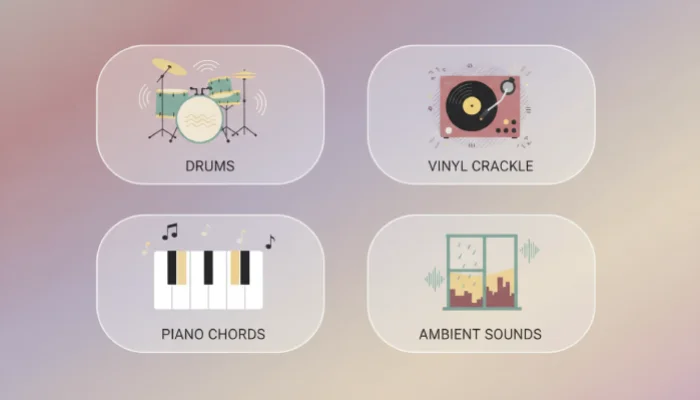
The "Dusty" Sound Texture
Lofi is known for its slightly imperfect, vintage feel. Adding soft vinyl crackle, tape hiss, or light noise helps create warmth, while effects like saturation or lowering high frequencies give the music a cozy, worn-out sound.
The Relaxed Drum Groove
Unlike perfectly timed electronic beats, lofi drums feel loose and natural. Slightly shifting the timing of hi-hats or snares adds a human touch, while kicks and snares stay soft and subtle. Most tracks keep a slow tempo around 60–90 BPM.
Warm, Jazzy Chords
Lofi often uses simple melodies with rich, jazzy chords like 7th or 9th chords. Instruments like electric piano or soft guitar work especially well, and adding a slight pitch wobble can make the sound feel more nostalgic.
Background Atmosphere
Ambient sounds help set the mood. Light rain, café noise, or distant city sounds can make the track feel more immersive, while short vocal clips can add a bit of personality without taking over the music.
Now that you understand what makes a lofi track sound right, the next question is: how do you actually create one?
Traditional vs AI: Two Ways to Make Lofi Music
There are two main approaches when learning how to make lofi music: the traditional production route and the newer AI-assisted workflow. Let’s see the differences between traditional ones and the Lofi music generated by AI.
Here’s a quick comparison to help you decide which method fits you best:
| Features | Traditional Lofi Production | AI Lofi Song Maker |
| Workflow | Build everything manually (drums, chords, effects) | Describe your idea and generate instantly |
| Speed | Slow (can take hours per track) | Fast (results in seconds or minutes) |
| Skill Level | Requires learning DAWs and basic music theory | Beginner-friendly, no experience needed |
| Creative Control | Full control over every detail | Moderate control via prompts and edits |
| Personalization | High (fully custom sound design) | Medium (depends on AI music tool capabilities) |
| Music Quality | High (with personal experience) | Consistent, good quality, Ready to use |
| Cost | Expensive: DAW + plugins + sound packs | Often free or subscription-based |
| Difficulty | Steep learning curve | Easy and intuitive to use |
| Best For | Producers who enjoy hands-on creation | Beginners, creators, and fast content production |
Both approaches have their place. But if you are similar to my friend, AI song generator is a much more accessible and quicker way to make a lofi song without getting stuck in technical details.
How to Create Lofi Music with InsMelo AI (Step-by-Step)
Creating your first track doesn’t have to be complicated. Here’s a simple way to do it using InsMelo AI lofi song maker.
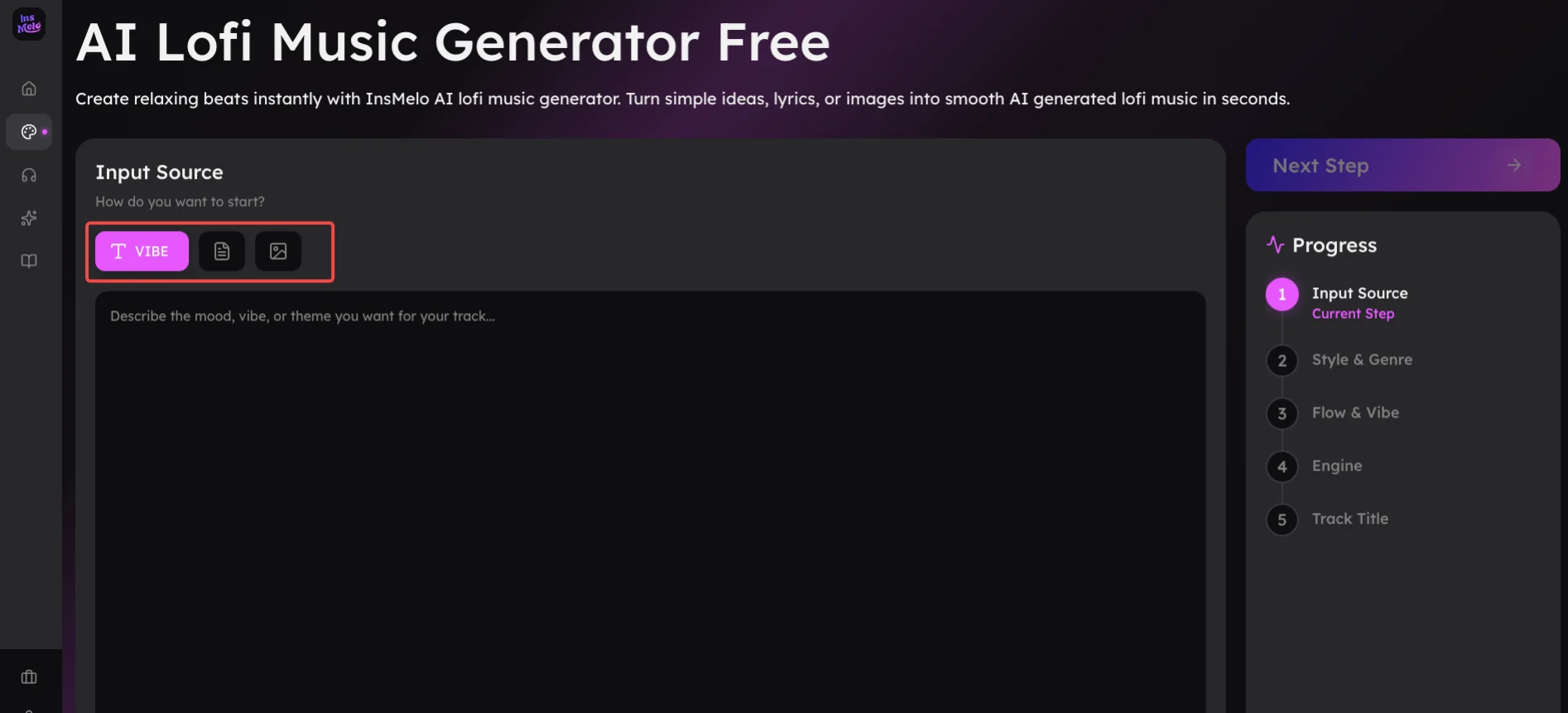
- Lyrics to Song: Paste your full lyrics or even just a few poems into the song generator.
- Text to Song: Enter a short prompt describing the vibe. For example, "Slow 74 BPM melancholic lofi with a hazy Rhodes melody, heavy tape saturation, and the immersive sound of rain hitting a window."
- Image to Music: Upload an image and let it inspire the sound.

Why Use InsMelo as an AI Lofi Song Maker?
When you use InsMelo to make a lofi version of a song, you will experiment with its outstanding features.
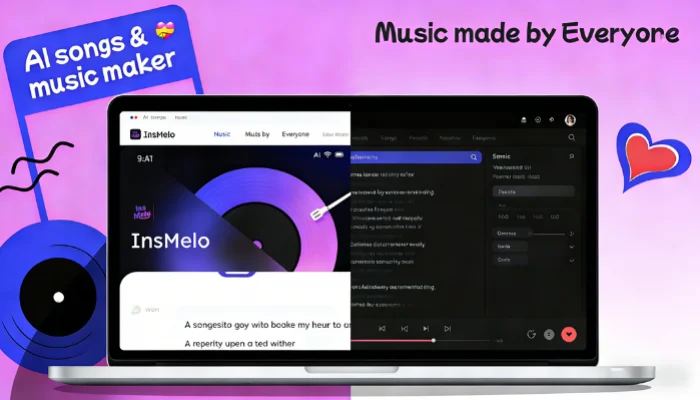
Beginner-Friendly Song Maker
You don’t need to learn complex music theory or complicated software before creating AI lofi song. Just describe the mood you want, and InsMelo AI transforms your ideas into a professional-sounding track.
Fast Lofi Music Generation
Skip the hours of tedious manual editing and drum programming. High-quality lofi beats are ready in seconds, so you can spend more time on your creative projects and less on technical hurdles.
Creative Flexibility
Different from other AI music tools, InsMelo lofi maker supports your inputs like text, lyrics, or images to shape unique results. Simply change your description to instantly shift from a rainy midnight vibe to a bright, sunny morning groove.
No Copyright Issues
If you're wondering how to make lofi songs without copyright strikes, this is the answer. Every track is generated from scratch as original, royalty-free music, so you can safely upload to YouTube or social media without worrying about muted audio.
No Setup Hassle
Forget about downloading massive software libraries or buying expensive hardware. Making your own lofi song online on your pc or phone, allows you to produce lofi beats whenever and wherever inspiration hits.
Best Tips to Create Lofi AI Music
After spending weeks testing different prompts and styles in the music lab, our team found these tips to make the best lofi tracks.
Tip 1: Use clear vibe words Typing just "lofi" often gives plain results. The magic happens when you describe a scene. Instead of "chill music," try something like "dusty attic piano" or "distant muffled radio." These sensory words help the AI dial in those unique textures that make lofi feel human.
Tip 2: Keep the tempo slow We experimented with faster tempos, but anything above 95 BPM started to lose that relaxed. Staying around 70–85 BPM helps the beat feel relaxed and easy to listen to.
Tip 3: Add everyday background sounds We found that mentioning a specific background texture, like a faint coffee shop hum or dry leaves crunching, adds an organic layer that makes the AI lofi music generation sound more natural and less digital.
Tip 4: Don’t stop at the first result Rarely did we settle for the very first track the AI generated. Think of the AI song generator as a collaborative partner. If the melody is great but the drums are too loud, try slightly adjusting your description and hitting generate again. Iteration is where you find the true gems.
FAQs about How to Make A Lofi Song
Wrapping Up
Learning how to make lofi music doesn’t have to be complicated. Whether you prefer hands-on production or a faster AI approach, the key is to start creating you own lofi muisc now.
If you want the quickest way to create high-quality lofi songs, try using an AI lofi song maker and turn your ideas into music in seconds.