You already have the song. The hard part is giving it something people can watch. If you want to learn how to make music video animation without opening a pro editing timeline, InsMelo AI music video generator turns your song and idea into an animated music video online.
What Is Music Video Animation?
Music video animation is a visual format that brings a song to life through animated scenes, moving images, characters, lighting, camera motion, and effects. Unlike a filmed music video, it does not rely on actors, cameras, or real locations.
It gives music a visual identity beyond a static cover. YouTube says Shorts now averages over 200 billion daily views, which shows how important motion has become for songs in video-first feeds.
How to Create Animated Music Video with AI Using InsMelo
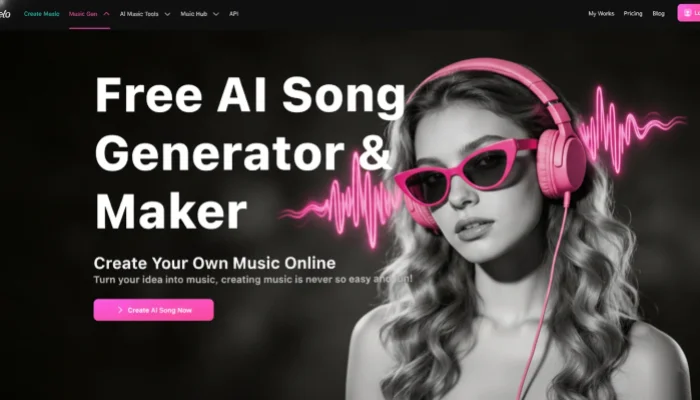
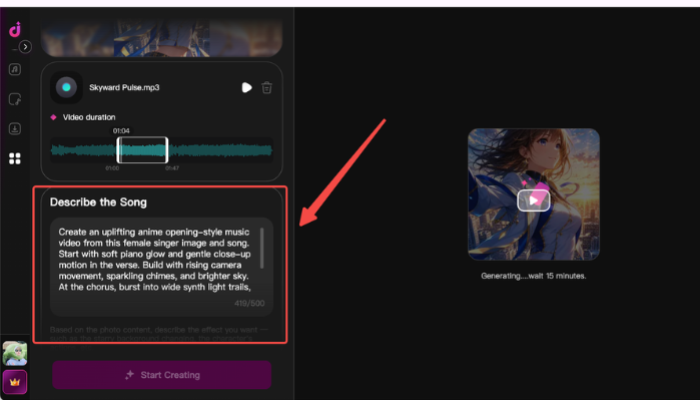
The old way to create a music video animation can feel slow and complicated. InsMelo AI Music Video Generator gives creators a shorter path. If you want to know how to make an animated music video for free without learning animation software, you can start from the materials you already have: a picture and a song.
How to make anime music video
Why Choose InsMelo for Your Animated Music Video?
InsMelo AI Music Video Generator is an easy online tool that helps you turn music into animated visuals without complex editing software. It is built for creators who want to make music videos faster, using simple creative direction instead of a full animation workflow.
Some of InsMelo's key benefits include:
- Easy music-to-video workflow
- AI-powered animated music video creation
- Prompt-based style control
- Free trial for beginners
- No animation or editing skills needed
- Online creation for fast sharing
Watch the animated music video created by InsMelo
Animated Music Video Ideas You Can Create with InsMelo
Every animated music video starts with a visual direction. InsMelo animated music video maker can shape the same song into different moods through animation style, scene design, and motion prompts.
Anime-Style Music Video
Build the video around a character, expressive emotion, dramatic scenes, and a stronger chorus moment. This direction fits creators learning how to make anime music videos online.
AI Singer Music Video
Turn an artist image or virtual singer into the center of the performance. Subtle motion and stage-style visuals can make the track feel more release-ready.
Cinematic Music Video
Focus on mood, atmosphere, and emotional pacing. This direction gives the song a stronger story-like feeling.
High-Energy Music Video
Use faster motion, stronger contrast, sharper transitions, and a clear visual lift when the beat hits. This direction works better for songs with stronger rhythm or intensity.
Personal Music Video
Shape the video around memory, emotion, or a personal song. Warmer movement and softer visuals can make the result feel more meaningful.
Music Visualizer Animation
Keep the visual centered on cover art, color movement, and steady effects. This direction works well when the full song needs to stay watchable without becoming too busy.
Tips for Better Animation for Music Video
Good animation for music video comes from a clear creative goal and a clean starting point. Before making the final version, keep the visual direction focused and refine the result until the motion feels connected to the music.
- Use a clean image: Blurry or crowded visuals make the final animation harder to control.
- Choose the right song section: A hook, chorus, or emotional line gives the video a stronger center.
- Keep the first second clear: The viewer should understand the mood immediately.
- Use the right video ratio: Vertical works better for short-form platforms, while widescreen fits YouTube and release pages.
- Refine one thing at a time: Change the style, motion, or mood separately, so you know what improves the result.
- Check your source rights: Use music and images you own or have permission to use before publishing.
FAQ About Animated Music Video Creation
Conclusion
Making a music video no longer has to start with a full production plan. If you want to learn how to make music video animation, InsMelo AI Music Video Generator gives you a simple way to turn your song idea into a visual that feels ready to share.
Start with the mood of your track, share your ideas, and generate your video online. With the right idea, you can create animated music video online content that gives your music more movement, emotion, and visual identity.
Try InsMelo AI Music Video Generator today and make your next song something people can watch, not just hear.