Techno has become one of the most influential electronic genres worldwide, known for its hypnotic beats and minimal structure. If you're wondering how to make techno music without complex software, advanced AI techno music makers now offer a faster and more accessible way to get started.

What Is Techno Music
Techno music originated in Detroit during the 1980s and quickly evolved into a global movement, shaping underground club culture and festivals. Understanding how to create techno music starts with recognizing its core identity—steady 4/4 beats, repetitive loops, and evolving textures that build atmosphere over time.
Unlike other electronic genres, techno focuses on subtle variation rather than dramatic changes. A typical track runs between 120 and 150 BPM, with deep kicks and layered percussion forming the foundation. According to a 2024 report from the International Music Summit, electronic music now accounts for over 16% of global music consumption, with techno playing a major role in club and streaming growth.
This genre thrives on simplicity and precision. Learning how to make techno involves mastering rhythm and sound design rather than complex melodies, which makes it ideal for both beginners and experienced producers.
How to Make Techno Music with AI Techno Music Generator
How do you make techno music? Traditional techno music production can take hours or even days, plus a rich music experience. However, an AI-powered techno music maker, like InsMelo, has transformed song generation more quickly and easily. You can turn an idea, lyrics, or image into a full track in just a few steps.
How to Create Techno Music Online
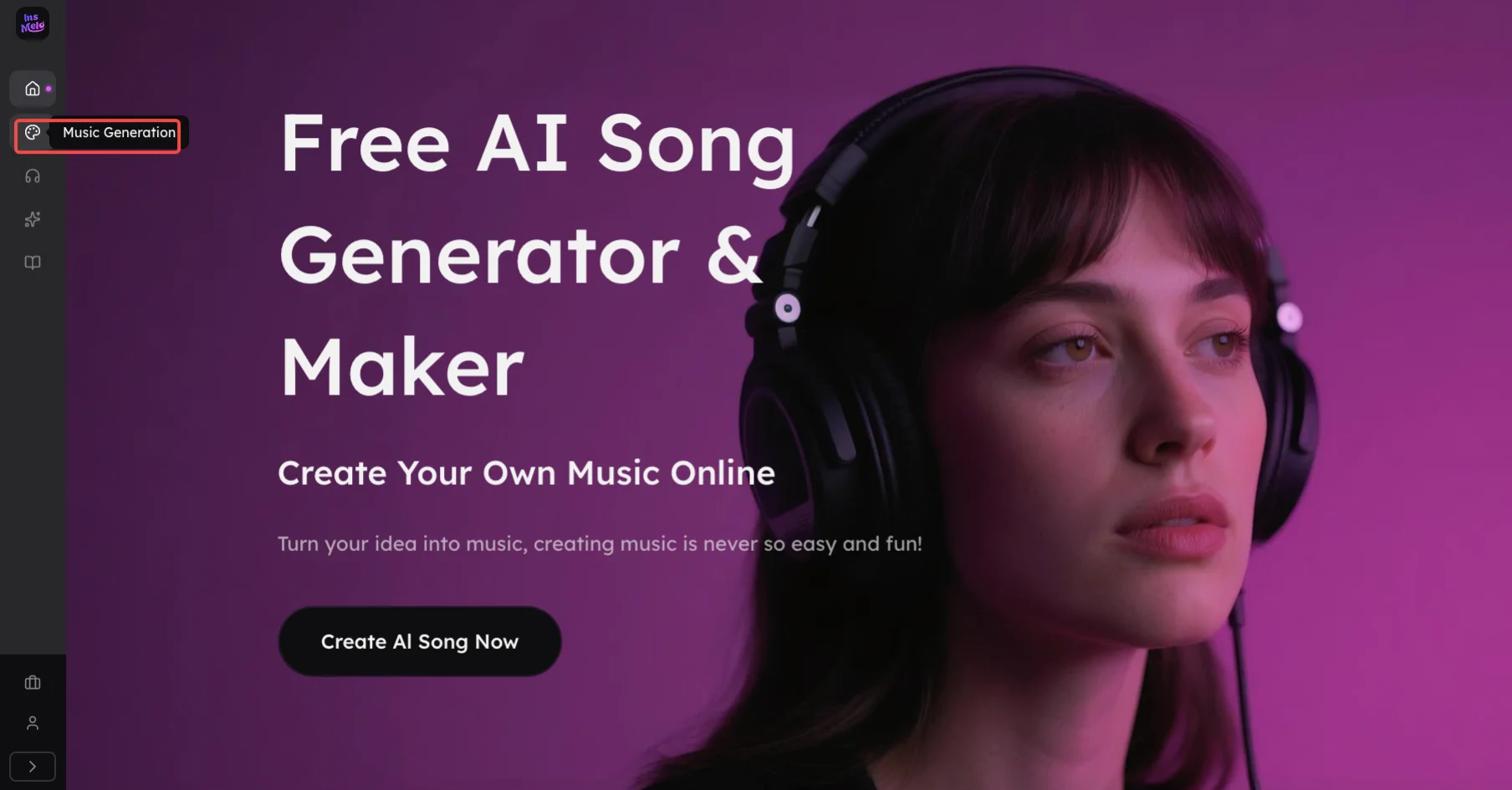
InsMelo offers three simple options to make techno music online.
- Text to Song: Enter a short description of the vibe, mood, or energy. For example, “write a fast 130 BPM warehouse techno music with deep bass and driving kick.” The AI builds a full track based on your prompt.
- Lyrics to Song: Paste your lyrics or short phrases and adjust line breaks or structure. Then select optionally the desired mood, BPM to customise the vibe of your song.
- Image into Music: Upload an image that reflects the atmosphere you want, and the AI song maker turns visual elements into a techno composition.
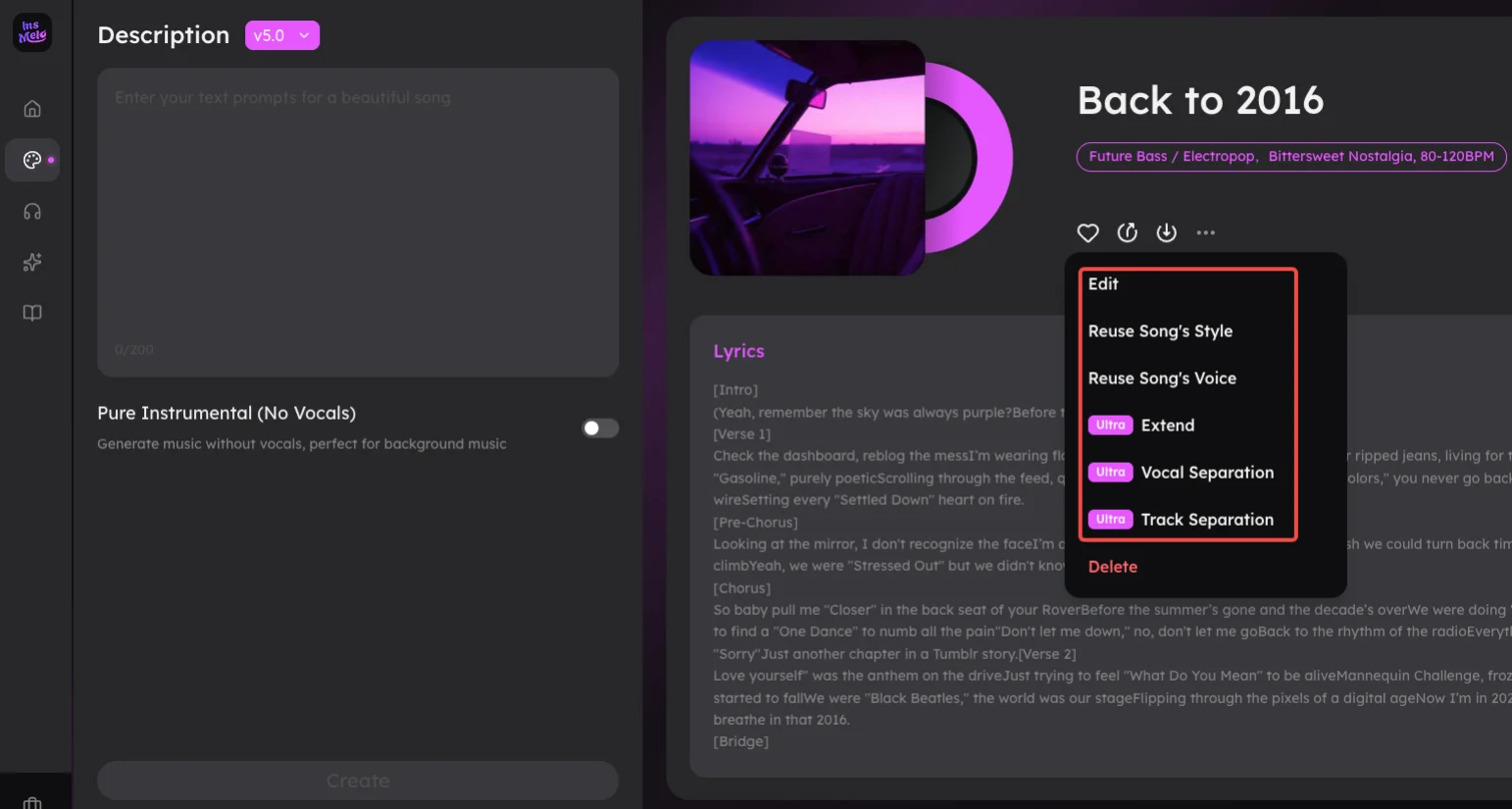
Note: Regardless of the music creation mode, InsMelo free techno music maker supports complete techno songs and instrumental tracks.
Why Choose InsMelo AI?
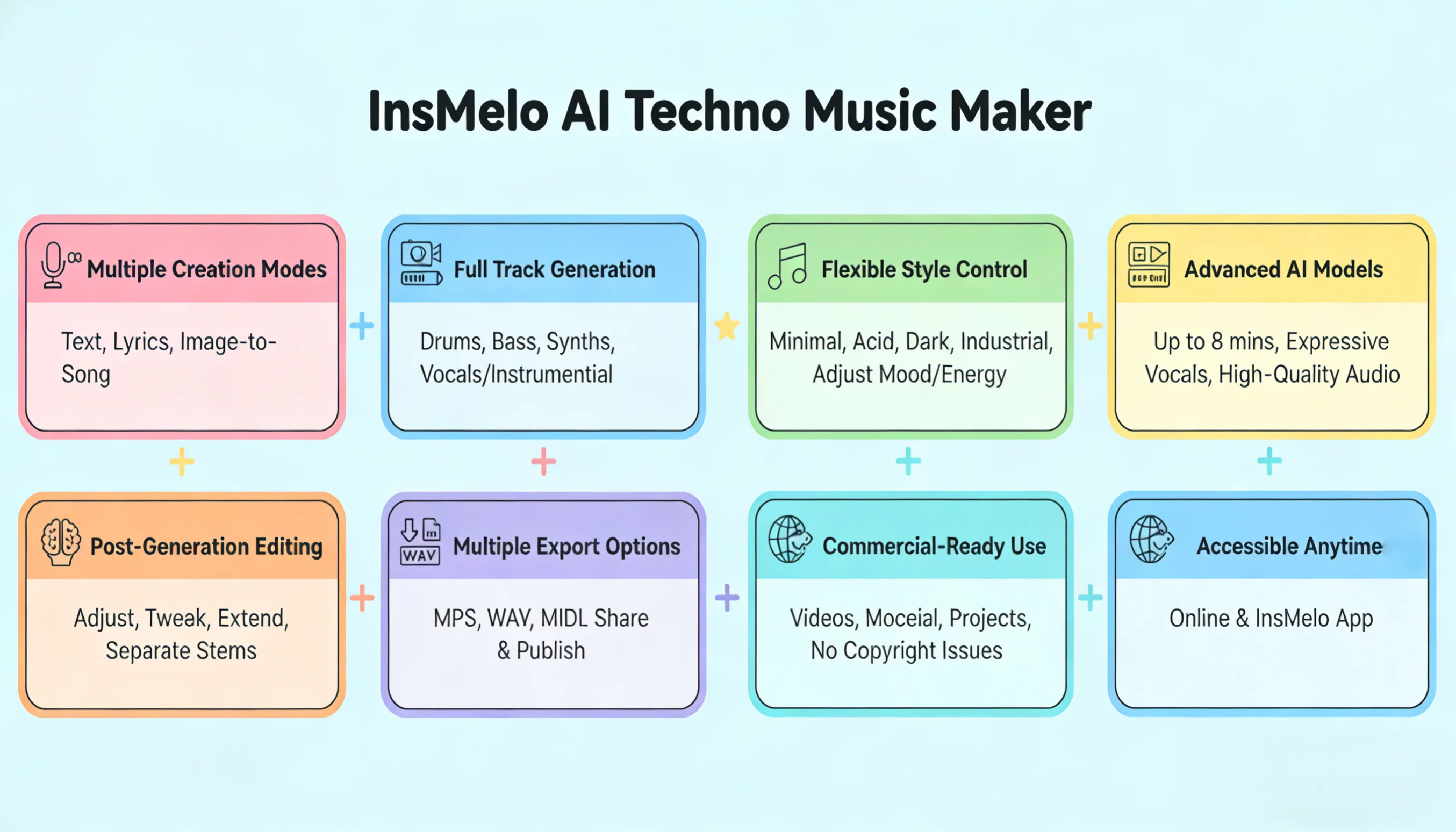
Many AI music tools on the market are either too expensive or difficult to use, especially for beginners. In contrast, InsMelo is simple, easy to use, and supports free techno song generation, making it a great choice for anyone getting started.


Pro Tips for Making a Good Techno Song
Learning how to make a good techno song involves more than just a loud kick drum. Pay attention to these practices from our professional music team, you will create better techno music.
- Prompt Precision: Use clear descriptions like "industrial techno with heavy kick and dark atmosphere" to guide AI output. Specific descriptions lead to more usable and consistent songs.
- Subgenre Direction: Choose a defined style such as minimal, acid, or dark techno. Each subgenre has a unique sound design, helping your track feel more focused and intentional.
- BPM Control: Keep your tempo between 120–135 BPM for classic groove. Faster BPM works for harder styles, while slower ranges suit minimal or deep techno.
- Layered Textures: Combine kicks, hi-hats, and subtle background noise. Add analog-style distortion or sub-bass layers to create depth without overcrowding the mix.
- Create and Refine: Generate multiple versions and compare sections. Combine the best techno music tracks or regenerate variations to improve groove, balance, and overall energy.
You can also read: How to Make Electronic Music With AI
FAQs about How to Make Techno Music Tracks
Conclusion
With InsMelo AI techno music maker, anyone can easily learn how to make techno music without complex software and quickly generate high-quality techno music tracks, from dark industrial beats to minimal grooves. Follow the steps above to create, refine, and export your techno songs—perfect for personal projects, videos, DJ sets, or commercial use. Start creating your own techno music today.